4 Best AI Face Enhancers to Restore and Upscale Faces
Artificial Intelligence, nowadays, has revolutionized the way we edit and enhance faces in our media, and nowhere is this more evident than in the rise of AI-powered face enhancers. These enhancers leverage advanced machine learning algorithms to automatically refine facial details. It smooths skin, offers a sharpening feature, adjusts lighting, and even restores/revive old or low-quality images, without the need for professional editing skills. Whether you're a content creator aiming for polished visuals, a photographer seeking quick touch-ups, or simply someone wanting to enhance personal snapshots, the best AI face enhancers offer a seamless blend of convenience and quality. In this post, we are going to explore all the best tools you can access to perfectly enhance faces on your media. Then, we will also give you a detailed method for enhancing faces for a better viewing experience. Thus, read here and learn more!

PAGE CONTENT
Part 1. ReMaster AI Face Enhancer
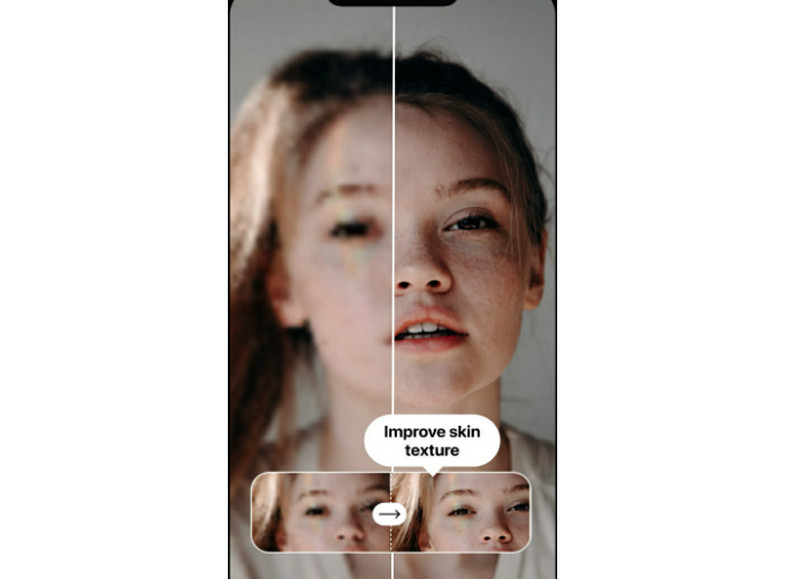
One of the reliable AI face enhancers you can access is ReMaster AI Face Enhancer. This app is effective for upscaling and improving the face on your content. It can even restore and refine facial details with remarkable precision, which makes it perfect for enhancing portraits and reviving old photos. The good thing about this tool is that it can smooth skin and correct imperfections, thanks to its deep learning algorithms. It can also be an excellent face feature enhancer, allowing you to create the outcome based on your needs. Thus, try this tool and start enhancing your images.
Key Features
• It is powered by AI, perfect for restoring old images.
• Smooths skin, removes blemishes, and reduces wrinkles.
• Enhances facial features, such as lips, teeth, eyes, and more.
Pros
- The tool can produce a natural-looking output.
- It is free to use.
- Its main layout is comprehensive, making it ideal for non-professional users.
Cons
- The app's advanced customization is limited.
- Some of the features are accessible on the paid version.
Part 2. Vidmore Video Enhancer
If you want to enhance the facial clarity on your videos, then Vidmore Video Enhancer is the perfect software you can access on your computer. With its Face Model feature, you can enhance the overall features of the face from the video. What we like here is that enhancing your media is a simple task, thanks to its comprehensive user interface. Plus, you can choose your preferred output format after the enhancement procedure. You can save your final video as MP4, MKV, WMV, MOV, and more. Thus, consider using this program if you need a remarkable AI face fixer.
Key Features
- It can offer various AI-powered enhancing models.
- The software has a fast enhancement procedure.
- It can save video with the best quality for up to 4K.
- The Preview feature is available.
Are you interested in enhancing the facial clarity of your videos? In that case, use the detailed instructions we have provided below.
Step 1. Download Vidmore Video Enhancer on your desktop. After that, run it to start the face enhancement process.
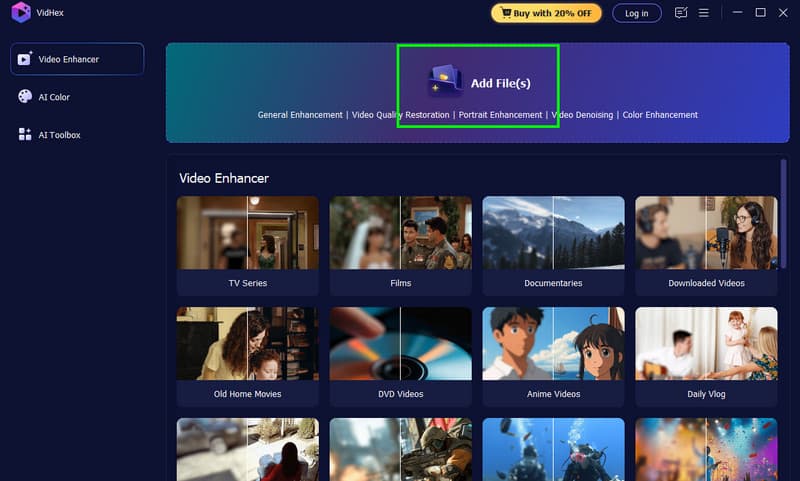
Step 2. From the primary layout, click the Add Files button to start adding the video you want to enhance.
Step 3. Click the Face Model feature from the right interface. Then, you will see that the program will enhance the facial clarity on your videos automatically.
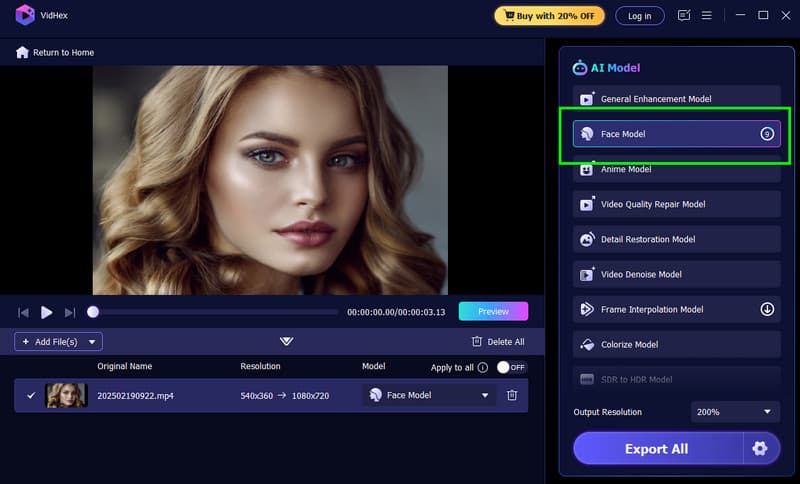
You can also click the Preview feature to see the result and compare it to the original video.
Step 4. Once you are done, you can now click the Export All button from the bottom interface. With that, you can now start watching the better version of your video.
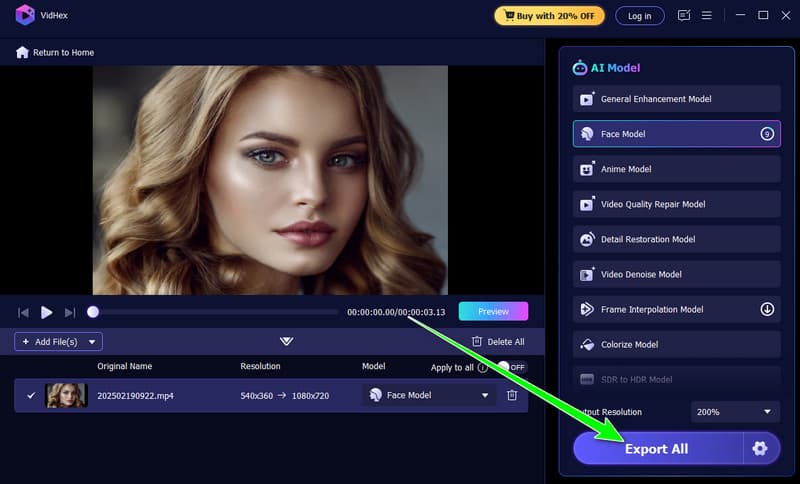
Thanks to this program, you can instantly enhance the face on your video, resulting in a better viewing experience. The best part here is that you can also deal with other videos. You can upscale anime to 4K, enhance vlogs, documentaries, and more, making it an exceptional media enhancer.
Part 3. UniFab AI Face Enhancer
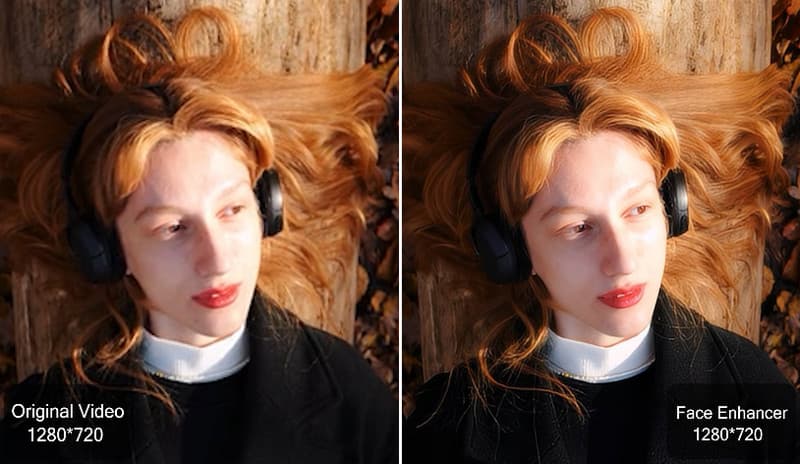
UniFab AI Face Enhancer is a smart and reliable tool created to make portrait editing simple and effective. This tool can give you sharp, natural-looking results without the hassle. Powered by advanced AI, it automatically clears up blurry spots, restores facial features, and boosts overall image quality in just seconds, with no manual adjustments needed. In addition to that, with its instant face enhancement and unblur technology, it brings clarity to videos right away, ensuring every detail looks crisp.
Key Features
- The software can colorize B&W videos.
- It can enhance videos to HDR and 12 FPS.
- It can upscale videos up to 16K.
Pros
- The UI of the tool is easy to understand.
- It can handle numerous formats to avoid compatibility issues.
- Its AI-powered technology ensures an accurate result.
Cons
- The program's paid version is too expensive.
- There are times when the software is crashing.
You can also check: An All-round Review on AI Face Swap Tool.
Part 4. Remini
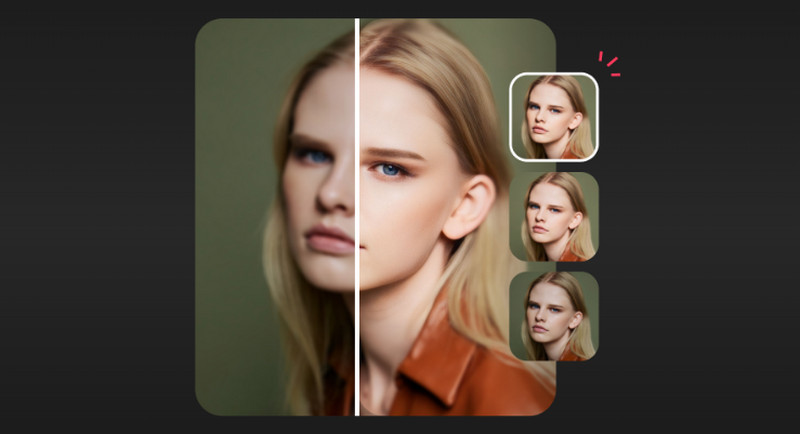
Another AI face fixer you can access is Remini. This tool is an excellent AI face enhancer that turns blurry, old, or low-quality images and videos into sharp, high-definition visuals with stunning clarity. With the help of its advanced deep learning technology, the tool can restore facial details, smooth imperfections, and revive photos with natural, lifelike results in just seconds.
Key Features
- The program has AI-powered technology to restore old and damaged photos and videos.
- It can offer an automatic color correction and background enhancement.
- It is accessible on both mobile and desktop.
Pros
- The tool can produce a realistic output.
- It is easy to use, ideal for all types of users.
Cons
- For batch processing, you must get the paid version.
- The outcome may vary depending on the original image quality.
Part 5. FAQs about Best AI Face Enhancer
How does an AI face enhancer work?
The tools can use deep learning algorithms trained on millions of facial photos to refine and detect features. The tool will analyze pixels frame by frame, restore details like lips, eyes, skin, and more, while maintaining the natural look.
Can AI face enhancers improve both videos and photos?
Absolutely, yes. There are various tools you can rely on to deal with both videos and photos. Some of them are UniFab, Remini, Vidmore Video Enhancer, and many more.
What resolution can the AI face enhancer achieve?
It depends on the tool you use. Some tools can let you enhance your media up to 4K, 8K, and even 16K for ultra-high-definition output.
Conclusion
With these best AI face enhancers, there is no doubt that you can improve the facial clarity of your content. Thus, use the tools we have introduced and achieve your desired result. Plus, if you want the best software that can enhance all face features automatically, we recommend using Vidmore Video Enhancer. This program ensures that you get the best facial result after the enhancement process.