6 Best Video Color Enhancers for 2025 [Pros and Cons]
Nothing beats the best moment when watching your favorite videos in your free time. But do you know that you can improve your viewing experience by enhancing the video color? Yes, you read it right! Enhancing the video's color can make it more realistic and engaging. With that, if you are looking for the best video color enhancers to improve your video, we've got your back! You can visit this post to discover the most reliable video enhancers, both online and offline. If you're short on time, check out this post for the best tools to beautify your videos.

PAGE CONTENT
Part 1. Vidmore Video Enhancer
Are you looking for an excellent video color enhancer to make your video look better and more appealing? In that case, we would like you to access Vidmore Video Enhancer. This software is perfect for enhancing the color of your video with its Color Enhancement Model feature. This feature was powered by AI, which automatically improves video color. Plus, navigating the program is simple, as you can enhance the video color with a single click. You can also access the Preview feature to check the final output before saving. Additionally, you can save your video in various formats. It includes MP4, MKV, WMV, MOV, and more. Thus, try using this program if you want an exceptional video color enhancer.
More Features
• The software can offer various enhancement models for improving videos.
• It can offer AI technology for instant processing.
• The program can support various input and output video formats.
• It can restore old videos.
If you want to enhance the color of your video, try checking the instructions below.
Step 1. Download Vidmore Video Enhancer to your desktop and proceed with the installation.
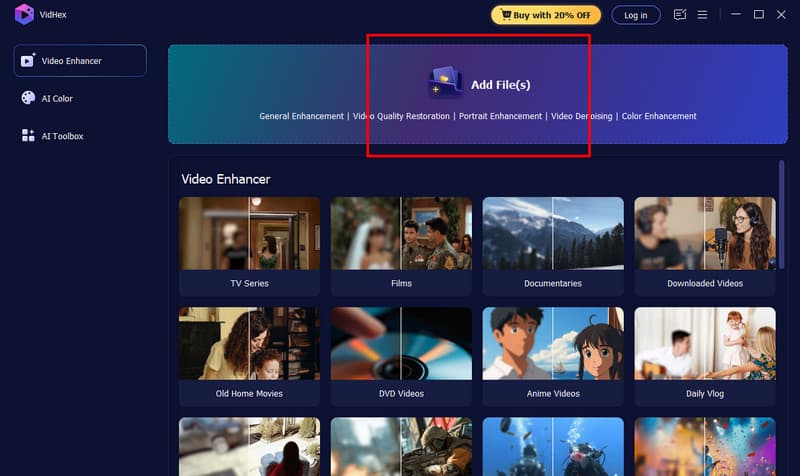
Step 2. nce you launch the interface, tap the Add Files function to attach the video you want to work with.
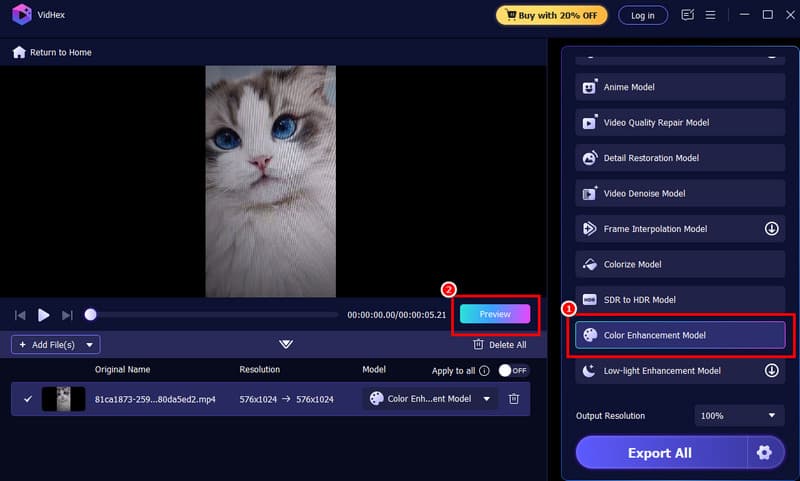
Step 3. Then, click the Color Enhancement Model option to start enhancing the video color. To check the result, click the Preview button.
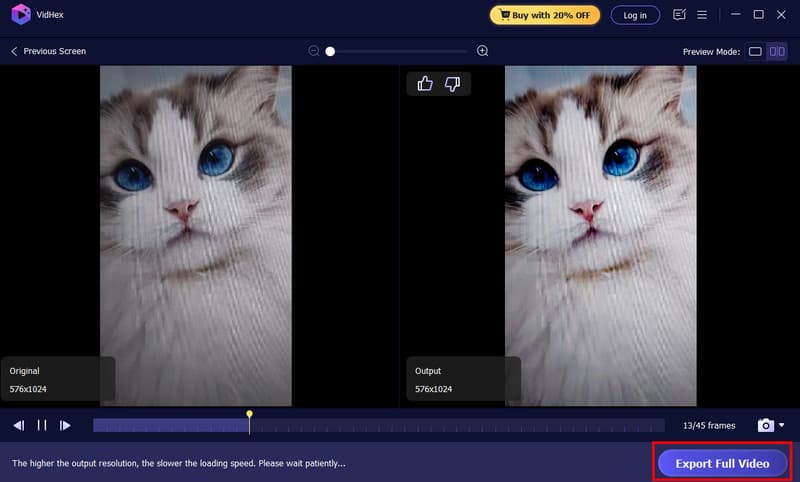
Step 4. If you are satisfied with the result, tap the Export Full Video button below to start saving the video.
Pros:
- Utilizing the software is simple, thanks to its comprehensive user interface.
- The program can even let you enhance the overall video.
- It can deal with various video types, including anime, vlogs, documentaries, and more.
Cons:
- If you want more features, try checking the program's premium version.
Part 2. Topaz Video AI
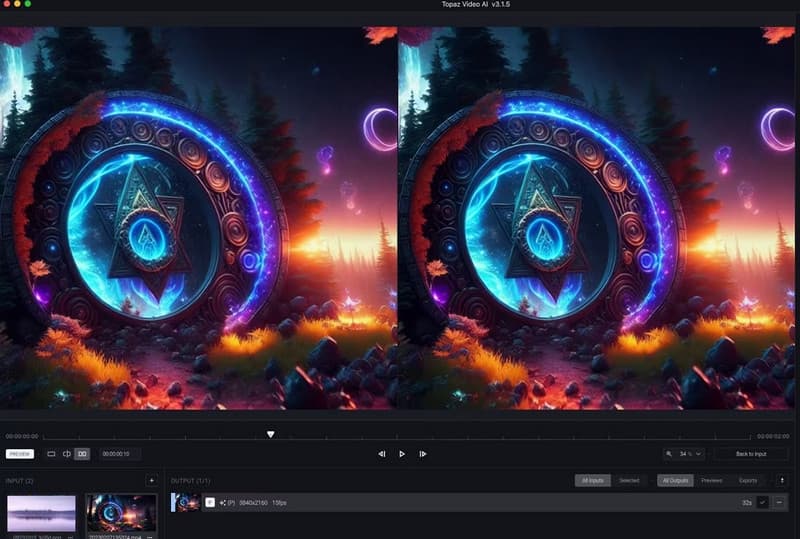
Topaz Video AI is another helpful software that you can use to enhance the color of your video. This tool specializes in AI video quality enhancement, which is perfect for making the best version of your video. With that, even if your video looks old and boring, it will make it more appealing and lively. The good part here is that operating the video enhancer is simple. So, even if you are a beginner, you can use this software to achieve the result you want.
Pros:
- The program is simple to operate and has an intuitive interface.
- It can also enhance the full video, making it one of the best video resolution enhancers.
- Its AI technology can ensure that you get an accurate result.
Cons:
- The program requires a high-spec computer to avoid lags and poor performance.
- The premium version is expensive.
Part 3. HitPaw Video Enhancer

Are you a beginner looking for a user-friendly video enhancer? If so, try using HitPaw Video Enhancer, also known as HitPaw VikPea. When it comes to enhancing the video color, there is no doubt that this software is perfect. It can even upscale your video, denoise, and more. The good part here is that you can even colorize your black-and-white videos. With that, if you want to get your preferred output, look no further than this program.
Pros:
- The software can offer a powerful AI upscaling feature.
- It can offer various video enhancement options.
- The program is simple to operate.
Cons:
- The program is resource-intensive.
- There are times when the software gives a poor video quality.
- Its subscription plan is costly.
Part 4. DaVinci Resolve
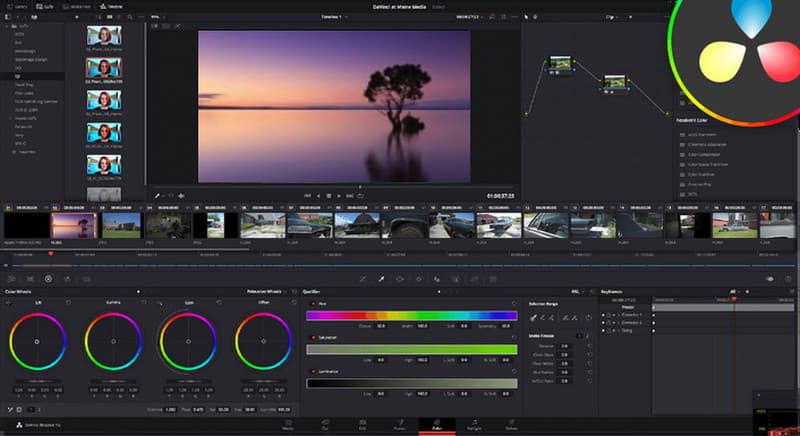
If you are a skilled user and prefer using an advanced video color enhancer, we suggest using DaVinci Resolve. You can use DaVinci Resolve’s color correction feature to achieve your desired output. This feature allows you to adjust various video color settings, including brightness, saturation, hue, temperature, and more. In addition to that, you can also access basic and advanced editing tools, such as cropper, cutter, transitions, and more. With that, if you want a complex video enhancer and editor, try using this platform.
Pros:
- The program is an all-in-one solution for editing and enhancing videos.
- It can offer powerful collaboration features.
- It has all the advanced features you need to enhance the video color.
Cons:
- The program is not ideal for non-professional users.
- Its free version can only offer basic color-enhancing functions.
Part 5. Clideoe
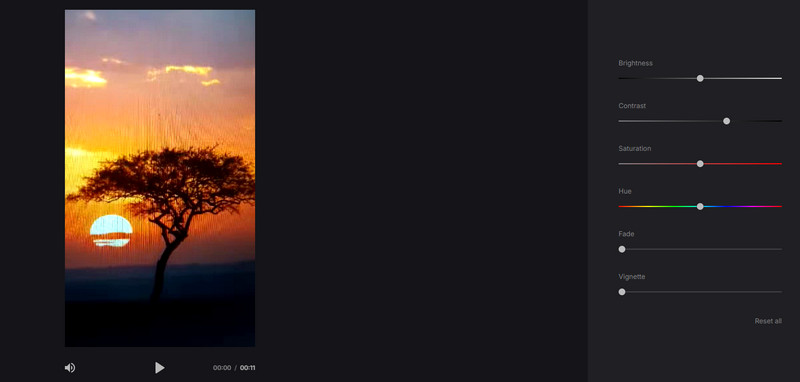
Do you want an online video color enhancer? In that case, you can access Clideo on your browser. This tool is perfect if you want to manually adjust your video's color. It lets you adjust various parameters, such as brightness, saturation, hue, contrast, and more. You can even change the vignette and fade level. What makes it even more ideal is that the tool offers a simple, understandable user interface, allowing you to enhance video color smoothly.
Pros:
- The tool's layout is simple.
- No ads are appearing on the screen.
Cons:
- It lacks advanced color enhancement features.
- It requires a stable internet connection.
Part 6. Veed.io
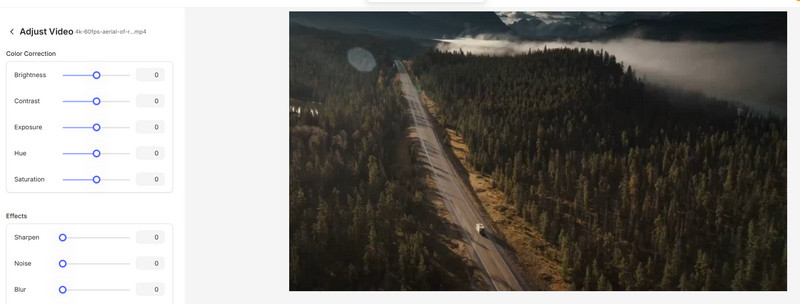
Veed.io can offer a color correction tool to effectively enhance your video's color. Like the tool above, you can manually adjust the video color by adjusting brightness, saturation, contrast, and more. The best part about this tool is that you can also access additional video editing features to improve your video's overall appearance. So, access this tool and get your desired output.
Pros:
- The tool's layout is simple.
- It has a fast saving process.
Cons:
- Some of the features require a premium version.
- The loading process is too slow.
For more insights about the best video color enhancers, check the table below.
| Video Color Enhancer | Compatibility | Ease of Use | Enhancement Process | Offer AI Technology |
| Vidmore Video Enhancer | Windows and Mac | Simple | Fast | Yes |
| Topas Video AI | Windows and Mac | Simple | Standard | Yes |
| HitPaw Video Enhancer | Windows and Mac | Simple | Fast | Yes |
| DaVinci Resolve | Windows and Mac | Complicated | Standard | No |
| Clideo | Web-based | Simple | Standard | No |
| Veed.io | Web-based | Simple | Standard | No |
Conclusion
Try these video color enhancers to get a better version of your videos. You can even read their pros and cons to learn more about the tools. Plus, if you want the best video color enhancer powered by AI, we recommend Vidmore Video Enhancer. With this program's color enhancement feature, you can ensure that you get the result you want, making it an excellent choice.