Best AI Video Enhancers: Enhance Your Video Perfectly
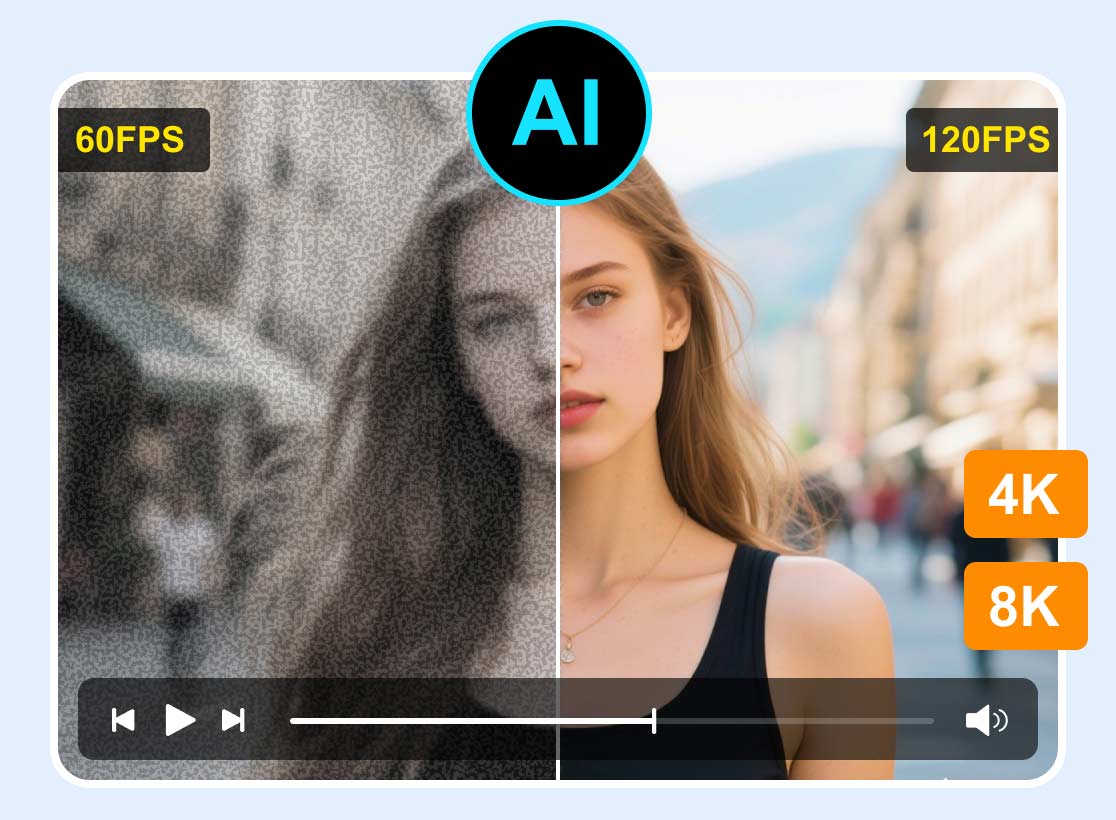
Searching for the best AI video enhancers? Well, in the field of video enhancement, there are various tools powered by artificial intelligence (AI). These tools are perfect if you want to increase the quality of your videos for better video playback. The good part here is that these tools ensure you get the best possible resolution. So, if you want the best AI-driven video enhancers that can help you achieve your desired results, come to this post as we introduce all the tools you need.

PAGE CONTENT
Part 1. Vidmore Video Enhancer
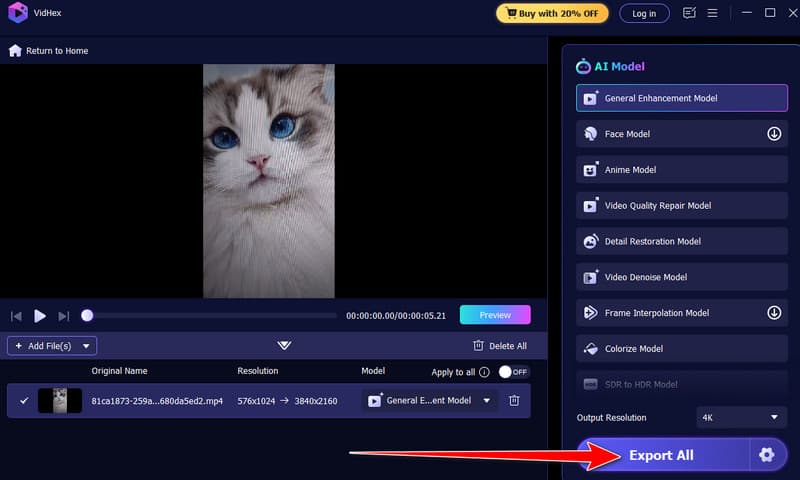
One of the best video enhancers you can rely on is Vidmore Video Enhancer. This software is ideal if you want to rely on artificial intelligence for upscaling your videos. It is because the program offers various upscaling options that you can access to achieve your preferred outcome. The good thing about this enhancer is that it can provide a comprehensive user interface, allowing you to navigate all the functions without difficulty. Plus, you can choose what resolution you want during the process. Some of the options are 100%, 200%, 400%, and even 4K resolution. Moreover, you can also adjust various parameters, such as bitrate, video encoder, output format, designated folder, and more. With that, you can tell that the video upscaler is among the best tools you can operate to get a satisfying viewing experience.
More Features
• It can enhance video with the best quality.
• The video enhancer supports various formats, such as MP4, MKV, MOV, WEBM, and more.
• The program can enhance various types of videos, including anime, vlogs, and documentaries.
• It supports batch upscaling features.
Step 1. You can tick the Free Download button below to access Vidmore Video Enhancer. Then run it to start enhancing your video.
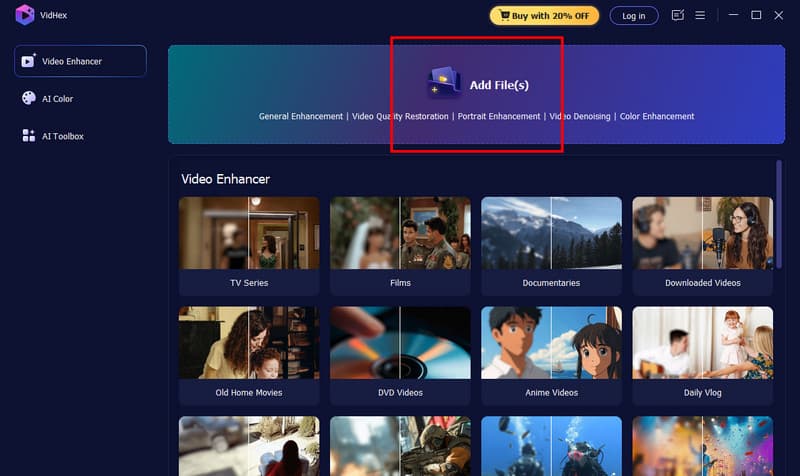
Step 2. Once the interface appears, click the Add Files button to select the video you want to enhance. You can even click and drag the video file from your computer folder.
Step 3. Then, go to the bottom interface and hit the Output Resolution option. Choose your preferred resolution to proceed to the following process.
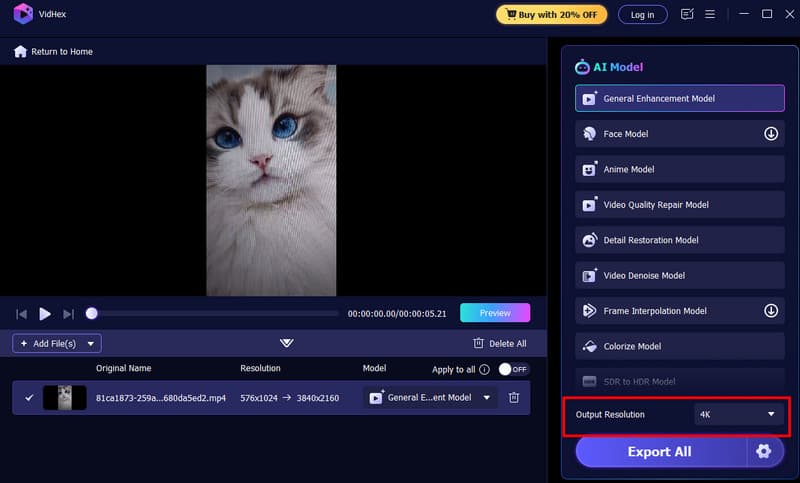
Step 4. For the final step, tap the Export All button to start enhancing and saving the video to your designated file folder.
Pros:
- The process of enhancing videos is simple.
- The user interface is comprehensive, making it ideal for all users.
- It can even restore old videos.
- The software can download the video to various output formats.
- The video enhancer is free to access.
Cons:
- To access more advanced features, get the pro version.
Part 2. PowerDirector
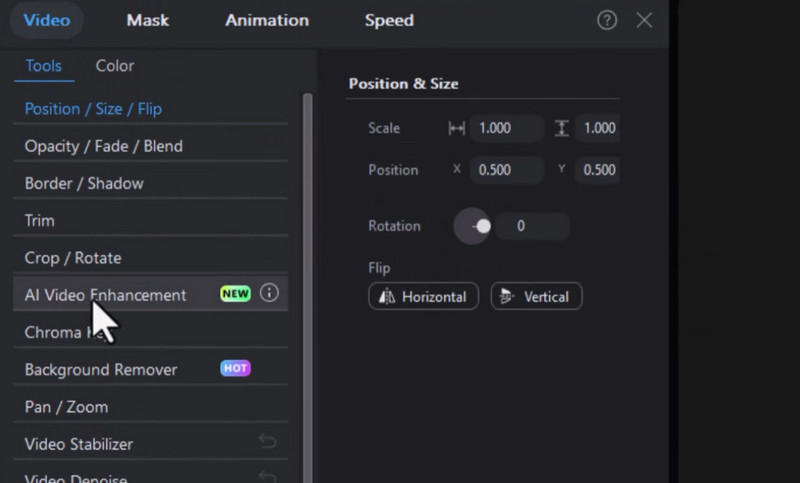
If you are looking for another program that can enhance video, look no further than PowerDirector. It is among the professional-grade programs that can offer various advanced features for an effective video editing process. One of its excellent features is its AI Video Enhancement. This feature was designed to upscale video resolution to 4K. The best part here is that it ensures that you get an accurate result, leading to a better playback. Moreover, during the enhancement process, the program can automatically remove video noise. You can even crop video in PowerDirector, trim, cut, adjust the color, and more. This video editor can only show you how capable it is in terms of enhancing your video files.
Pros:
- The video editor has a smooth video-upscaling procedure.
- The program's user interface is easy to understand.
- It can offer a range of video editing tools to improve videos.
Cons:
- There are times when the program crashes.
- The enhancement feature is not 100% free. You must get a Pro plan for unlimited features.
- Sometimes, the loading process is too slow.
Part 3. Topaz Video AI
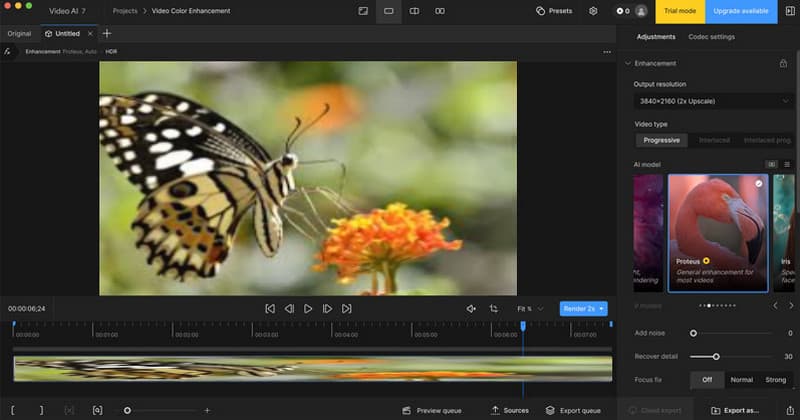
Topaz Video AI is among the most reliable video enhancers you can use on your computer. With this software, you can ensure to increase the resolution of your video. What we like about this program is that it offers a range of AI models for certain tasks. You can improve clarity, remove video grain, increase resolution, add details, and more. There are also various resolution options, including 4K, 8K, and 16K. In addition, you can rely on this software to restore your old videos and make them more engaging. The only drawback is that the program sometimes doesn't work well. Plus, you must upgrade to its premium version to unlock more features.
Pros:
- The video enhancer helps restore and enhance video details.
- It can effectively upscale videos for up to 16K.
- The video editor supports offline and batch processing.
Cons:
- The video enhancer requires a high-spec computer.
- The process of enhancing videos is time-consuming.
- The program's subscription plan is expensive.
Part 4. AVCLabs Video Enhancer AI
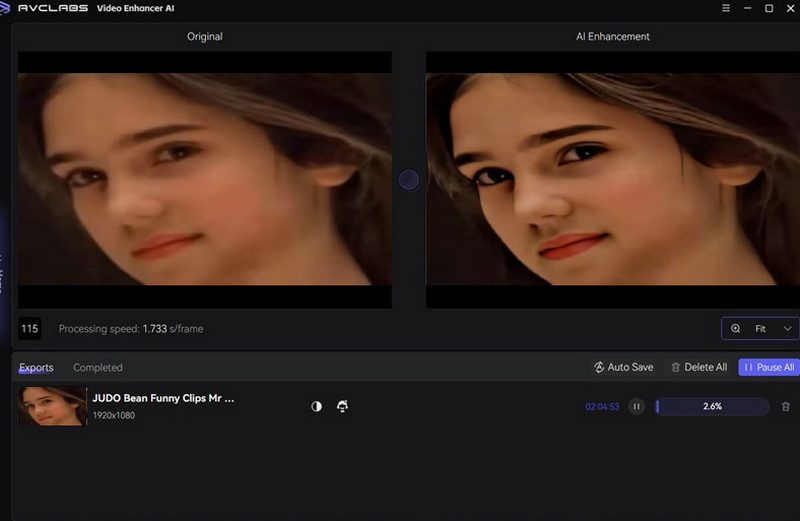
Want a software that focuses on enhancing videos? In that case, we would like to introduce AVCLabs Video Enhancer AI. Its core feature is to transform low-resolution video to 4K and 8K. What makes the program powerful is that it offers a range of features. It includes video denoising, deinterlacing, stabilization, and colorization. Plus, like other video enhancers, it can provide a dedicated AI model specifically for improving facial details and smoothing skin. Moreover, AVCLabs supports batch processing, enabling you to enhance multiple videos simultaneously. It can even ensure the software delivers excellent output quality, especially in noise reduction and upscaling.
Pros:
- The software has an intuitive and clean user interface.
- It has an outstanding colorization model.
- The pricing plans are flexible.
Cons:
- The video enhancer is resource-intensive.
- Some editing functions are missing.
Part 5. Adobe Premiere Pro
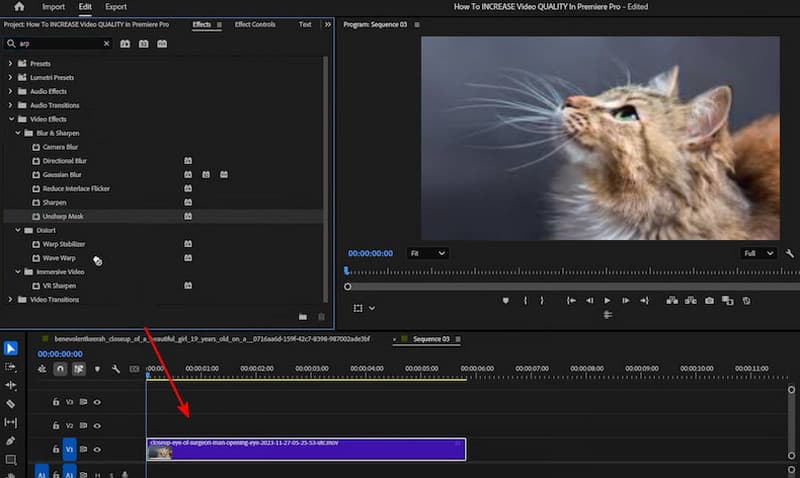
If you want advanced, professional-grade software to enhance video, you can try Adobe Premiere Pro. This program lets you get the results you need by adjusting your videos. You can change the brightness, saturation, hue, contrast, and more in the video. Plus, there are more things you can do during the process. You can crop videos, insert text, remove video noise, and much more. The only drawback here is that the program is not free. In addition, you must have a high-spec desktop to download and use the program smoothly. But still, when it comes to upscaling your videos, there is no doubt that Adobe Premiere Pro is one of the reliable and best AI video enhancers for PC you can operate.
Pros:
- The program can offer all the features you need for enhancing videos.
- It offers almost all the basic and advanced features for video editing.
- The program aims to offer a high-quality output.
Cons:
- The software is unsuitable for users due to its complicated user interface.
- The program's subscription plan is expensive.
If you want to learn more about these best video enhancers, you can check the comparison table below.
| AI Video Enhancers | User Interface | Offer Restoration and Denoising | Cost Model | Compatibility |
| Vidmoore Video Enhancer | Simple | Yes. One-click enhancement. | Subscription-based | Windows and Mac |
| PowerDirector | Simple | Basic color and sharpness adjustments. | Subscription-based | Windows, Mac, iOS, and Android |
| Topaz Video AI | Complicated | Yes. Specialized models for noise reduction and artifact removal. | Subscription-based | Windows and Mac |
| AVCLabs Video Enhancer AI | Complicated | Yes, a primary focus, especially for older or low-quality video. | Subscription-based | Windows and Mac |
| Adobe Premiere Pro | Complicated | Good denoising with effects, but not AI-specialized. | Subscription-based | Windows and Mac |
Part 6. FAQs about Best AI Video Enhancer
What is the best and free AI video enhancer?
Well, almost all AI video enhancers require a subscription plan. If you want a free-to-use video enhancer, we recommend Vidmore Video Enhancer. All you need to do is install the program and begin the video enhancement process. The best part here is that it has a simple user interface, making the procedure easier.
Do AI video enhancers actually work?
Some of the AI video enhancers are not working. If you are looking for a legitimate AI video enhancer, you can use Vidmore Video Enhancer, Adobe Premiere Pro, Topac, AVCLabs, and more. These programs ensure that you can get the best version of your video after the upscaling process.
What are the benefits of AI video enhancers?
There are benefits to using video enhancers. Some of it is that you can make the enhancing process easier and faster. With video enhancers, you can save more time and beautify your videos more effectively.
Conclusion
With the best AI video enhancers, you can instantly improve your videos to the highest quality. Thus, choose your preferred program and achieve your preferred result. Also, if you are still unsure what software to use, we recommend using Vidmore Video Enhancer. This software is free to use and can upscale your videos up to 4K, making it the best program.