Best Real-Time Video Upscaler: Transform Your Footage in 2026
Choosing the right video enhancement tool is no longer just about resolution—it’s about clarity, speed, and intelligence. In 2026, real-time AI video upscaling has transformed from a niche professional requirement into an accessible feature for streamers, cinephiles, and content creators.
Whether you are looking for the best ai upscaling software for a home theater setup or an upscale video Python AI script for a custom project, this guide covers the top contenders in the industry.

PAGE CONTENT
Part 1. Understanding Real-Time Video Upscaling
Before diving into the tools, it is crucial to understand what separates "real-time" upscaling from traditional rendering.
What is Real-Time AI Video Upscaling?
Traditionally, upscaling meant "stretching" pixels to fill a larger screen, which often resulted in a blurry, "pixelated" mess. Real-time AI video upscaling uses trained neural networks to predict and reconstruct missing details instantly as the video plays. Instead of just making pixels bigger, the AI adds new data based on patterns it has learned from millions of high-definition images.
The Significance of Live Video Upscaling
The importance of this technology in 2026 cannot be overstated:
- Streaming Quality:Creators can stream in 1080p to save bandwidth while viewers use live video upscaling to watch in 4K.
- Gaming:Technologies like DLSS and FSR have proven that AI can maintain high frame rates while boosting visual fidelity.
- Legacy Content:It allows users to watch old 480p DVDs or home movies on modern 8K displays without the typical loss of quality.
Part 2. Top 5 Real-Time Video Upscalers
No.1 Vidmore VidHex
Best for: Home users and beginners can quickly repair blurry and shaky videos captured by their phones.
Vidmore VidHex remains the top choice for users who want a balance between high-end AI processing and a simplified workflow. It is specifically designed to handle the heavy lifting of AI enhancement without requiring a degree in computer science.
Key Features:
- AI Resolution Upscaling:Effortlessly converts SD (480p) to HD (1080p) or 4K.
- Intelligent Denoising:Automatically removes the "grain" found in low-light footage.
- Color Correction:Uses AI to balance brightness and contrast for a more vibrant look.
- Shake Reduction:A dedicated model to stabilize handheld footage without heavy cropping.
Steps to Use Vidmore VidHex:
Step 1. Download Vidmore VidHex on your computer. Then, run it.
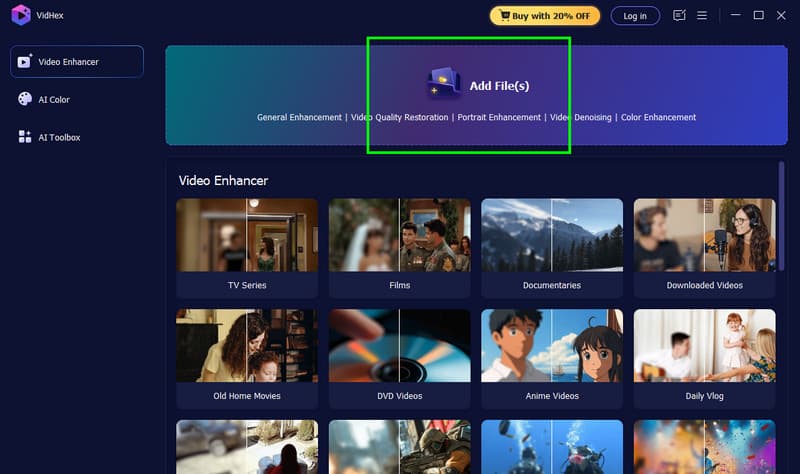
Step 2. Choose the type of your video, or simply click the Add Files option to add the video you want to upscale. VidHex supports upscaling various kinds of videos.
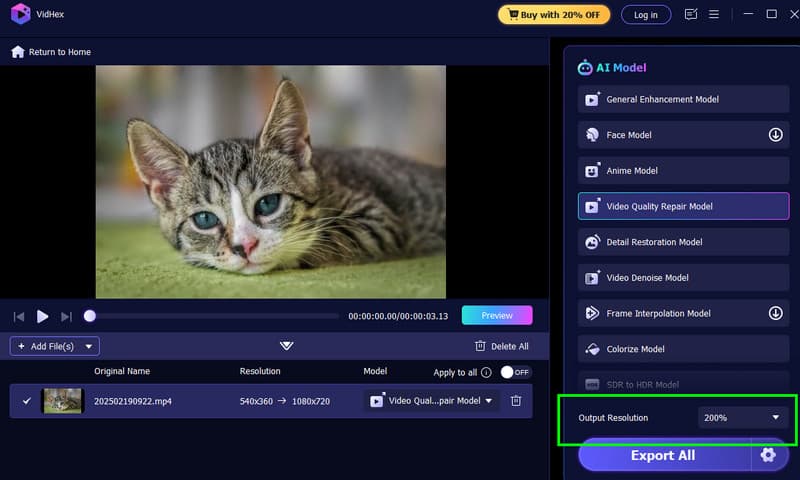
Step 3. Choose the General Enhancement Model . And then, you can go to the Output Resolution and select 2×, 4×, or 8×. You can click the Preview to check the result.
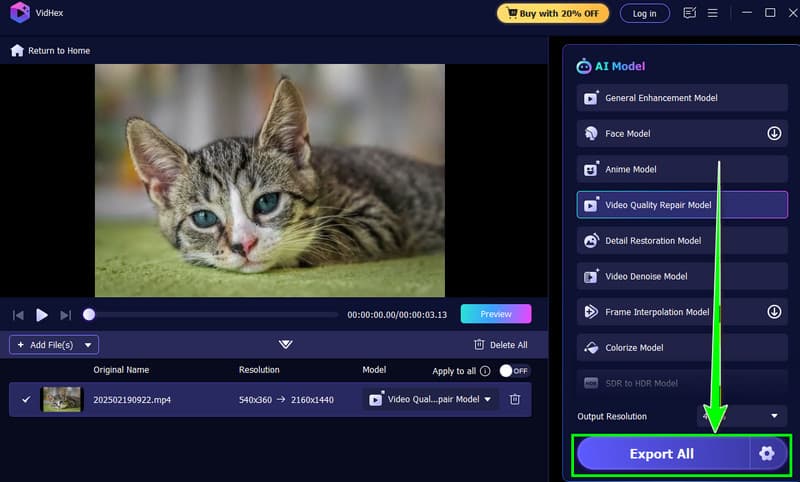
Step 4. Once satisfied, you can click the Export button below to save the upscaled video on your device. Otherwise, you can upscale your material again.
No.2 Topaz Video AI
Best for: Professional video restoration and commercial creation.Topaz Labs is widely considered the industry leader for professional-grade reconstruction. In 2026, their software has become even more robust with the inclusion of specialized "Iris" and "Nyx" models. Topaz Video AI is a powerful video upscaling tool from their team.
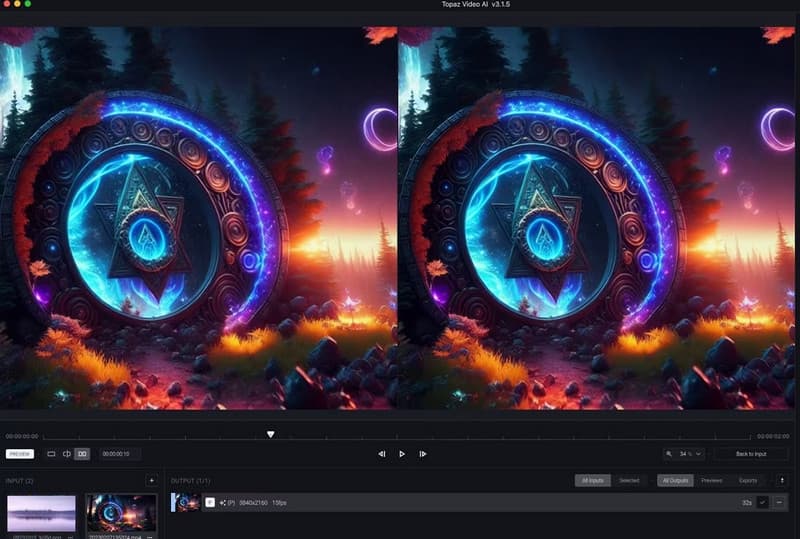
Price: $299 for a perpetual license (includes 1 year of updates).
Pros:
- Best-in-class facial reconstruction;
- Incredibly deep control over motion deblur frame interpolation.
Cons:
- Very high hardware requirements (requires a high-end GPU);
- Slow processing speeds compared to lighter tools.
No.3 DaVinci Resolve 18/19
Best for: Film and advertising post production with professional colorists
While primarily known as a Hollywood-grade editor, DaVinci Resolve’s Super Scale feature is a hidden gem for AI upscaling.
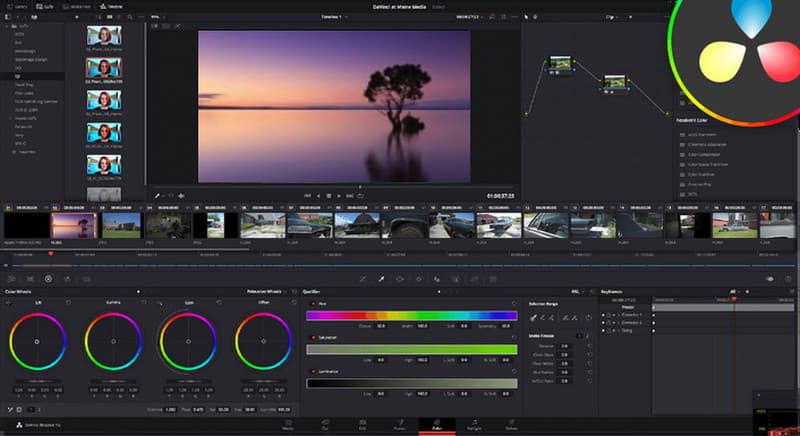
Price: Free version available; $295 for the Studio version (required for Super Scale).
Pros:
- Professional color grading and editing tools included;
- "Super Scale" offers 2x, 3x, and 4x upscaling with minimal artifacts.
Cons:
- Extremely steep learning curve;
- Requires massive amounts of VRAM for real-time 4K playback.
No.4 Video2X
Best for: Suitable for technical users with zero budget and a certain programming foundation.
For the developers and tech enthusiasts searching for upscale video Python AI solutions, Video2X is the gold standard of open-source software.
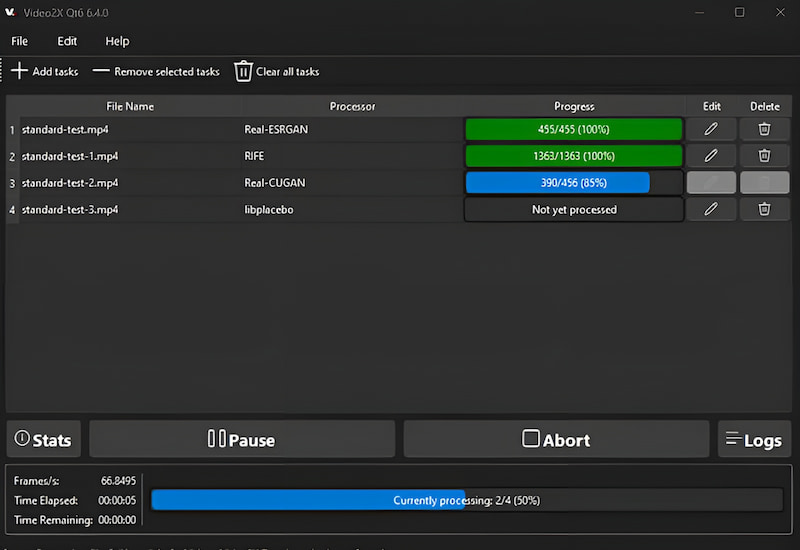
Price: Free (Open Source via GitHub).
Pros:
- Supports multiple AI backends (Waifu2x, Real-ESRGAN, Anime4K);
- Completely customizable;
- No subscription fees.
Cons:
- No official customer support;
- Setup can be difficult for non-technical users (requires Python/CLI knowledge).
No.5 Nero AI Video Upscaler
Best for: Windows office users who prioritize efficiency in batch processing of meeting recordings and product showcase videos.
Nero has modernized its suite with a dedicated AI upscaler that focuses on speed and simplicity for Windows users.
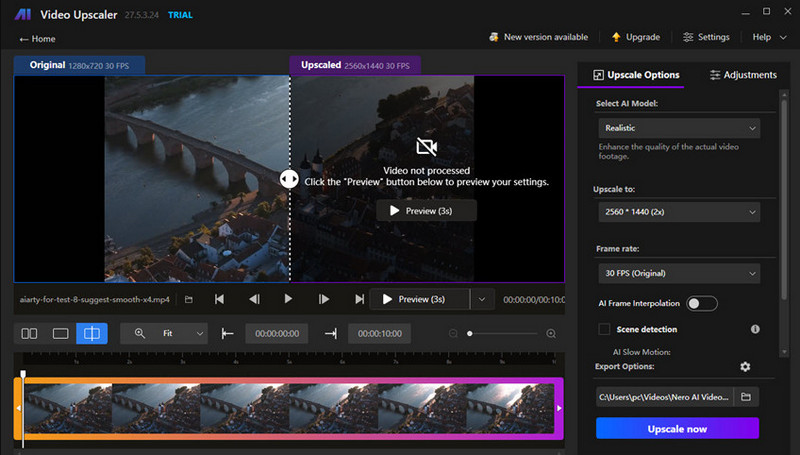
Price: Around $84.95/year or $195 for a lifetime license.
Pros:
- Very fast 4x upscaling;
- Be reliable for batch processing;
- Be user-friendly for beginners.
Cons:
- Lacks the advanced "recovery" models found in Topaz;
- It can sometimes over-sharpen and create "halos" around objects.
Part 3. FAQs About Real-Time AI Video Upscaling
Q: Can AI really turn 1080p into 4K in real-time?
Yes, but it depends on your hardware. If you have an NVIDIA RTX 30-series or 40-series card, features like RTX Video Super Resolution allow you to upscale browser-based videos (YouTube, Netflix) to 4K as they play.
Q: Is "upscaling" the same as "enhancing"?
Not exactly. Upscaling refers specifically to increasing the resolution (number of pixels). Enhancing is a broader term that includes denoising videos, color correction, and sharpening. Most modern ai upscaling software does both simultaneously.
Q: What is the best AI model for old home movies?
For grainy, shaky home movies, Topaz Video AI or Vidmore VidHex are best because they include specific models for "Denoise" and "Stabilization" alongside resolution boosting.
Q: Do I need an expensive GPU for Video2X?
While Video2X can run on a CPU, it will be extremely slow. For any meaningful real time ai video upscaling, a dedicated GPU with at least 8GB of VRAM is recommended.
Conclusion
The best video upscaler for you depends entirely on your goals. If you are a professional looking for the highest possible fidelity, Topaz Video AI is the clear winner. For streamers and general users who want a quick, high-quality result without the technical headache, Vidmore VidHex takes the top spot.
As AI models continue to evolve in 2026, the gap between "standard" and "high definition" is closing. With the right software, even your oldest memories can look like they were filmed yesterday.