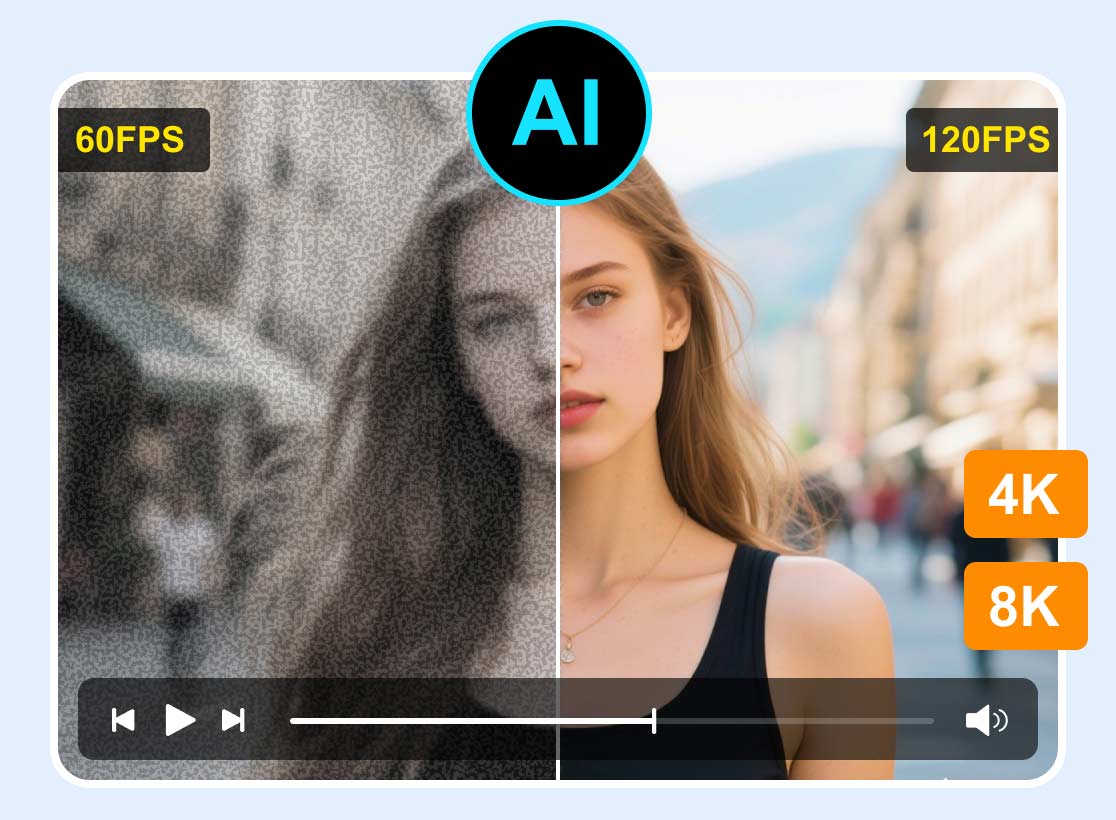
DLSS Video Upscaling: Enhance Video Resolution & Frame Rate
Gamers and video enthusiasts are drawn to NVIDIA's DLSS technology. It is because it is capable of upscaling visuals in real-time, giving a sharper resolution and smoother frame rate. In addition, beyond gaming, the same AI logic inspires software alternatives that improve non-interactive video files, making streams and videos look more detailed and clearer. Well, exploring everything about DLSS video upscaling options means having a better understanding of how the technology bridges the gap between video enhancement and immersive gameplay. To get more insights about the topic, you must start reading everything in this article.

PAGE CONTENT
Part 1. What is DLSS
DLSS, or Deep Learning Super Sampling, is NVIDIA's AI-powered graphics technology. Its main purpose is to improve performance without sacrificing visual quality. Additionally, DLSS may produce frames and pixels that resemble native resolution by utilizing Tensor Cores in RTX GPUs. For gamers who want smoother frame rates without investing in more powerful technology, this is extremely beneficial.
Furthermore, DLSS has undergone several iterations since its launch in 2018. It has improved the generation and upscaling of frames. Plus, later editions introduced frame generation to further improve performance, while earlier iterations concentrated on resolution upscaling. What's more, the most recent DLSS 5 incorporates neural rendering, in which AI computes lighting and materials directly. Currently supporting hundreds of titles, DLSS is regarded as one of the most significant advancements in gaming visuals since ray tracing.
Part 2. Top 4 DLSS-Powered Tools
If you want to take a peek at the best DLSS-powered tools, you can check the table below. After that, you can also read all the information below for a better understanding.
| DLSS-Powered Tools | NVIDIA App (Global VSR) | Lossless Scaling (Steam Tool) | Magpie | AMD FSR 4.0 |
| GPU Requirements | Requires RTX GPUs (DLSS-capable, Tensor cores) | Works on any modern GPU (NVIDIA, AMD, Intel) | Broad GPU support (no vendor lock) | Works on AMD + NVIDIA GPUs (no proprietary lock) |
| Visual Quality | High-quality reconstruction, sharp edges, reduced noise | Good, but less consistent than DLSS/FSR; depends on source | Decent for casual use, but weaker detail recovery | Very good quality, though slightly less refined than DLSS in fine detail |
| Performance Boost | Moderate boost; efficient AI-driven scaling | Can double/triple frame rates via frame-gen | Lightweight performance gain; less optimized | Strong boost, especially on AMD hardware |
| Latency | Low latency (hardware-accelerated) | Slightly higher latency than native DLSS/FSR due to software overhead | Moderate latency; not tuned for competitive gaming | Slightly higher latency than DLSS due to a shader-based approach |
1. NVIDIA App (Global VSR)
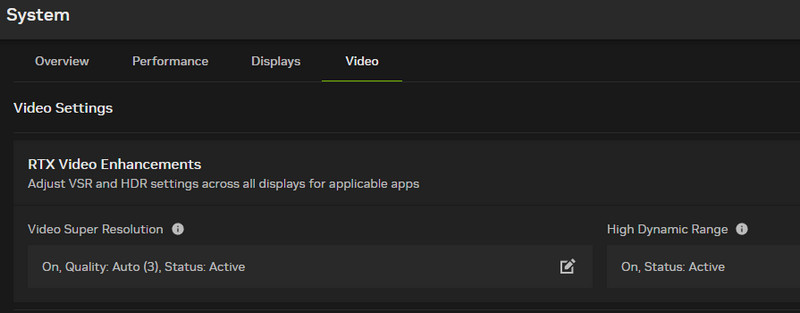
One of the DLSS-powered tools out there is NVIDIA's Global Video Super Resolution (VSR). It is built into the NVIDIA app and utilizes DLSS-style AI upscaling to improve streaming video quality across browsers. Plus, it sharpens low-resolution clips in real-time, making the videos look closer to native HD and 4K.
Pros
- Since it supports native NVIDIA, it is highly optimized for RTX cards.
- It can offer clear, sharp video with minimal artifacts.
Cons
- It requires an RTX GPU.
- It does not support batch processing.
- The tool is not universal. It is only locked to supported browsers.
2. Lossless Scaling
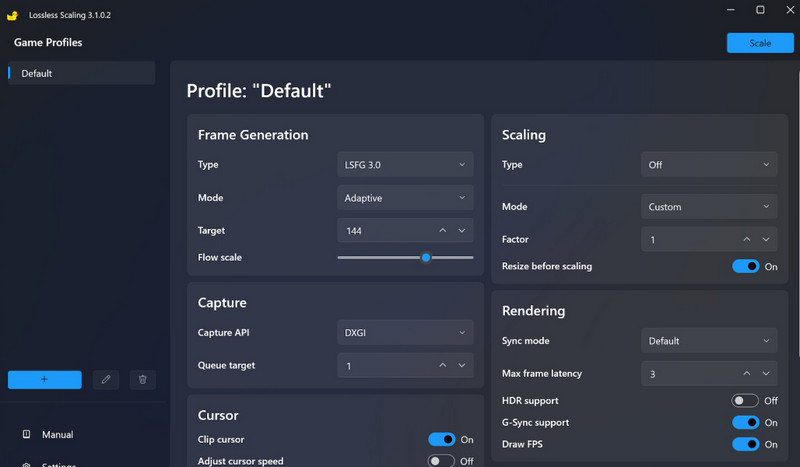
A Steam tool called Lossless Scaling brings AI upscaling. It includes DLSS-like algorithms for video playback and games. In addition to that, without sacrificing detail, it can scale windowed apps to larger resolutions. popular among gamers who don't have native DLSS support, yet still want smoother graphics.
Pros
- This steam tool is perfect for emulators, games, and even video players.
- It supports various scaling algorithms, such as FSR and DLSS-like.
- It might be affordable since it is a one-time purchase on the Steam platform.
Cons
- For an application, it needs a manual setup.
- The performance will depend on the GPU power. A poor GPU can also show poor performance.
- It is only working on Windows and the Steam ecosystem.
3. Magpie
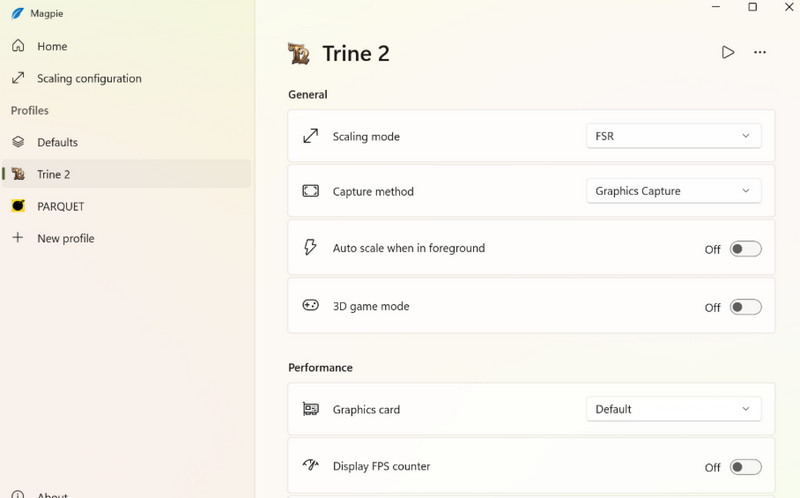
If you need an open-source upscaling tool, look no further than Magpie. This tool can upscale videos and games in real-time, making it perfect for streamers. It is also lightweight, customizable, and can handle multiple algorithms. It even includes AI-based ones. This tool is ideal if you want a free and helpful tool that is outside the ecosystem of NVIDIA.
Pros
- The tool is free and open-source.
- It is customizable and allows plug-ins.
- It works in different apps and video players.
Cons
- The tool is less polished compared with other tools.
- For better results, it needs a manual configuration.
4. AMD FSR 4.0
For DLSS video upscaling, a rival to DLSS is AMD's FidelityFX Super Resolution (FSR) 4.0. This tool provides an AI-enhanced upscaling for video and gaming. Unlike DLSS, it is compatible with a wider variety of GPUs, including non-AMD cards. It focuses on striking a balance between visual fidelity and performance improvements.
Pros
- It is compatible with various platforms, such as Intel, NVIDIA, and AMD.
- It can improve performance while maintaining sharp visuals.
Cons
- When it comes to fine detail reconstruction, the tool is less effective than DLSS.
- It is dependent on developer integration for an amazing result.
Part 3. Best Video Upscaling Software to Increase FPS of Video
Do you want a video upscaling software that can help you enhance your video resolution and FPS? In that case, you can try using Vidmore Video Enhancer. This program is perfect if you want to get a better version of your video. By upscaling your video, you can ensure a better FPS, leading to a satisfying viewing experience. What we like here is that with its AI-powered technology, you can enhance the video with high accuracy, and upscale videos to 4K. It even offers various AI models you can rely on to automatically enhance your video. It also has a comprehensive user interface, making it a perfect upscaler for non-professional users. Lastly, you can save the video to different output formats, including MP4, WMV, MKV, FLV, MOV, and more. Thus, if you need exceptional video upscaling software, feel free to access Vidmore Video Enhancer.
AI Models
The AI enhancement models it can offer are:
- • General Enhancement Model
- • Face Model
- • Video Denoise Model
- • Frame Interpolation Model
- • Colorize Model
- • SDR to HDR Model
- • Anime Model
- • Video Quality Repair Model
- • Detail Restoration Model
- • Color Enhancement Model
- • Low-Light Enhancement Model
To start the process of upscaling your video, see the instructions below.
Step 1. Click Download to access Vidmore Video Enhancer on your computer.
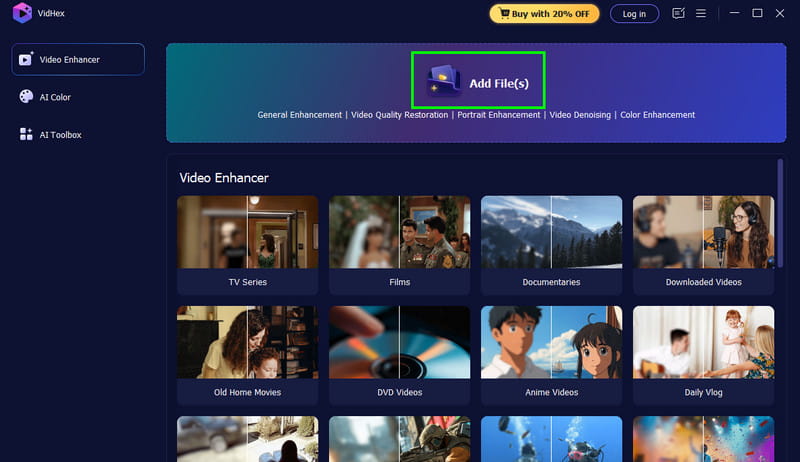
Step 2. Then, from the primary UI, hit Add Files to upload the video you want to upscale. You can also insert more than one video since the software supports batch processing.
Step 3. Go to the right interface and select your preferred AI enhancement model. You can use the General Enhancement Model to upscale and improve your overall video.
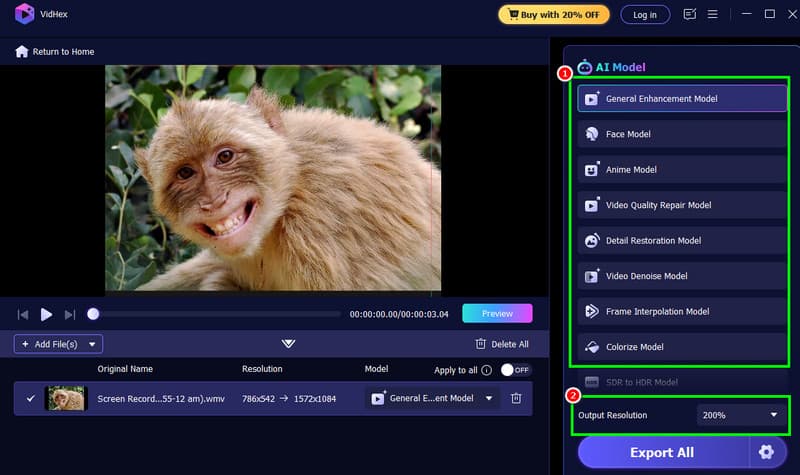
You can also go to the Output Resolution section to choose your desired resolution.
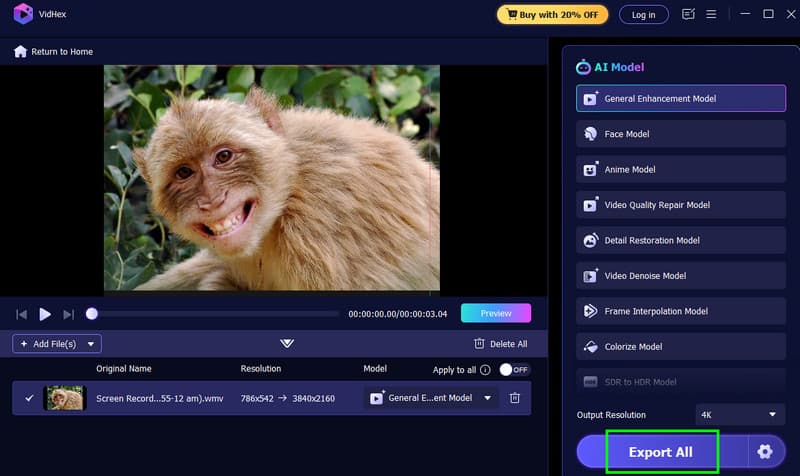
Step 4. For the final process, hit the Export All button below. After the upscaling and export process, you can start watching your video.
Part 4. FAQs about DLSS Video Upscaling
Q: How does DLSS differ from traditional upscaling?
A: DLSS upscaling uses trained AI models to construct missing details from the video, resulting in a sharper and better result. On the other hand, traditional upscaling relies on interpolation, which can even lead to a blurry result.
Q: Can DLSS upscale all types of videos?
A: It is not. DLSS works best with high-motion content, especially movies, anime, and games. Plus, not all video editing programs currently integrate DLSS natively.
Q: What are the best DLSS alternatives for video upscaling?
A: There are various video upscaling programs you can use as a replacement for DLSS. These are Vidmore Video Enhancer, AVCLabs, VanceAI, Topaz Video AI, and VideoProc Converter AI.
Conclusion
With DLSS video upscaling, which is NVIDIA's AI graphics technology, you can ensure a better video resolution and gaming experience. Thanks to this tool, you also explored all the best DLSS-powered tools that can help you achieve your preferred result for a better viewing experience. Plus, if you need a video upscaling software that can help you upscale your video up to 4K, you can use Vidmore Video Enhancer. This program has a comprehensive layout and smooth upscaling process, making it the best program you can utilize to get a better version of your videos.