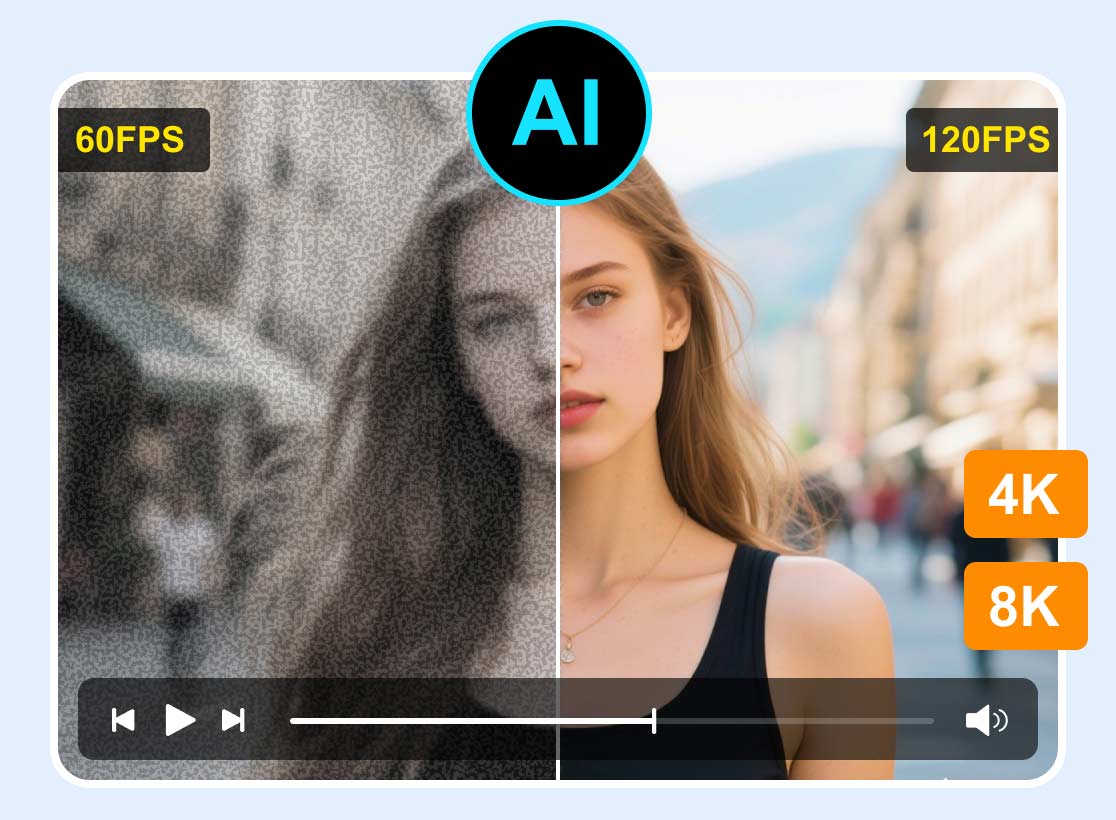
5 Excellent VHS Upscalers: Tools to Restore & Enhance Videos
Nowadays, some bulky cassettes hold unforgettable memories, such as family gatherings, celebrations, milestones, and rare recordings that were never made to DVD. As time passes, we can't ignore the fact that VHS often leaves those memories trapped in a haze of fuzz and blur. That's where the VHS upscalers come in. These tools are perfect for upscaling your VHS to the best output for a better viewing experience. If you are looking for the most eligible tools that can enhance your videos from VHS, see this post, as we offer all the best tools for an effective upscaling process.

PAGE CONTENT
Part 1. How We Test the Best VHS Upscalers
When evaluating all the best VHS upscalers, we follow a clear and practical testing procedure to ensure reliability and accuracy. It includes:
- • Quality Assessment – we run a sample of VHS content through various tools to evaluate the color accuracy, sharpness, and noise reduction. It helps to determine how the tool can restore the video.
- • Ease of Use – as we all know, usability is crucial for users. We test the best upscalers on how straightforward it is to operate. An intuitive layout is recommended, especially for non-professional users.
- • Compatibility – we check whether the upscalers are capable of supporting various input and output formats. We also ensure that the tools are accessible to different platforms.
Part 2. A Comparison Table of the Best VHS Upscalers
Do you want to take a peek at the best VHS upscalers? You can check the table below and learn more about their input method, AI restoration, price, and more.
| VHS Upscalers | Input Model | AI Restoration | Ease of Use | Pricing |
| Vidmore Video Upscaler | Digital video files (after capture via another device) | AI-powered resolution upscaling, noise reduction, and color correction | Straightforward | Free (Starts at $31.92 for the paid version.) |
| Topaz Video AI | Digital video files (supports VHS footage once captured) | Advanced AI models for deinterlacing, upscaling to HD/4K, and motion enhancement | Advanced | $299.00 – One-time payment |
| Elgato Video Capture | Direct analog input (VCR, camcorder via RCA/S-Video to USB) | Focuses on digitization only | Straightforward | $89.99 – One-time payment |
| iMemories | Mail-in service (ship tapes, they digitize for you) | Yes – offers AI enhancement during digitization | Straightforward | $14.99 – per tape |
| DigitNow Video Converter | Digital video files (after capture) | Limited – basic AI upscaling features (similar to VideoProc) | Straightforward | $39.95 – One-time payment |
Part 3. Top 5 VHS Upscalers
What are the best VHS to 4K upscalers? If you want to explore all the best tools that can help you achieve your objectives, you can start reading all the information in this section.
1. Vidmore Video Upscaler
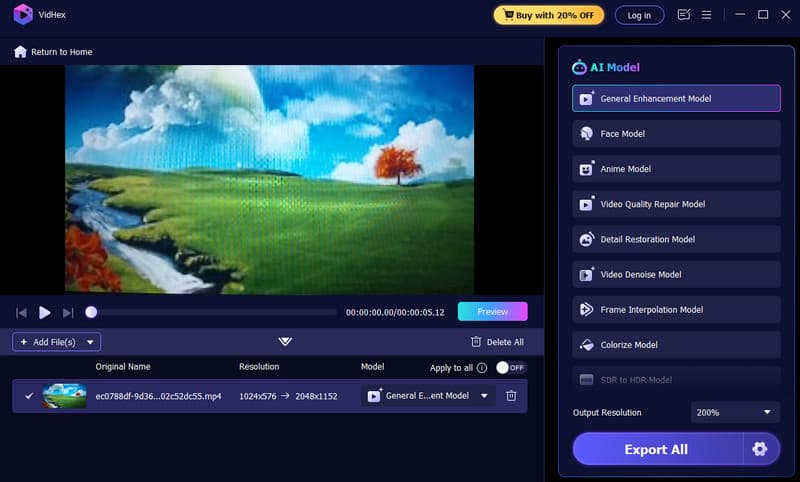
Best for: Perfect for a smooth and instant upscaling process.
One of the most effective upscalers you can use to upscale your VHS up to 4K is Vidmore Video Upscaler. This program allows you to upscale your videos based on your preferences. You can even choose your preferred AI models. You can enhance videos, colorize, restore face, and more. You can also save your final output in various formats, such as MOV, MP4, AVI, MKV, WMV, and more. Thus, if you are looking for the best tool with a straightforward procedure, look no further than Vidmore.
Pros
- The main layout of the program is comprehensive.
- AI-powered technology can offer an accurate result.
- It can offer a smooth export process.
Cons
- You can access more advanced features on the paid version.
2. Topaz Video AI
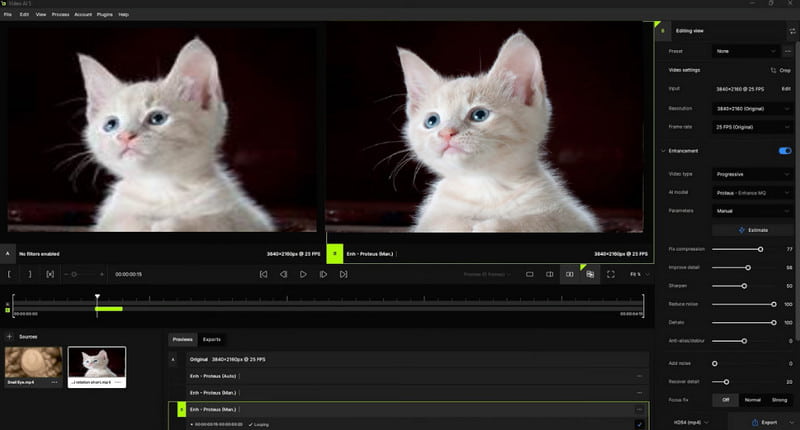
Best for: Offering advanced features for an effective upscaling process.
Another professional-grade software that can help you upscale VHS videos is Topaz Video AI. This program can offer various advanced features that can upscale your content for up to 4K. The best part here is that it uses specialized AI models to get a better version of your VHS. With that, if you want to get the result you need, using this program is a wise choice.
Pros
- The program can automatically reduce the video noise.
- Supports advanced features like motion stabilization and deinterlacing
Cons
- It has a steep learning curve.
- Its price is high compared with other upscalers.
3. Elgato Video Capture
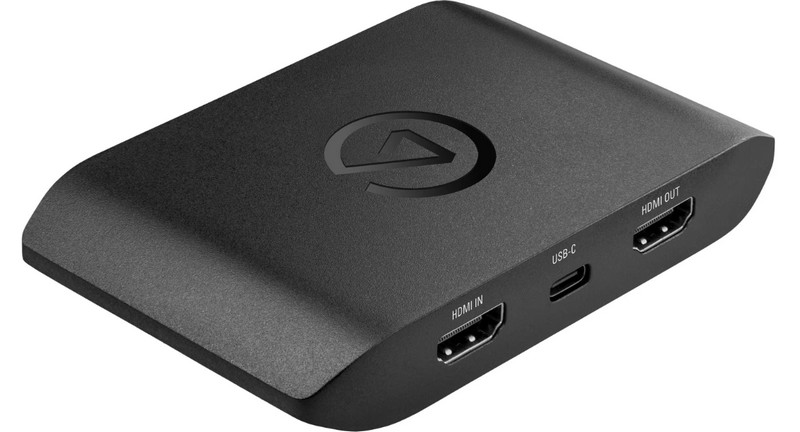
Best for: Perfect for digitization.
Elgato Video Capture is a hardware solution that can connect your VHS player directly to your desktop via S-video cables or RCA. Its core function is to digitize tapes into more compatible formats. With this tool, you can get the files in various formats, making them more playable with various video players.
Pros
- Plug-and-play hardware with guided software
- It supports various formats for better compatibility.
- Reliable and widely trusted brand
Cons
- The tool is not focused on upscaling VHS videos.
- Output quality depends on the VHS source.
4. iMemories
Best for: Ideal for sending VHS for upscaling and digitization purposes.
If you don't have enough time to upscale and digitize your VHS, the best thing to do is to ask for assistance. One of the mail-in services you can rely on is iMemories. The service is capable of digitizing your VHS into various formats. The best part here is that they can automatically enhance your content with the help of AI. The best part here is that they can offer cloud storage, perfect for sharing. With this service, you don't have to get any software or hardware tools for upscaling your VHS. Communicate with iMemories as if they were your VHS to 4K converter service.
Pros
- There is no technical setup required, making it convenient.
- It offers optional AI enhancement during digitization.
- The service can offer cloud storage for preservation and sharing purposes.
Cons
- Upscaling and Digitizing VHS is pricey.
- Requires shipping tapes.
You can also check: Best program to upscale videos up to 4K resolution.
5. DIGITNOW Video Converter
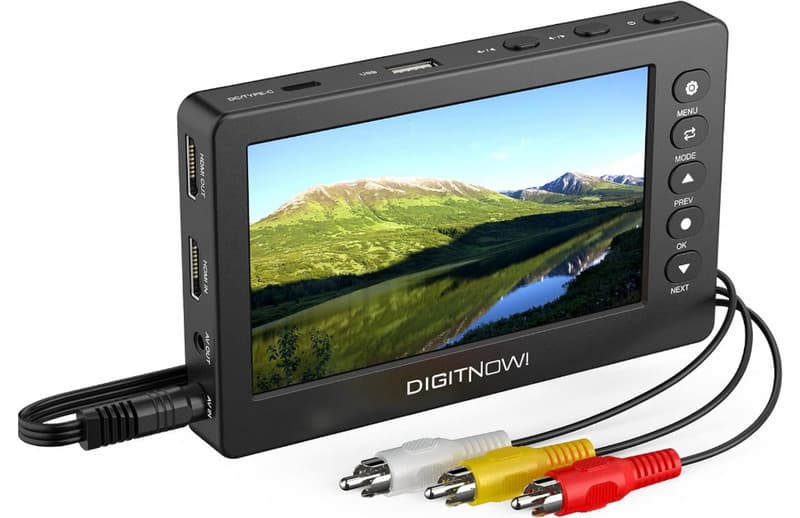
Best for: Specialized in upscaling and converting VHS smoothly.
If you are still looking for an ideal VHS upscaler, we suggest using DIGITNOW Video Converter. It is a compact device that is designed to make VHS digitization accessible and simple. It connects directly to your VCR or camcorder via RCA or S-Video cables and records videos onto a memory card or flash drive without the need for a computer. Additionally, by transforming VHS into digital files, it offers a straightforward method to preserve and later upscale your VHS recordings.
Pros
- Since it is a stand-alone device, there is no need for computers.
- It is an easy plug-and-play setup with a direct recording.
- The device is affordable and the best solution for digitization.
Cons
- The device does not include AI restoration features.
- The output video quality will depend on the original tape.
- The device has limited editing and enhancement functions.
Conclusion
With these excellent VHS upscalers, obtaining a better version of your video will be possible. Thus, choose your desired tool and start achieving your preferred output. Also, if you want to upscale your VHS on your Mac or Windows, it would be better to use Vidmore Video Enhancer. This software can help you upscale your VHS up to 4K smoothly, resulting in a satisfying viewing experience.