Does Whatsapp Notify Screenshots: Chats, Story, & Profile
WhatsApp is a wildly popular online chat tool. Here, you can chat with family, friends, and online acquaintances. When the conversation gets lively, and you receive an interesting interaction or reply, have you ever wanted to take a screenshot of the current chat interface?
But this can be a very private action. You probably don't want the other person to get an instant notification the moment you press the screenshot button. To avoid this awkward situation, you first need to understand does WhatsApp notify screenshots.
This guide compiles everything you need to know about WhatsApp's screenshot notification system. We've gathered what might happen when you take screenshots of different types of content. Read on to gain confidence in handling what appears in your chat windows.

PAGE CONTENT
- Part 1. Does WhatsApp Notify Screenshots of Chat
- Part 2. Does WhatsApp Notify Screenshots of Story
- Part 3. Does WhatsApp Notify If You Screenshot Disappearing Messages
- Part 4. Does WhatsApp Notify When You Screenshot A One-Time Picture
- Part 5. Does WhatsApp Notify Screenshots of The Profile
- Part 6. How to Block Screenshots on WhatsApp
- Part 7. FAQs of Does WhatsApp Notify Screenshots
Bonus: Best Screenshot Tool on Desktop
Yes, the built-in screenshot tools on your phone and computer can handle basic tasks like capturing screen activity and system audio. But if you want to do more, you'll find them a bit limited.
That's why we recommend professional tools for recording important content like evidence, meeting minutes, or interview transcripts.
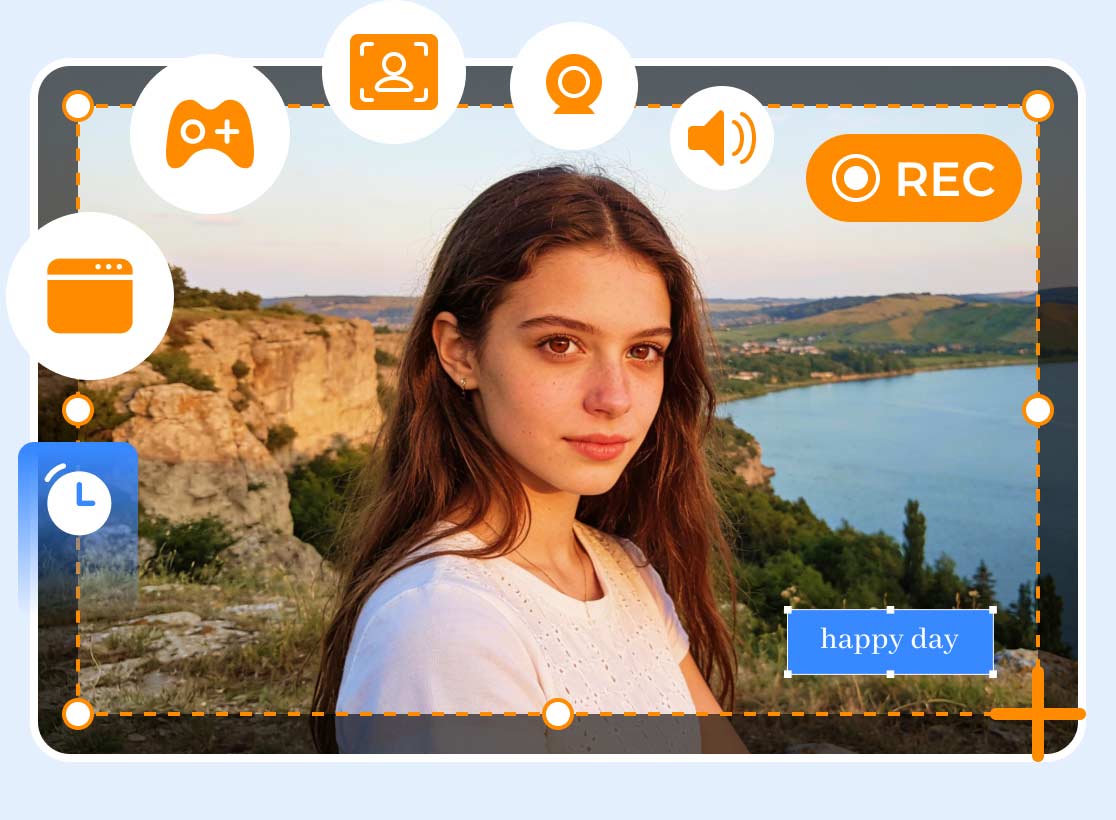
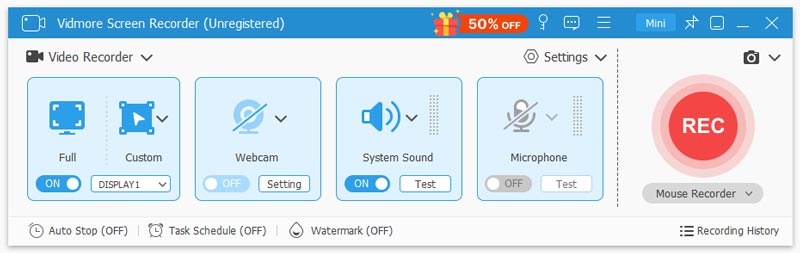
Vidmore Screen Recorder is undoubtedly the most comprehensive choice in every aspect. First, it comes equipped with all essential features: control the recording area size, customize recording duration, pause anytime, simultaneously record webcam footage on Mac or PC, and record both system and microphone audio. During recording, you can also activate the built-in screenshot tool to capture instant snapshots. When capturing critical content, utilize the real-time drawing tools to add arrows, annotations, text overlays, and more directly onto the video.
Often, you may need to record lengthy content without staying glued to your computer screen. That's where Vidmore Screen Recorder's scheduled recording feature comes in. It lets you set the start time, end time, duration, and task name for your recording. Hit start, and your video will be ready whenever you return.
Last but not least, Vidmore Screen Recorder also offers a simple recording file editing tool and can even convert video clips into GIF files.
Part 1. Does WhatsApp Notify Screenshots of Chat
Let's start with the most basic and common scenario: does WhatsApp notify screenshots of chats?
As of now, WhatsApp officially guarantees it will not notify users when someone screenshots chat content (especially the other party in the conversation). Chat content includes regular text messages, voice messages, sent images, videos, or stickers. Chat types encompass both private one-on-one chats and group chat content.
As long as your WhatsApp screenshot does not contain ephemeral content, this action will not trigger any notifications.
Tip: This does not mean you can freely take screenshots and distribute them online. Chat content may still be subject to privacy, copyright, or legal restrictions. Sharing such content without the other party's consent could lead to disputes.
Part 2. Does WhatsApp Notify Screenshots of Story
WhatsApp not only provides a space for people to chat, but also allows users to upload their own stories on the platform, which others can view based on the user's permission settings.
So does WhatsApp notify screenshots of stories?
No, it doesn't. WhatsApp only shows who has viewed your story, not who took a screenshot. Whether you save their status, photos, or video stories, the sender won't be notified.
However, one possibility remains: if someone notices you frequently viewing their content, they might suspect you've saved or screenshotted it.
Unlike WhatsApp, platforms like Instagram and Snapchat alert creators when someone screenshots their stories. It's important to understand the difference in their policies.
Part 3. Does WhatsApp Notify If You Screenshot Disappearing Messages
To determine whether disappearing messages fall within WhatsApp's screenshot notification scope, you first need a basic understanding of how disappearing messages work.
Disappearing messages refer to chat content that automatically deletes after a set period following delivery. This timeframe can range from 24 hours to as long as 7 days or more.
Before these messages vanish, the recipient won't receive screenshot alerts regardless of whether you capture screenshots, export the chat history, or photograph the screen using another device's camera.
However, once the messages disappear, you obviously won't be able to retrieve them again.
Part 4. Does WhatsApp Notify When You Screenshot A One-Time Picture
One-time pictures represent the most strictly restricted content type on WhatsApp. Screenshots or screen recordings of such content are explicitly prohibited.
First, you can only open and view this type of content once. Once closed, it cannot be viewed again.
If you attempt to take a screenshot during the preview period, you will receive a notification from the platform: “Can't take screenshot due to security policy.”
Subsequently, the screen you attempt to capture will appear as a black screen. This outcome remains consistent regardless of whether you use an iOS or Android device.
However, it's important to understand that even under these restrictions, the sender of a one-time message will not be notified that a screenshot was taken. These limitations are enforced solely through the platform's technical measures.
Nevertheless, this policy may have loopholes. While it is implemented on most newer operating systems, if the person taking the screenshot uses an older device model or under certain exceptional circumstances, one-time messages might occasionally be indirectly saved.
Part 5. Does WhatsApp Notify Screenshots of The Profile
Does WhatsApp notify if you screenshot their profile or profile picture? It depends on the specific type of page.
If you only screenshot someone's contact information—such as their nickname, phone number, group details, or other content—WhatsApp will not notify them.
However, remember that screenshotting someone's profile picture is strictly prohibited. This is primarily to prevent identity theft and harassment.
When you attempt to screenshot someone's full profile picture, WhatsApp will send you a warning, and the screenshot you capture will appear as a black screen.
Part 6. How to Block Screenshots on WhatsApp
After reading the above summary about does WhatsApp notifies you when someone takes a screenshot, you'll find that the platform's controls in this area are actually quite lenient. Most content can be screenshotted, with only profile pictures and disappearing messages triggering the platform's screenshot prohibition warning.
Given this, you may be concerned about your privacy and security on WhatsApp.
Through investigation and practical testing, we've compiled the following methods to effectively protect your security and prevent others from freely accessing your chat history and status updates:
• Use the Disappearing Messages feature regularly
When sending sensitive or private photos and videos, opt for the View Once option. This ensures the recipient can see your content but prevents them from screenshotting and forwarding it to others.
• Adjust your privacy settings
WhatsApp displays information like your status, last seen time, profile, and groups. You can hide these details.
In WhatsApp, go to Settings, then select Privacy. You'll then see options to adjust visibility settings.
• Keep private data confidential
Never disclose critical personal information like ID numbers, medical details, or financial data on the platform. Additionally, be mindful of your words and actions while using WhatsApp.
• Utilize the Self-Destruct Feature
For sensitive or private conversations, enable the self-destruct feature to set chat records to disappear after 24 hours, 7 days, or 90 days.
Part 7. FAQs of Does WhatsApp Notify Screenshots
Can you see if someone screenshots WhatsApp?
Does WhatsApp alert screenshots? No, you won't receive any notifications whether someone tries to save your chat history, status, story, or profile picture. However, the platform intervenes to block attempts to capture your disappearing messages or profile picture.
Does WhatsApp notify if you save a picture?
No. WhatsApp won't send any notifications if you try to save images from regular chats or status updates. However, the screenshot feature does not work for view-once images, triggering a platform warning. Any captured image will appear as a black screen.
What happens if you take a screenshot of a WhatsApp profile picture?
You'll receive a text warning from the platform stating the content doesn't support screenshots. If you do manage to capture an image, it will be a black screen.
Conclusion
This guide provides the most comprehensive answers to the question “Does WhatsApp notify screenshots?” Screenshot scenarios are discussed separately based on content type.
The conclusion is that no notification is sent to the recipient when you screenshot any WhatsApp content. However, if you screenshot a “View Once” image or a contact's profile picture, WhatsApp will display a warning message indicating the content cannot be captured.
To maximize privacy protection under this policy, refer to the tips provided at the end of this guide for configuration.