How to Download HD TikTok Video [Desktop & Mobile]
TikTok is overflowing with creative, high-quality content, from funny skits to helpful tutorials and viral trends. Sometimes you want to save these videos for offline viewing, inspiration, or sharing later, but not all video clips have a built-in download option. This is where knowing the right methods and tools becomes a necessity.
In this article, we’ll break down different ways to download TikTok videos in HD on both desktop and mobile, so you can keep your favorite content without losing quality. Moreover, you will also learn how to enhance the quality of your downloaded TikTok videos that were ruined in some instances. Continue reading to learn more.

PAGE CONTENT
Part 1. 2 TikTok Downloaders for Desktop
While downloading videos on TikTok is inherently possible, some videos are still restricted from download for various reasons. Moreover, downloaded videos are left with watermarks that are sometimes unnecessary and distracting, but don’t worry, because there are tools that can help you download TikTok videos easily without worrying about the watermark and losing their visual quality.
If you’re using TikTok on a computer, try the following methods to download TikTok videos in HD:
SnapTik App
SnapTik is a popular online downloader designed specifically for TikTok videos. It allows users to download TikTok HD videos without a watermark, preserving their original HD quality. The tool works entirely through a web browser, meaning you don’t have to install additional software on your computer.

How to Use SnapTik App to Download HD TikTok Videos:
Step 1. On TikTok, copy the link of the video that you want to download.
Step 2. Open your browser and search for SnapTik App. On the Paste the TikTok link here field, paste the copied video link.
Step 3. After the tool processes the link, click the Download button to save the TikTok HD video to your computer.
SSS TikTok
SSS TikTok is another browser-based TikTok downloader that focuses on simplicity and high-quality output. Like SnapTik, it lets you download TikTok HD videos and remove the watermark. It also supports multiple formats, such as MP4 and MP3, so you can save either the full video or just the audio.

How to Use SSS TikTok to Download HD TikTok Videos:
Step 1. The same process with Snaptik App. First, on your TikTok, copy the link of the video that you want to download.
Step 2. Next, on your browser, look for the SSS SnapTik App. After that, on the just insert the link designated space, paste the link of your TikTok video.
Step 3. Once the downloading process is complete, click the Download button to save the TikTok HD Video on your computer.
What’s great with these methods, especially when you are using your desktop is that they don’t require you to install heavy software or complicated extensions. You can simply copy the TikTok video link, paste it into the downloader, and save it in HD without watermarks. This makes downloading faster, safer, and more convenient, even for beginners.
Part 2. 2 TikTok Downloaders for Mobile
Meanwhile, if you’re using a mobile device to download TikTok HD videos, there are also browser-based tools that let you save videos without watermarks directly to your phone. These tools are optimized for mobile use, meaning you can copy a TikTok link, paste it into the downloader, and instantly save the video in high quality without switching between multiple apps.
TT.Save App
TT.Save App is a web-based browser tool that allows users to download TikTok HD videos straight from their mobile phone. There’s no need to install extra software or give the tool access to your TikTok account. Users can simply copy the video link from TikTok, paste it into TT.Save App, and download it.
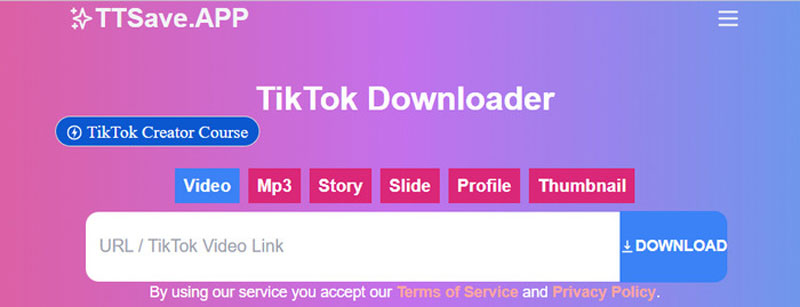
How to Use TT.Save App to Download TikTok HD Videos on Mobile:
Step 1. On your phone, open TikTok and copy the link of the video you want to download.
Step 2. Launch your mobile browser and search for TT.Save App.
Step 3. Now, paste the link of the TikTok video and click the Download button to save it.
SaveFrom.net
SaveFrom.net is an online video downloader that supports multiple platforms, including TikTok. It works directly in your mobile browser, so you don’t need to install any additional apps. You just paste the TikTok link and download the video in HD.
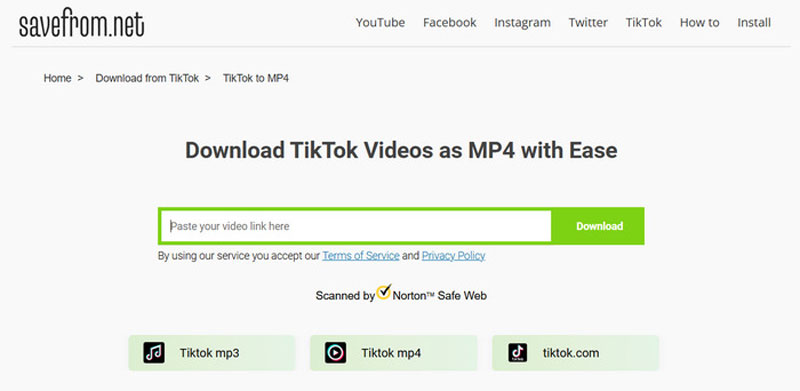
How to Use Savefrom.net to Download TikTok HD Videos:
Step 1. On your mobile phone, copy the link of the TikTok video that you want to download.
Step 2. Open your mobile browser and go to SaveFrom.net.
Step 3. Paste the TikTok video link into the input box and tap Download to save the HD video to your phone.
Downloading TikTok HD videos on your mobile devices is now easier. With the above-mentioned tools, what you need to do is just copy the link, paste it, and download.
Part 3. How to Enhance Downloaded TikTok Videos with AI
A downloaded TikTok video may not always retain its original quality, even when downloaded as an HD video. If you want to enhance it instead, use VidHex.
VidHex is an AI-powered video enhancer designed to improve the quality of your downloaded TikTok HD videos. Instead of just resizing or sharpening, it utilizes advanced algorithms to upscale resolution, reduce noise, and restore lost details, making videos look clearer and more vibrant. It also supports color correction, stabilization, and other enhancement tools to give your videos a more polished, professional look.
How to Use VidHex:
Step 1. First, you need to download and install the tool on your computer device.
Step 2. Next, click on the Video Enhancer or simply drag or upload the downloaded TikTok HD video that you want to enhance within the tool.
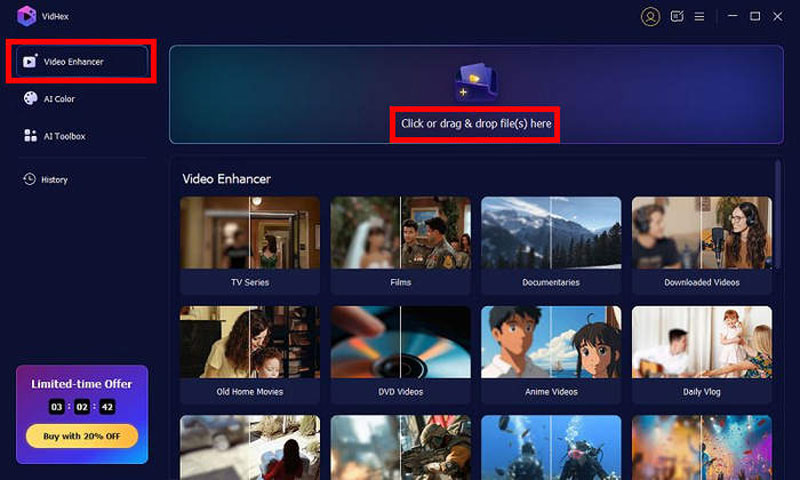
Step 3. Once the file is imported, select the General Enhancement Model to sharpen the video. When finally done, just click the Export button below.

Note: Different VidHex AI models have different effects on the video. To make a video clearer, you can also try the Video Quality Repair Model, Detail Restoration Model, or Low-light Enhancement Model for low-quality video captured under low-light environment.
As mentioned, downloaded TikTok videos are prone to losing their quality, and using VidHex is a great help in restoring or upscaling video with AI. Moreover, with its intuitive and simple interface, any user can use it easily. So, if you happen to experience something like this, use VidHex to upscale your videos.
Part 4. FAQs about Downloading TikTok HD Videos
Why does my downloaded TikTok video look blurry even if it’s HD?
Downloaded videos can lose quality due to compression, poor original upload quality, or low resolution. If this happens, you can use an AI video enhancer like VidHex to upscale the resolution, reduce noise, and restore lost details.
How do I download TikTok videos in high quality?
To download TikTok videos in HD, copy the video link from TikTok and paste it into tools like SnapTik, SSS TikTok, TT.Save App, or SaveFrom.net. These downloaders let you save the video in high quality directly to your device, often without watermarks.
Why do some TikTok videos not have a download option?
TikTok allows creators to disable downloads on their videos. When this setting is turned off, you won’t see the built-in save option in the app and must rely on external downloaders if you still want to save the content.
Conclusion
There’s no reason not to download TikTok HD videos when you need them. With the methods and tools outlined here, you can easily save your favorite clips without stressing about where to start. Moreover, don’t miss the chance to try VidHex, which can help you enhance videos that may have lost clarity or sharpness after downloading. This way, you’re not just downloading TikTok content, you’re keeping it in the best quality possible for offline viewing, sharing, or personal projects. So, what are you waiting for? Let’s get started!