
AI Video Denoiser Comprehensive Review: Should You Get One?
Visual noise can quickly ruin an otherwise well-shot video. Grainy frames, flickering pixels, dust, and compression artifacts often appear in low-light footage, high ISO recordings, or heavily compressed videos, making the final output look unpolished and distracting. As video content continues to dominate in 2026, creators, professionals, and everyday users are increasingly relying on AI video denoiser tools to clean up their footage without sacrificing visual clarity or detail.
This comprehensive review explains what AI video denoising is, how it works, and why it has become a preferred solution for improving video quality. It also highlights the 4 best AI video denoiser tools to consider in 2026, breaking down their features, strengths, and practical use cases. From understanding the technology behind AI-powered denoising to comparing top tools side by side, this guide will help you decide whether investing in an AI video denoiser is the right choice for your workflow.

PAGE CONTENT
Part 1. What is AI Video Denoising and How Does it Work
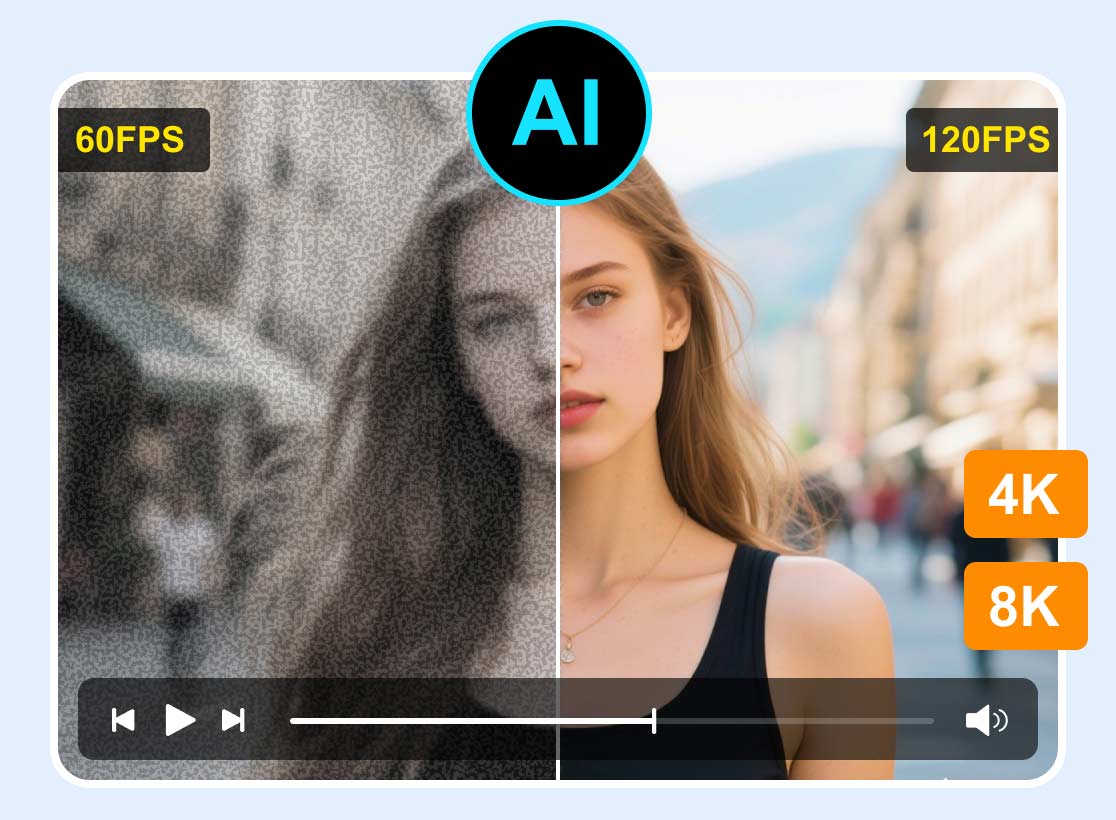
AI video denoising is an advanced video enhancement technology that uses artificial intelligence to detect and remove unwanted noise from digital footage. This noise can appear as grain, flickering pixels, dust, scratches, or compression artifacts, issues that commonly occur in low-light recordings, high ISO settings, or heavily compressed videos.
Unlike traditional noise reduction tools that rely on fixed filters, AI-powered video denoisers analyze footage intelligently. They identify which visual elements belong to the actual scene and which ones are noise, allowing the software to clean up videos without blurring important details or textures.
Video noise is a persistent challenge for filmmakers, VFX artists, and content creators. Grainy visuals and unstable frames can quickly degrade video quality and distract viewers, even if the content itself is strong. Manual denoising methods are often time-consuming and can easily damage image clarity if overused.
How AI Video Denoising Works
AI video denoising works by examining both individual frames and frame sequences to remove noise while preserving essential visual details:
- Spatial Denoising: The AI analyzes each frame independently to remove random noise such as grain or dust, while keeping edges and textures sharp.
- Temporal Denoising: By comparing multiple frames over time, the AI tracks motion and consistency, allowing it to eliminate flickering noise without affecting moving objects.
- Deep Learning Models: Modern AI video denoisers rely on neural networks trained on millions of clean and noisy video samples. These models predict what each pixel should look like in a clean frame, enabling natural texture restoration instead of aggressive smoothing.
Part 2. 4 Best AI Video Denoiser Tool
Choosing the right AI video denoiser tool can make a noticeable difference in how clean, sharp, and professional your videos look. With so many AI-powered enhancers available today, not all tools deliver the same level of noise reduction, accuracy, or ease of use. Some focus on simplicity and quick fixes, while others offer advanced AI models designed for high-end video enhancement.
In this section, we highlight the best AI video denoiser tools that stand out for their performance, reliability, and real-world results. Each tool listed below uses artificial intelligence to reduce video noise while preserving important details such as textures, edges, and motion.
Vidmore Video Enhancer
First on our list is the Vidmore Video Enhancer. This AI Video denoiser tool uses dedicated AI enhancement models to automatically analyze noisy footage and restore visual clarity. With just a few clicks, the software can reduce grain, improve sharpness, and clean up low-quality videos without requiring manual adjustments. This makes it ideal for users who want quick, hassle-free video denoising without spending hours tweaking settings.
Beyond noise reduction, Vidmore also functions as a capable AI video upscaler. It allows you to enhance videos up to 4K resolution, making it a practical choice for improving old, low-resolution, or compressed footage. Thanks to its intuitive controls and smooth workflow, navigating the tool feels straightforward from start to finish.
Main Features:
- AI-powered video denoising that automatically removes grain and visual noise.
- Multiple AI enhancement models for different video improvement needs.
- Video upscaling supports up to 4K resolution.
- Supports 720p, 100%, 200%, and 400%, plus custom settings.
- Smooth and fast video processing performance.
- Supports a wide range of input and output video formats.
- Compatible with various video types, including vlogs, anime, documentaries, and more.
- Built-in Preview feature to compare results before exporting.
How to Use Vidmore Video Enhancer Tool to Denoise a Video:
Step 1. First, download and install the tool on your computer. Take note that this is available on both Windows and macOS.
Step 2. Once you open the tool, click the Plus icon to add the video you want to denoise. It will open your desktop folder and select the video you want to undergo the video denoising procedure.
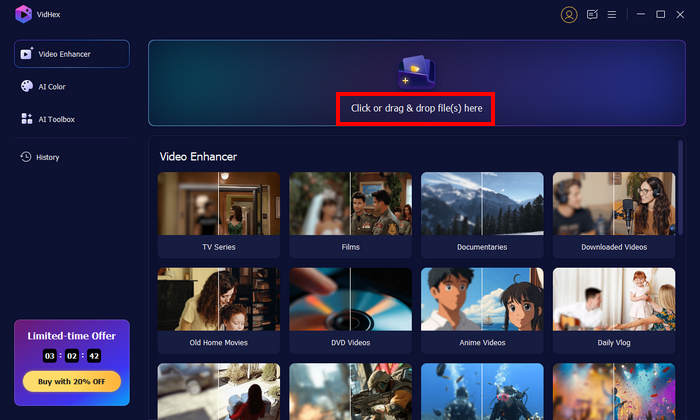
Step 3. Lastly, you’ll find several AI enhancement models designed to improve video quality. To reduce visual noise, simply choose the Video Denoise Model, which is specifically designed to eliminate grainy and dirt-like artifacts for cleaner, smoother output. You can also use the Preview button below the player to instantly compare the original video with the enhanced result before exporting.

Topaz Video AI
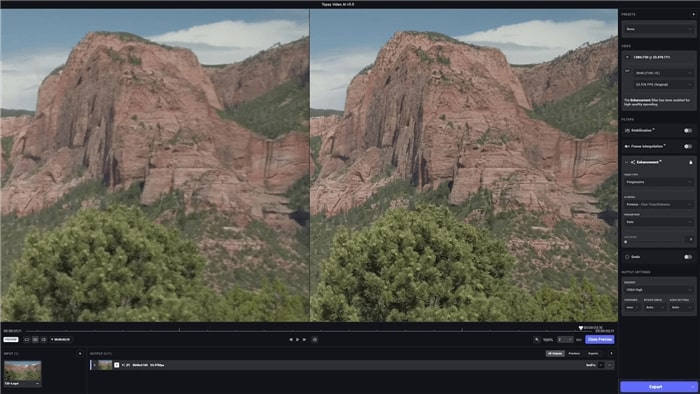
Topaz Video AI is a well-known AI-powered video enhancement tool that also supports AI video denoising. It offers multiple AI models tailored for different scenarios, making it a strong option for users who want deeper control over how their footage is processed. Its denoising capabilities are especially effective for restoring low-resolution or heavily compressed videos, though the trade-off is often increased processing time.
Pros:
- High-quality AI denoising with strong detail recovery.
- Multiple AI models, like Nyx, Artemis, for different enhancement needs.
- Excellent for general video enhancement and upscaling.
- Produces sharp, professional-looking results.
Cons:
- Slow processing speeds, especially with advanced denoise models.
- Requires powerful GPU hardware for smooth performance.
- No built-in video editing features.
- Higher price compared to simpler AI denoisers.
Hitpaw Video Enhancer
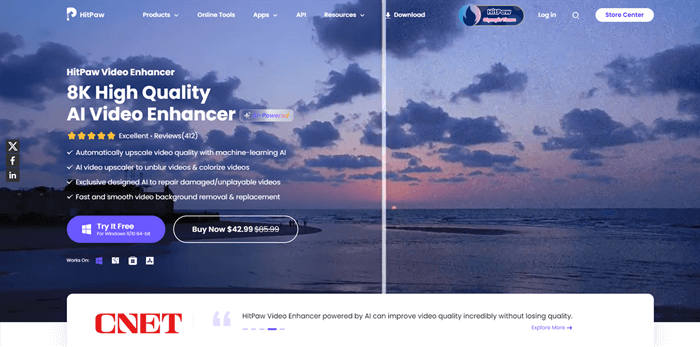
HitPaw Video Enhancer is designed for users who want a simple, one-click AI video denoising tool. Its AI models automatically denoise, sharpen, and upscale videos without requiring manual adjustments, making it ideal for beginners or casual users. While convenient, its denoising accuracy is less advanced than that of professional-grade tools.
Pros:
- Extremely easy to use with one-click AI enhancement.
- Clean and beginner-friendly interface.
- Supports batch processing for multiple videos.
- Suitable for quick video cleanup tasks.
Cons:
- Limited denoising accuracy for heavy noise.
- No manual controls for fine-tuning results.
- May introduce blur or miss stubborn noise artifacts.
- Lacks video editing and advanced customization options.
UniFab Denoise AI
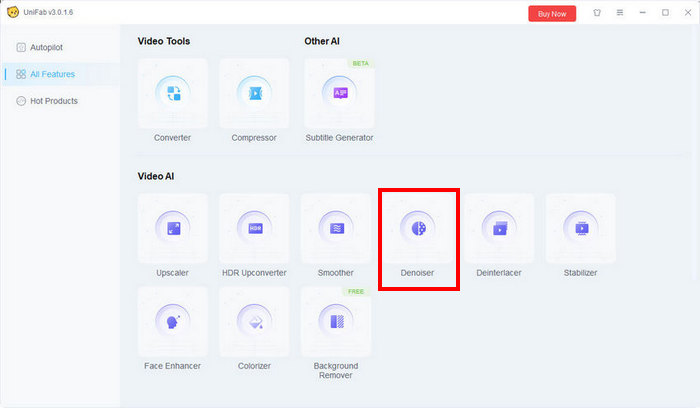
UniFab Denoise AI is a dedicated AI video denoising solution focused on speed, clarity, and detail preservation. Powered by advanced deep learning models, it removes grain, compression artifacts, and visual noise while preserving textures' naturalness. As part of UniFab All-In-One V3.0, it also supports upscaling, HDR conversion, and format compatibility, making it a versatile choice for both professionals and content creators.
Pros:
- Outstanding AI denoising accuracy with minimal detail loss.
- Fast processing speed compared to similar AI tools.
- Supports upscaling up to 4K and higher in the UniFab suite.
- 30-day free trial with no watermark.
- User-friendly interface suitable for beginners and professionals.
- Wide format support and customizable output settings.
Cons:
- Advanced features are locked behind paid plans.
- Requires a capable system for best performance.
Part 3. A Closer Look at the 4 Best AI Video Denoiser Tools
To make it easier to see the differences between the top AI video denoiser tools, here’s a side-by-side comparison highlighting their best use cases, key advantages, ease of use, processing speed, output quality, and pricing.
| AI Video Denoiser Tool | Best For | Advantage | Ease of Use | Speed | Quality of Result | Price |
| Vidmore Video Enhancer | Best for those who need a comprehensive set of video enhancement features, including AI video denoising. | Simple interface, 4K upscaling, multiple AI enhancement models | Very easy to use | Fast | ⭐⭐⭐⭐⭐ | $31.92 a month |
| Topaz Video AI | Best for users who want high-detail recovery, advanced upscaling, and multiple AI models for customized video enhancement. | Multiple AI models, high-quality denoising, and excellent upscaling | Moderately easy to use | Moderately Fast | ⭐⭐⭐⭐ | $67 a month |
| HitPaw Video Enhancer | One-click solution to quickly denoise and improve video quality without manual adjustments. | Easy one-click denoise, batch processing, beginner-friendly | Easy to Use | Moderately Fast | ⭐⭐⭐⭐ | $350.39 lifetime |
| UniFab Denoise AI | Best for those who need a fast, AI video denoising process. | Fast processing, upscaling, HDR conversion, and wide format support | Moderately easy to use | Fast | ⭐⭐⭐⭐ | $139.99 lifetime |
Part 4. FAQs about the AI Video Denoising Tool
Can AI video denoising improve low-resolution or compressed videos?
Yes. Many AI denoising tools not only remove noise but also enhance video quality. They can reduce graininess, fix compression artifacts, and even upscale resolution, making low-quality or heavily compressed footage sharper, smoother, and more visually appealing.
Does AI video denoising affect video quality?
When done correctly, AI video denoising improves video quality by removing unwanted noise while preserving important details like edges, textures, and motion. Unlike traditional filters, it avoids excessive smoothing that can make footage look artificial.
How long does AI video denoising take?
Processing time depends on the software, video resolution, length, and your computer’s hardware. Some AI video denoisers offer fast real-time processing for short clips, while high-resolution or long videos may take longer, especially when advanced AI models are applied.
Conclusion
AI video denoisers have become essential tools for creators, filmmakers, and everyday users looking to remove visual noise, restore clarity, and enhance video quality. Vidmore Video Enhancer, Topaz Video AI, HitPaw Video Enhancer, and UniFab Denoise AI each offer unique strengths, from speed and ease of use to detail preservation and high-resolution upscaling. Choosing the right denoiser depends on your priorities, speed, control, budget, and output quality.
Ultimately, investing in a reliable AI video denoiser can save time, improve your footage, and ensure your videos look polished and professional every time.