








Detailed WaveSpeeAI Review: Is this the Best Video Enhancer
WaveSpeedAI is an AI-powered tool you can access online. It offers a range of features to help you deal with your videos and other media files. You can enhance videos, remove the background, remove the watermark, and more. With these features, we can tell that the tool can let you achieve the result you need. So, if you want to gain more insights into the tool, you must read this article. We offer an honest review of WaveSpeedAI, including its key features, limitations, how to use it, and the best alternative. Thus, read here and learn more.

PAGE CONTENT
Part 1. Overview of WaveSpeedAI
WaveSpeedAI is a web-based tool designed to generate and edit videos and images. This tool offers a simple UI that makes it easy to access all the necessary features for handling any media files. Some of the features it can offer include a video upscaler, a watermark remover, a face swap, and more. If you are interested in learning more about its key features, you can find all the information below.
Video and Image Upscaler
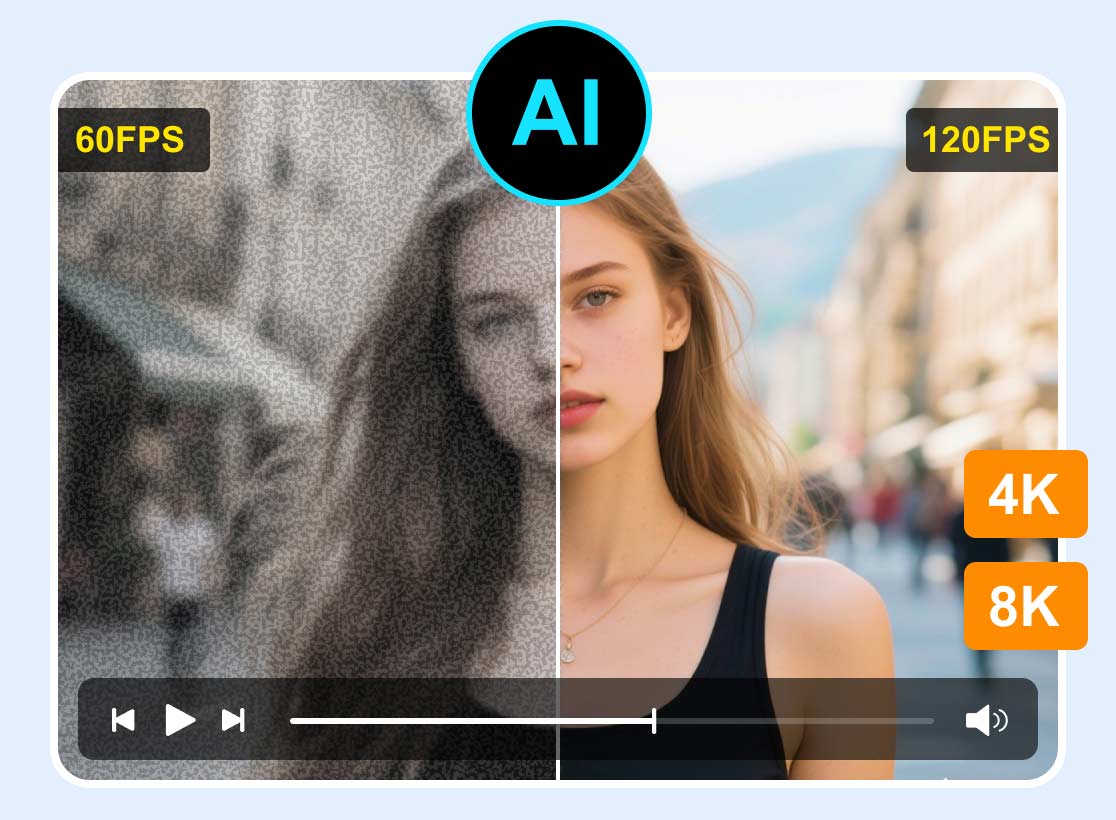
One of the features the tool can offer is its Video and Image Upscaler. This feature is perfect if you want to increase the resolution of your video and images. When dealing with videos, you can upscale them to 4K, resulting in better, more satisfying playback. Plus, the media upscaling process is simple, making it ideal for all types of users.
Video and Image Generator
Aside from dealing with your videos, you can also access the tool's Video and Image Generator feature. Content creators and other professionals might find this feature ideal, since it lets them design and create videos and images using prompts. The good thing here is that after the generation process, you can make some changes. You can change the aspect ratio, size, quality, and other necessary parameters. With this feature, you can achieve the result you need without encountering any issues.
Video and Image Watermark Remover
Do you have a watermark on your video and images? Well, we can tell that those are annoying when viewing your media, right? The good thing about WaveSpeedAI is that it includes a watermark remover. With this feature, you can eliminate the watermark on your videos and images. Plus, it can eliminate unnecessary elements without affecting the quality of your videos and images.
Face Swap
Another helpful feature of the tool is Face Swap. This feature allows you to change or swap the face in your videos and images. You can even use any AI-designed faces you can insert into the original face. This feature is perfect if you want to keep the original face from the video and images.
You can also like: Discover the best AI face enhancer for better playback.
Background Remover
The Background Remover is responsible for erasing the background from your images and videos. With this feature, you can change the background of your file based on your preferences. You can even use an AI-designed background while ensuring clean matting and natural compositing.
Pay a visit: A simple method to enhance GIF successfully.
Limitation of WaveSpeedAI
WaveSpeedAI is an ideal tool for editing and generating images and videos. It can even ensure you save your media at the best quality. However, there are some drawbacks to be aware of when using the tool. Some of them are:
Internet Dependency
Since the tool is online, you must have a stable, fast internet connection. A poor internet connection can only cause poor performance and a slower loading process.
Cost for Advanced Features
You must know that the tool is not 100% free. If you want to access all the advanced features of the tool, it is recommended to get the paid version.
Little Learning Curve
Some features of the tool might be overwhelming for non-professional users. To use the tool smoothly, guidance from professionals might be necessary.
Inconsistent Accuracy
When generating images and videos, the tool sometimes produces different results. Content creators must give an additional human touch to the content to make the result better and more natural.
Part 2. How to Use WaveSpeedAI
Do you want to use WaveSpeedAI to update your video? In that case, follow the steps below to begin the process.
Step 1. Go to WaveSpeedAI's main website and create your account. You can connect your Gmail account if you want to.
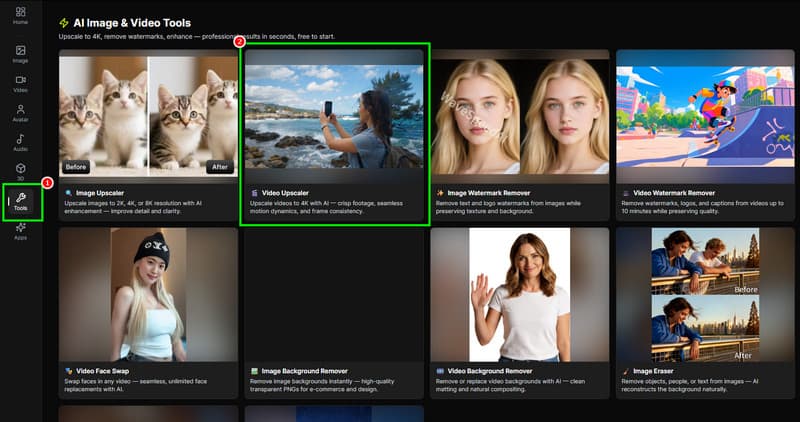
Step 2. After that, proceed to the Tools section and tap the Video Upscaler feature. Then, the interface will load and appear on your screen.
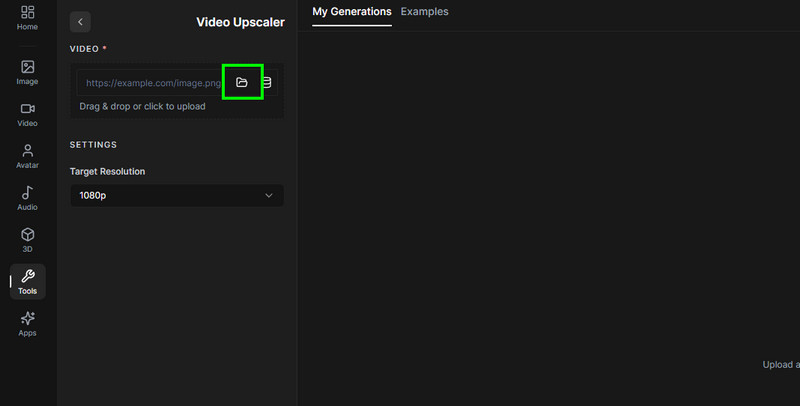
Step 3. You can now start uploading the video you want to upscale by clicking the Folder option from the interface.
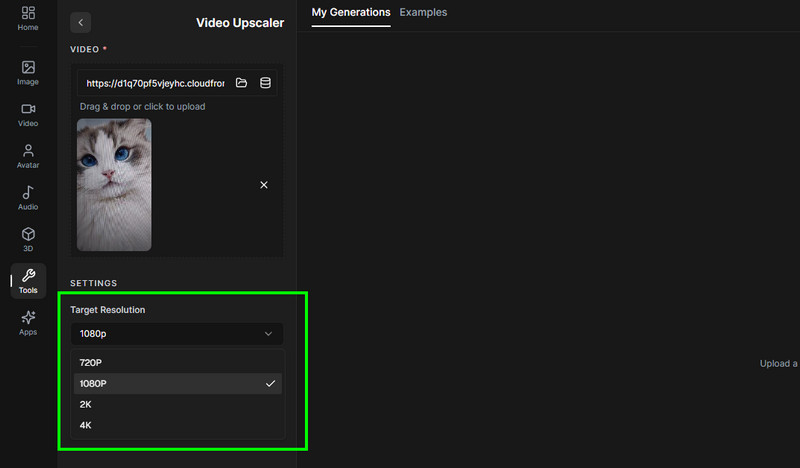
Step 4. From the left interface, go to Target Resolution to change your video's resolution. You can choose 100, 2K, and even 4K.
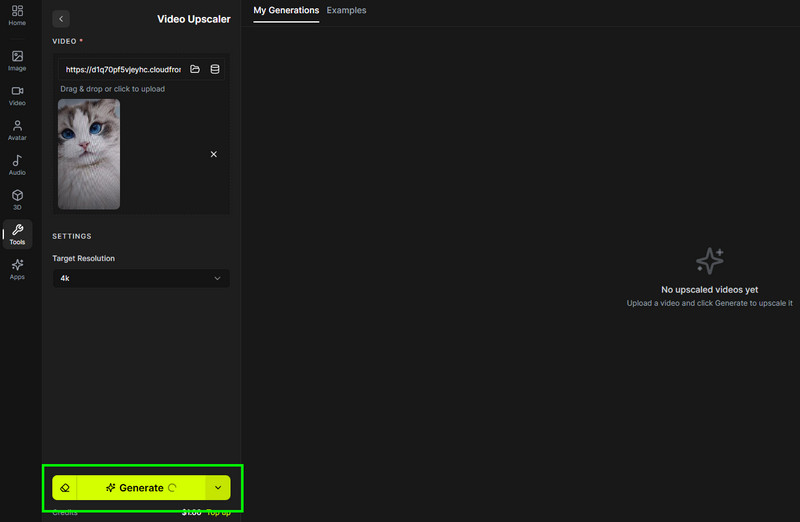
Step 5. For the final process, hit the Generate button below. After the process completes, you can begin downloading the video to your computer.
Pay a visit: Detailed review of the Tensorpix AI tool.
Part 3. Pricing Plan of WaveSpeedAI
As mentioned, the tool is not 100% free. If you want to access all the features without encountering any limitations when working with your content, you must get the paid version. The tool offers four account levels to suit various usage requirements. See the table below and learn more about the WaveSpeedAI pricing.
| Level | Images/min | Videos/min | Max Current Task | Activation |
| Bronze | 2 | 2 | 2 | Default for New Users |
| Silver | 300 | 300 | 300 | One-time top-up of $100 |
| Gold | 3,000 | 3,000 | 3,000 | One-time top-up of $1,000 |
| Ultra | 5,000 | 5,000 | 10,000 | One-time top-up of $10,000 |
Part 4. Best Alternative to WaveSpeedAI
When it comes to upscaling, there is no doubt that WaveSpeedAI is among the tools you can rely on. However, you can't upscale and enhance the video as many times as you want without paying a penny. It's because the tool is not 100% free. Plus, it relies on the internet to enhance your files. So, if you want the best alternative to WaveSpeedAI, we suggest using Vidmore Video Enhancer.
This offline video enhancer is perfect, as it ensures your video is enhanced and upscaled for free. What we like here is that the process is simple, thanks to its comprehensive user interface. You can also access various enhancement models, allowing you to upscale any part of the video. There are also various resolution options to choose from. It includes 100%, 200%, 400%, up to 4K. You can also change various parameters during the process, such as video encoder, format, bitrate, and more. Thus, if you want a smoother, free way to upscale your videos, look no further than Vidmore Video Enhancer.
AI Models
- • General Enhancement Model
- • Face Model
- • Color Enhancement Model
- • Detail Restoration Model
- • Video Denoise Model
- • Anime Model
- • Video Quality Repair Model
- • Frame Interpolation Model
- • Colorize Model
- • SDR to HDR Model
- • Low-Light Enhancement Model
To start upscaling your videos, follow the instructions below.
Step 1. Download Vidmore Video Enhancer on your computer. Then launch it to start the video upscaling procedure.
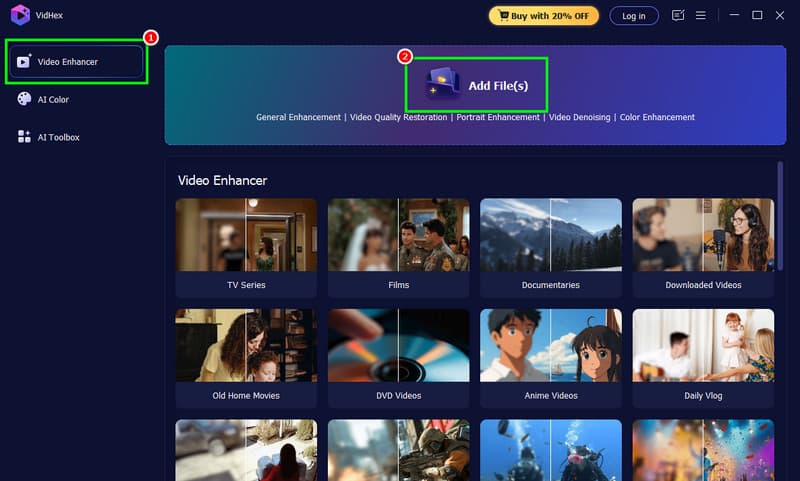
Step 2. From the interface, click Video Enhancer, then tick Add Files to add the clip you want to enhance.
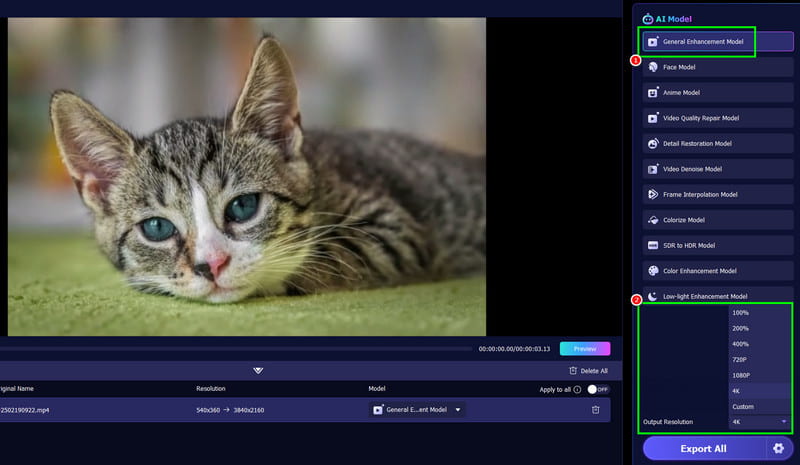
Step 3. After you add the video, click the General Enhancement Model. Then, go to the bottom interface and select your preferred output resolution.
Step 4. You can also go to the Settings option to change the video output format, bitrate, video encoder, and designated folder.
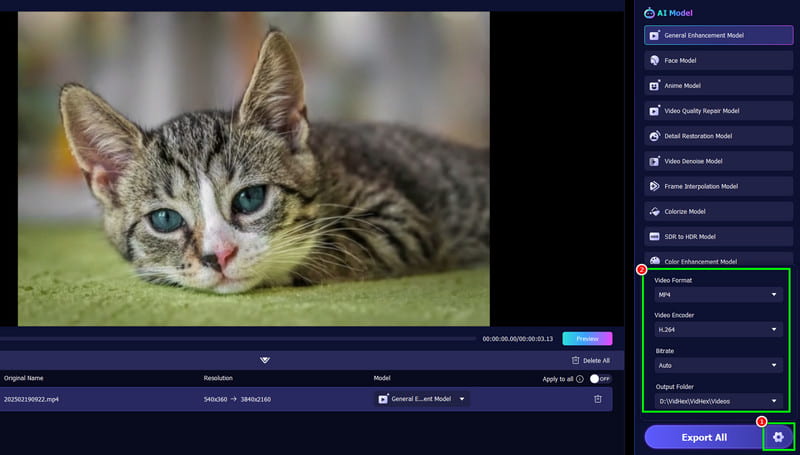
Step 5. For the final step, tap the Export All button to start saving the enhanced video.
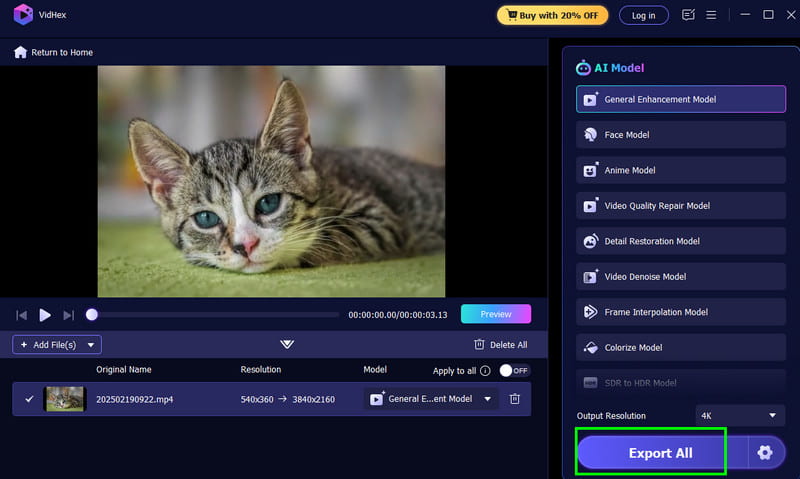
After using this method, you can tell that this software is superior to WaveSpeedAI. It can even offer various AI models to ensure that you enhance your videos based on your preferences. Thus, for better results, download the software and start a smoother video upscaling process!
Part 5. FAQs about WaveSpeedAI
Is WaveSpeeAI safe to use?
After using the tool, we can tell that it is safe to use. It can let you enhance and generate videos without any issues. It also ensures that your videos are kept and secured.
Who can use WaveSpeedAI?
The tool is best for casual users, professionals, and content creators. They can effectively enhance their videos and generate videos and images while ensuring they get the best quality for better playback.
Is there an offline version for WaveSpeedAI?
Unfortunately, no. The tool is designed to generate and enhance videos online. If you need an online video enhancer, we suggest using Vidmore Video Enhancer. This program lets you enhance your videos to 4K resolution, making it an ideal tool on your desktop.
Final Verdict
WaveSpeedAI is one of the best tools for editing and generating videos. It can even offer a range of features to ensure you achieve the result you need. However, to access its overall features, you must get its paid version. So, if you need the best replacement for WaveSpeedAI, we recommend using Vidmore Video Enhancer. This tool is free to use and offers numerous AI models, making it ideal for enhancing your videos.