How to Use YouTube AI Face Upscaling to Enhance Face
If you have ever uploaded a video on YouTube and noticed that your face appears blurry or pixelated, then you will understand why AI face upscaling is a game-changer. This tool uses an advanced algorithm that can sharpen the facial details, improve the video, and restore clarity. It can even make your videos look professional. In this guide, we will teach you how to use YouTube's AI face upscaling tool to enhance your videos. You will also explore another tool that can help you get a better version of your video. Thus, read everything in this guide and learn more about the AI face upscaling process.

PAGE CONTENT
Part 1. Why YouTube AI Face Upscaling is Important
YouTube AI Face upscaling is necessary since it has the capability to upscale and enhance the video quality by improving facial details that often get lost in compression or low-resolution uploads. Plus, since faces are central to human recognition and emotional connection, improving the clarity makes the video/content more eye-catching and professional. Upscalers help the content creators to deliver a polished and satisfying viewing experience, even if their original clip was recorded with limited equipment.
Furthermore, besides aesthetics, AI face upscaling contributes to accessibility and preservation. Better facial characteristics improve authenticity and comprehension in historical, educational, or archival recordings. It ensures that valuable content stays relevant and influential in the current high-definition streaming environment by allowing the revival of older and low-quality footage for consumers.
Part 2. Comparison of the Best AI Face Upscaler
You can check the comparison table below to get more insights about the best AI face upscalers.
| AI Face Upscalers | YouTube’s Built-in Super Resolution | Vidmore Video Enhancers | Topaz Video AI |
| Resolution | Upscales playback dynamically, usually up to 1080p or 4K, depending on the source | Supports 4K and 8K | Supports 4K and 8K |
| AI Face Model | Basic AI enhancement focused on general video clarity | AI trained for depixelation, blur removal, and facial detail recovery | Specialized AI models for faces, motion, and textures, highly refined |
| Ease of Use | User-friendly | One-click enhancement and beginner-friendly interface | It has a steep learning curve |
| Batch Processing | No | Supports Batch Processing | Yes, but resource-heavy |
| Performance Speed | Fast | Fast with GPU acceleration | Slower, especially at high resolutions |
Part 3. Best AI Face Upscalers
Do you need an excellent AI face upscaler for YouTubers? Then, you can check all the information below as we let you explore all the best tools you can access for sharpening the facial details of your videos.
1. YouTube Super Resolution Feature
The YouTube platform is capable of enhancing the facial details from the video using its Super Resolution feature. This way, you can expect to have an excellent video after the uploading process. Aside from that, viewers can even improve the video quality for a better viewing experience. To learn how to upscale the video with AI, you can use the methods below.
Increase Resolution for Audience
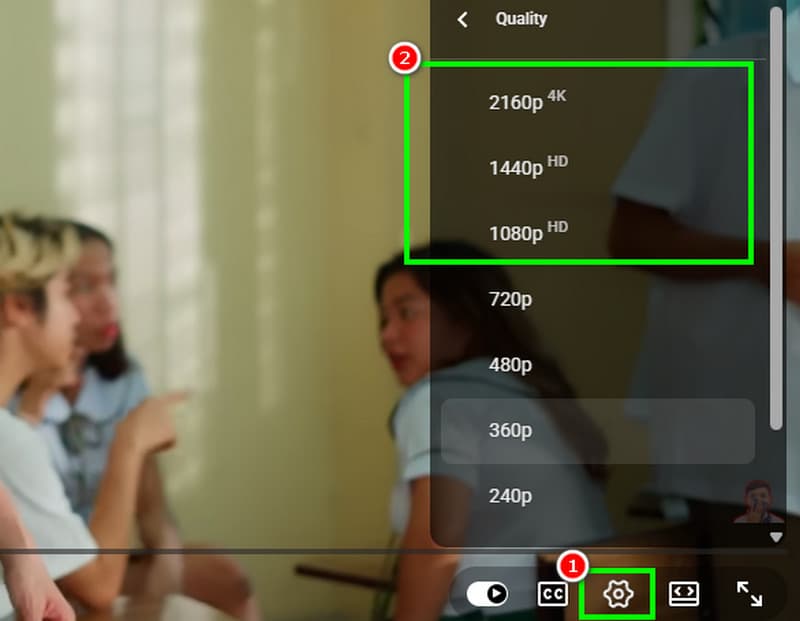
Step 1. Open your YouTube and proceed to the Search button to browse the video.
Step 2. After that, go to the bottom interface and click the Settings feature. Then, you can choose your preferred quality for the video. You can click the 'Super Resolution' or any higher resolution that the platform can offer.
Step 3. Once done, you can begin watching the video with the best quality.
Increase Resolution for Creators
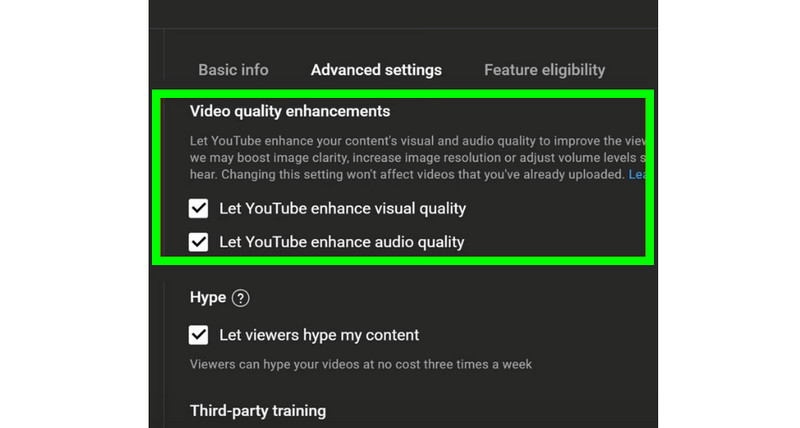
Step 1. If you are a creator who wants to get a better resolution, proceed to open your YouTube Studio.
Step 2. Go to the Settings section and click Channel > Advancement Settings options.
Step 3. After that, toggle on the Let YouTube enhance video quality option. With that, you can get the best quality for the video.
2. Vidmore Video Enhancer
Suppose you need the best video enhancer that can give you all the features you need to perfectly upscale your videos. Look no further than Vidmore Video Enhancer. This program is ideal since it can offer its AI Face Model to effectively improve the face details from the video. The best part here is that you can even save your final video with the best quality for up to 4K. In addition, the program ensures that you can navigate all the features you need since it offers a comprehensive user interface. Plus, you can access more enhancement models that allow you to improve your overall video. Some of the models are Anime Model, Video Denoise Model, General Enhancement Model, and more. You can also save the video to various formats, such as MP4, MKV, AVI, MOV, FLV, etc. With that, if you need the most powerful AI face upscaler, Vimore Video Enhancer is the best choice that you can have.
To learn how to upscale the face details from your video, you can check the instructions below.
Step 1. Download Vidmore Video Enhancer on your computer. After that, launch it to begin the upscaling process.
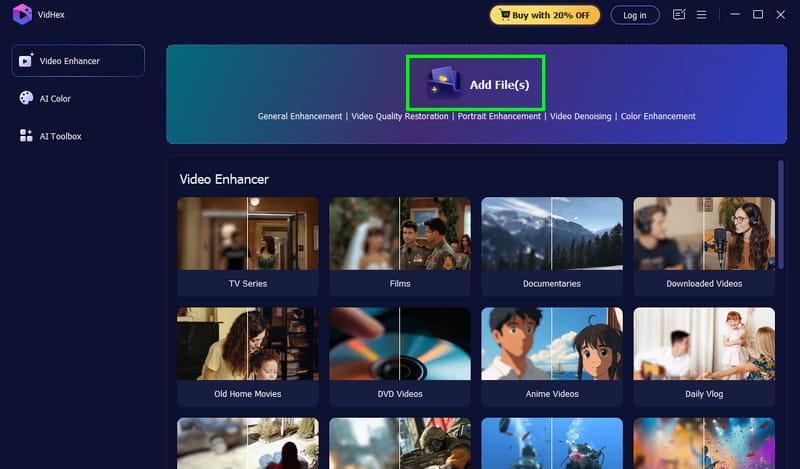
Step 2. After that, start adding the video you want to upscale by clicking the Add Files button. Note that since the software supports batch processing, you can add/insert multiple videos if you want to.
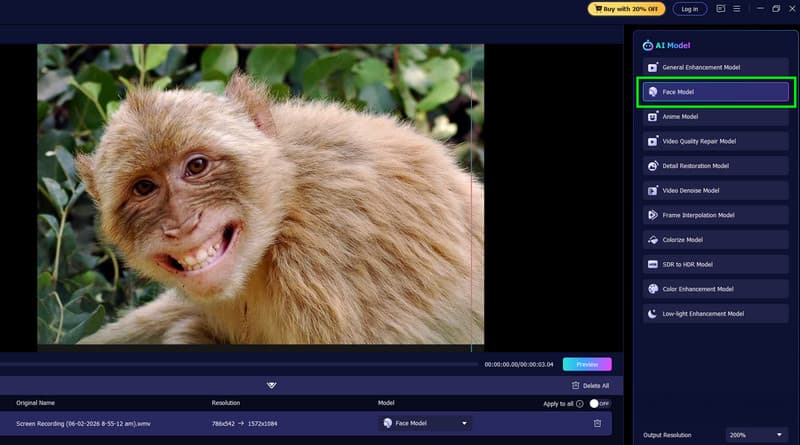
Step 3. From the right interface, hit the Face Model feature. Then, the program will start enhancing the facial details from the video. You can check the video by tapping the Preview function.
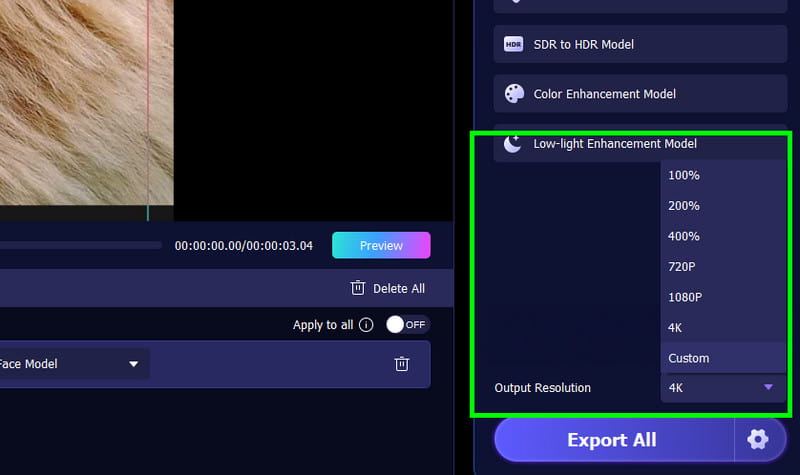
Step 4. You can also pick/choose your preferred resolution from the Output Resolution section below.
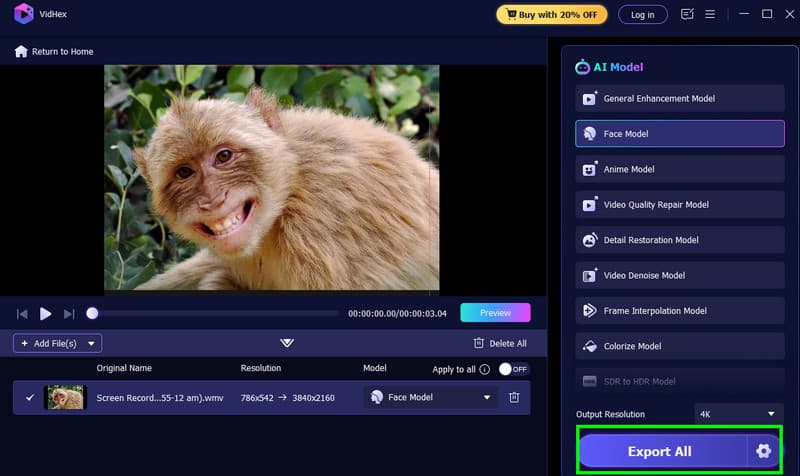
Step 5. If you are satisfied with the result, begin ticking the Export All button. Once done, you can now watch the video or upload it to your YouTube account.
3. Topaz Video AI
Topaz Video AI is among the most potent AI face upscalers on the market that can create videos with remarkable clarity and detail. It makes even low-resolution or compressed videos look professional by using helpful machine learning models to enhance face features, lower noise, and restore natural textures. Content creators benefit from its capability to improve/upscale video to higher resolutions like 4K while maintaining realistic skin tones and expressions. This makes it a perfect tool for YouTubers, video makers, and archivists who want to enhance visual quality and ensure that faces remain the focal point of engaging, high-quality content. Thus, if you want to upscale the video, especially for enhancing the face details, it would be best to try using Topaz Video AI.
Drawbacks
- The program requires a high-end GPU to have a smooth upscaling process.
- It has a steep learning curve, making it complicated for beginners.
- There are times when the result looks unnatural.
To start upscaling and enhance face details from the video, see the step below.
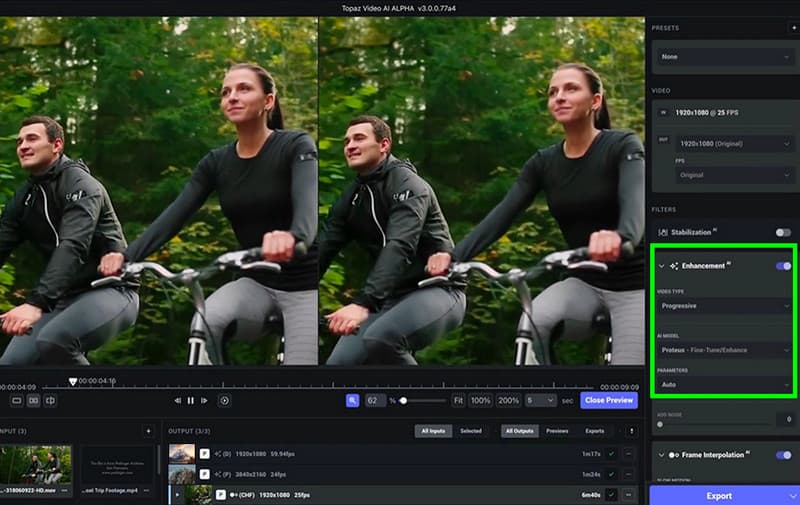
Step 1. Download and install the Topaz Video AI on your computer. After that, start running it to begin the video-upscaling process.
Step 2. Start adding the video you want to upscale. Then, insert it into the canvas.
Step 3. From the right interface, toggle the Enhancement feature. This way, the program will automatically enhance the facial details from the video.
Step 4. Once the process is done, you can start clicking the Export button to keep/save the video on your computer.
Part 4. FAQs about Face Upscaler AI Free
What is the best AI face enhancer?
If you are looking for an excellent AI face upscaler that can offer all the features you need, look no further than Vidmore Video Enhancer. This program ensures that you can enhance the facial details from the video, resulting in a better viewing experience. It can even eliminate the video noise and the shakiness of the video, making it more ideal for users.
Do I need a powerful computer to use AI face upscalers?
It depends on the tool you use. There are some programs that are resource-intensive, which require a high-spec computer for better performance. Some tools don't need a high-spec device. Thus, you can check the AI face enhancers and check if they can work properly on your computer.
Are AI face enhancers safe to use?
Reputable tools are generally safe. But you also need to check the privacy policies, especially if you are uploading your media files. This way, you can ensure that your information is not misused.
Conclusion
Thanks to this guide, you have learned how to use AI face uspcalers for YouTubers. With that, we can tell that any content creators can have better video content that can satisfy audiences. You even explored all the best AI face upscalers you can use to achieve your result. Plus, if you want a better program that can enhance and upscale your videos to the highest, always use Vidmore Video Enhancer. It ensures to upscale the facial features from your video successfully, making it a reliable program for all content creators.