







Best 7 Recommended Minecraft Screen Recorders (Review)
The popular game Minecraft is played by individuals of all ages worldwide. This multiplayer sandbox survival game, created by Mojang and 4J Studios, was released in 2011. It has so far continued to bring happiness and pleasure to its participants. This game is unique because it combines a survival plot with an amazing platform.
This is also one of the reasons why many users search for a screen recorder for Minecraft, to teach other new players and share their in-game achievements. For this reason, we've compiled a list of the top 7 screen recorders for Minecraft. Examine every feature below. What is the best screen recorder for Minecraft? The top seven screen recorders for Minecraft are listed here; you can select the one that best suits your needs. Let's have a peek!

PAGE CONTENT
How We Test the Best Minecraft Screen Recorder
It's crucial to consider more than simply product names and guarantees when evaluating screen recording software. To determine which tools offer the best value, performance, and functionality, we subjected them to real-world usage tests. The following are the primary standards by which we assessed each screen recording program:
• Feature & Usability Check. We examine the tool's editing capabilities, recording modes, usability, and compatibility with key features such as webcam overlay, audio synchronization, and annotations.
• Performance & Output Quality. Every tool is evaluated for resource consumption, export format flexibility, video/audio clarity, and how well it functions on common hardware without lagging or crashing.
• Pricing & Overall Value. We evaluate whether the tool provides good value for the money and supports its cost by comparing the free and paid versions, recording restrictions, and the inclusion of watermarks.
| Screen Recorder | Highest Quality | FPS | Audio (system & micro) | Features |
| Vidmore Game Recorder | 4K | 120fps | ✔ | Easy to use, stable and smooth |
| EaseUS RecExperts | 4K | 60fps | ✔ | Scheduled recording |
| Movavi Screen Recorder | 1080p/4K | 60fps | ✔ | Simple operation, editing features |
| Wondershare DemoCreator | 4K | 60fps | ✔ | Built-in editing, special effects |
| OBS Studio | 4K+ | 120fps+ | ✔ | Free, open-source with powerful customization |
| Camtasia | 4K | 60fps | ✔ | Powerful post editing |
| Bandicam | 4K | 144fps | ✔ | Ultra-low performance occupancy |
Top 1. Vidmore Game Recorder
Best for: Beginners who need an easy and high-quality recorder
Score: 4.8/5
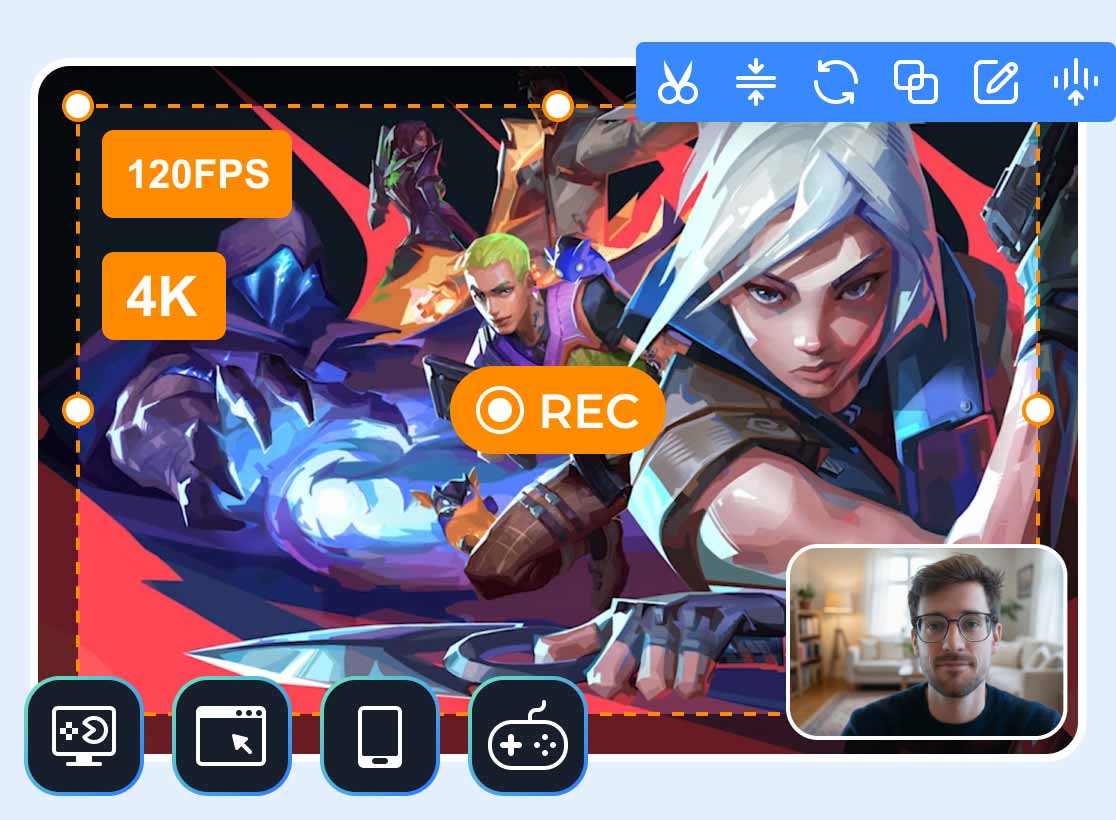
Vidmore Game Recorder stands out as one of the best screen recorders for Minecraft. The combination of all its features and functionality makes it a good choice. This program enables the user to make high-quality recordings of their gameplay without any lag and even at resolutions of up to 4K. You can choose the area of capturing on your screen, use the webcam for recording simultaneously, and record the system and microphone audio.
All of these features make it easy not only for gamers but also for content creators who want to share their experience with the game with their audience. Furthermore, the user-friendly interface makes it easy for beginners.
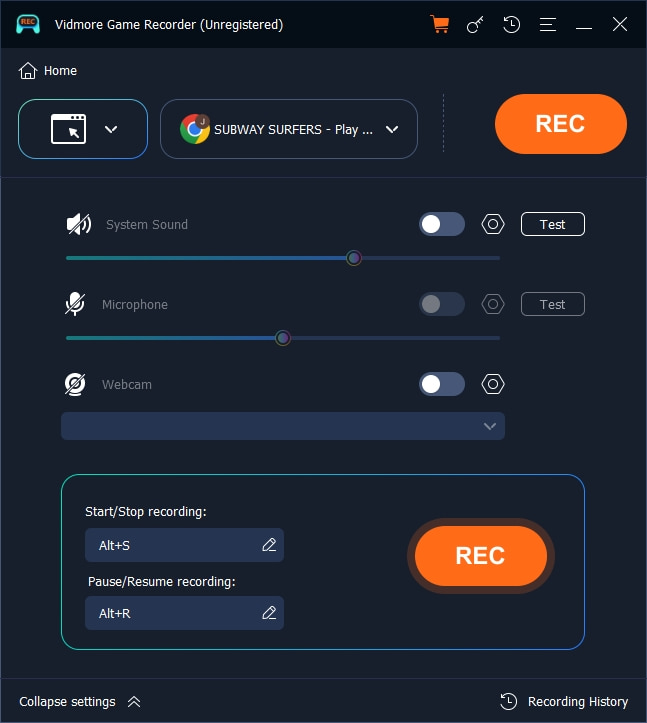
Step 1. First, download and install Vidmore Game Recorder on your computer.
Step 2. In the tool's interface, there are 4 types of Game record modes: PC Game, Browser Game, Handheld Game, and Console Game. You can choose one according to your Minecraft Game.
Next, select the audio source, such as a microphone or system sound.
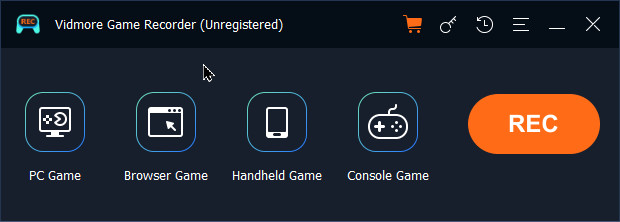
Step 3. If you want to record from a handheld or a console, you need a USB cable to connect the mobile device to the computer. After preparations, click the REC button to begin recording.
Step 4. When the Minecraft gameplay recording is complete, click the Stop button. Then, a window will pop up. You can easily preview and trim the game recording, or set the play speed, volume, and take a screenshot in the toolbox below. (Tips: If you need more advanced editing features, there are another 7 tools in the bottom-right corner.)
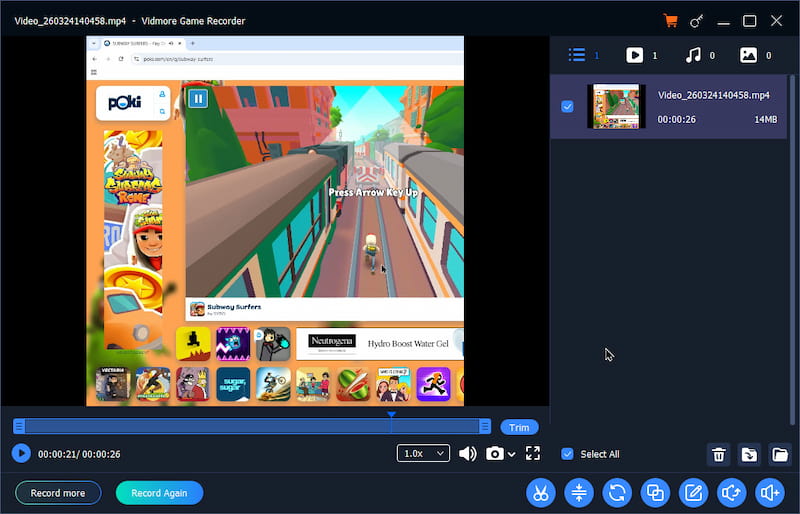
Step 5. After editing, hover the mouse over the file you want to save, and an Export icon will appear on the right. Click the icon to save the recording file. When saving is finished, the Export icon will turn to an Open File icon. You can click on it to directly locate the save location.
Top 2. EaseUS RecExperts
Best for: Users who need to record Minecraft in automatic recording
Score: 4.2/5
EaseUS RecExperts is a Mac and Windows screen recorder that enables users to record the entire screen or a specific area, along with system sounds or the narrator's voice, to enhance the overall quality of each clip. Therefore, catching the happenings in your Minecraft gameplay is also possible with this tool.
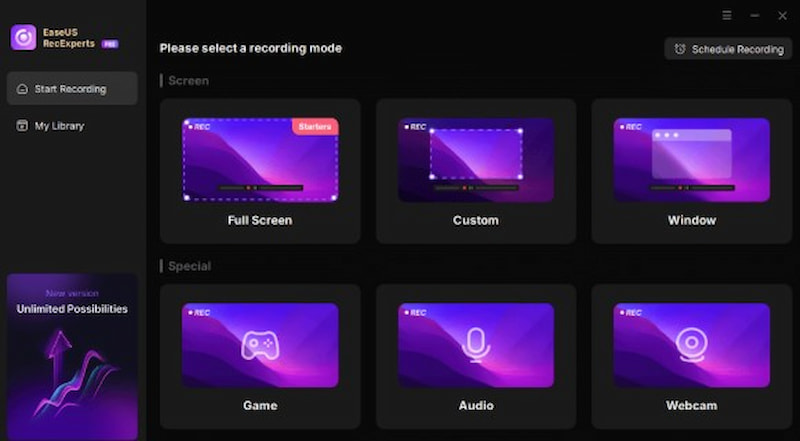
Pros
- Adaptable PC screen capture with customizable options
- Decide when you want a screen capture to start automatically.
- You can add watermarks, trim films, and more with sophisticated editing.
Top 3. Movavi Screen Recorder
Best for: Newcomers record Minecraft and quickly export videos
Score: 4.5/5
With minimal setup, Movavi Screen Recorder is a straightforward tool for recording Minecraft gameplay. Webcam/audio integration, scheduled recording, and HD video capture are all supported. You may effortlessly trim footage with the integrated editing tools. It is perfect for short, high-quality recordings due to its lightweight design, which ensures fluid operation without compromising game pace.
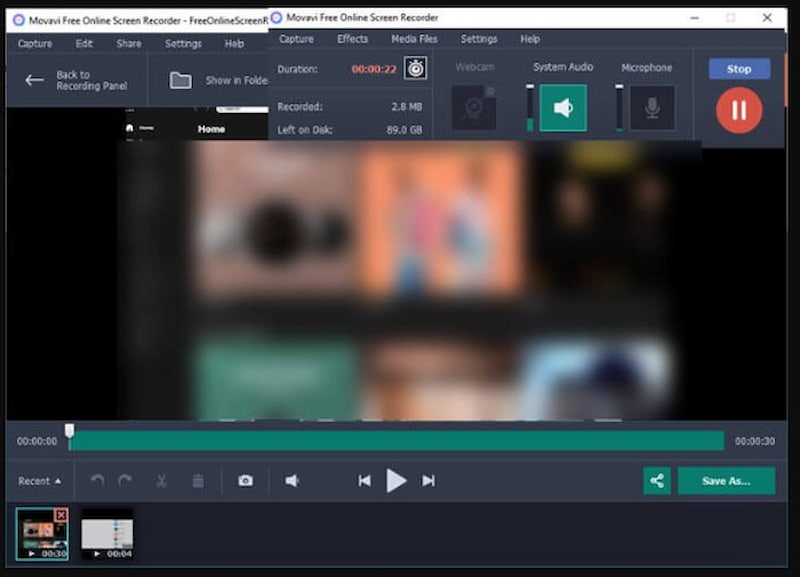
Pros
- Easy to use.
- Integrated editor.
- Seamless operation.
Cons
- Limited-edition free version.
- Not many sophisticated features.
- No consequences in real time.
Top 4. Wondershare Democreator
Best for: Record Minecraft and create commentary or instructional videos
Score: 4.2/5
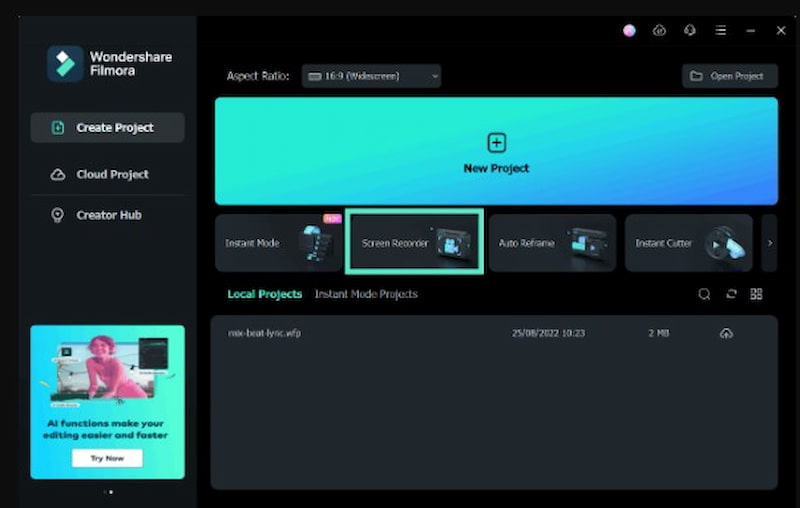
Real-time effects for screen, audio, and webcam capture are among the dynamic recording options available in Wondershare DemoCreator for Minecraft. It is ideal for tutorials or Let's Plays because it comes with editing tools for annotations, transitions, and cursor effects. Its user-friendly timeline editor and themes make it easier to produce captivating game content.
Pros
- Impacts in real time.
- Strong editor.
- Excellent for tutorials.
Cons
- The system is heavier.
- Steeper learning curve.
- The free edition has a watermark.
Top 5. OBS Studio
Best for: High-quality Minecraft recording and live streaming (pro level)
Score: 4.7/5
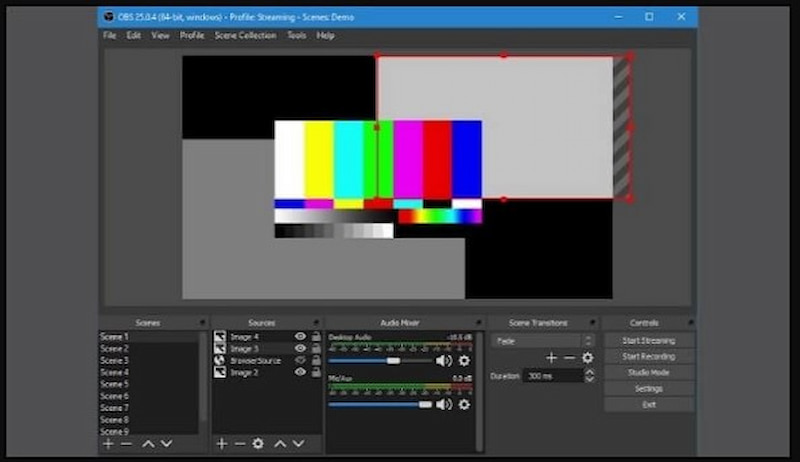
The next tool differs from all other solutions in that it is an open-source technology that works on several platforms. As the session progresses, the program allows you to select which desktop applications, games (such as Minecraft), and audio sources to use. Additionally, it allows you to create layered videos, enabling you to utilize the webcam for other purposes. This is a great option for gamers like you.
In addition to having the webcam and microphone enabled, OBS Studio can be used to record either a single application or the entire screen. Users can share the desktop program while streaming with this software, which supports numerous audio sources. Check out this tutorial on using OBS to record Minecraft.
Pros
- Accessibility for cross-streaming to platforms such as Twitch, DailyMotion, Mixer, and YouTube
- A single-touch hotkey is available for faster in-game movements and interactions.
Cons
- Since there isn't an integrated video editor, we have to edit the recorded video using a different program.
- The inability to halt the video during registration makes it challenging to pause and then resume.
Top 6. Camtasia
Best for: Creating Minecraft tutorials or course content
Score: 4.2/5
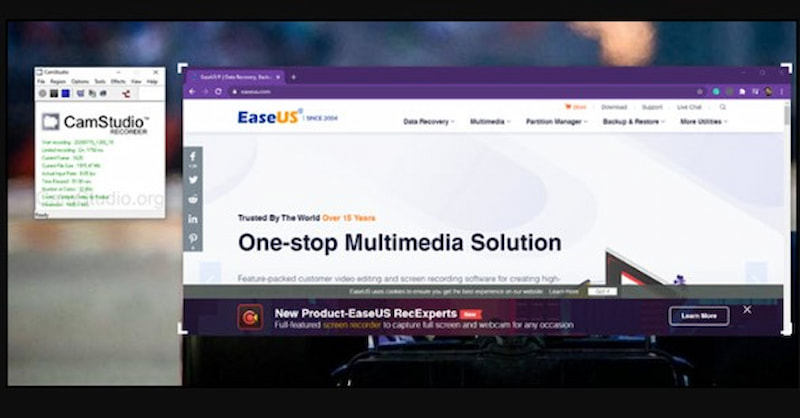
You can also create a Minecraft content video with screen recording and presentations using Camtasia, a TechSmith product, and a screencast or direct recording plug-in, which is commonly used with PowerPoint for displaying text or presentation. Camtasia is a user-friendly video editing program that is straightforward to set up and use. Camtasia easily outperforms the competition in terms of screen recording capabilities. But their cursor effects are outstanding. Users have the opportunity to offer informed feedback through interactive tests in Camtasia. It features a large library and is available on iOS and Android. Camtasia is a powerful video editing application that supports a wide range of media types.
Pros
- Great online resources for tutorials and help
- Easy to use but powerful enough for a certain function
- Quicker production of videos
Cons
- It costs a little more to license than comparable tools.
- Absence of advanced color grading and audio mixing tools
Top 7. Bandicam
Best for: Low-configuration computers smoothly record Minecraft high-frame-rate videos
Score: 4.5/5
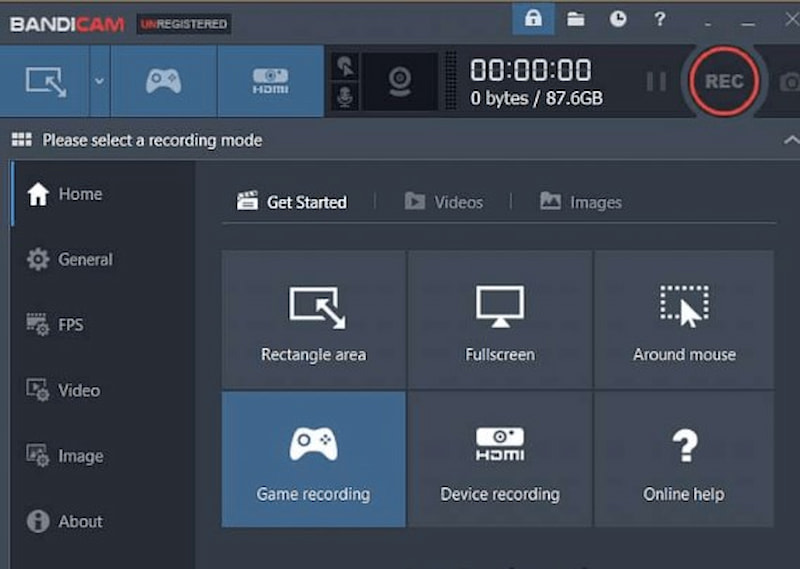
The popular screen recorder and top game recorder, Bandicam, was developed by the Bandicam Company. It has a recording and screen capture tool that can capture screenshots and capture screen changes. Bandicam's dual webcam and screen recording capabilities are perfect for creating a Minecraft gaming movie with participants. You may also record Minecraft gameplay on a console using Bandicam's HDMI capability.
Pros
- The capture screen's free size
- The ability to export gameplay recordings from Minecraft as AVI and MP4 files
Cons
- Inaccessible on a Mac
- accepts just AVI and MP4 files.
FAQs on The Best Minecraft Screen Recorder
What FPS should I use to record Minecraft?
In most cases, when recording your Minecraft gameplay, 60 FPS is enough to keep it smooth. If you want to make the video smaller, 30 FPS is also appropriate for regular gameplay recordings.
How do I record Minecraft with voice and game sound?
Select a screen recording program that allows you to record from your microphone and system audio as well. You need to enable the two audio sources before recording starts.
Can I record Minecraft in 4K?
Yes. There are many screen recording programs that will allow you to record in 4K resolution. For instance, there is a Vidmore Game Recorder. You need to have good computer hardware to work with 4K resolution.
Does Minecraft have a built-in screen recorder?
No. There is no official built-in screen recorder for Minecraft. Players resort to using external screen recorders like OBS Studio, Xbox Game Bar, etc.
Conclusion
Many young players want to play Minecraft for extended periods because of its engaging gameplay, which makes it one of the most popular games. Indeed, an increasing number of game streamers are broadcasting their games, which is another factor contributing to the proliferation of Minecraft lessons.
Vidmore Game Recorder is one of the tools we suggest among those listed above. It is among the most popular and reliable tools to record Minecraft that are used all around the world to capture games and share Minecraft with other players.