








Movavi Photo Editor Review: Is the AI Photo Editing Tool Worth It?
In many cases, you don’t need advanced layer-based editing, RAW processing, or professional color grading. Instead, you value speed, simplicity, and AI assistance. If you prefer quick photo edits, turn to a tool like Movavi Photo Editor. It ensures fast, polished edits without the complexity of professional tools like Photoshop.
This Movavi Photo Editor review covers what the software actually does well, where the trial restricts you, how the pricing plans compare, and whether you should pay or walk away as a casual creator.

PAGE CONTENT
Part 1. Quick Overview of Movavi Photo Editor
Movavi Photo Editor is a popular AI-powered photo editing and enhancement tool designed for both beginners and professionals. It is available for Windows and macOS. It delivers a balance between a basic consumer tool and a professional editor. This AI photo editor is ideal for users who want quick, high-quality results without a steep learning curve.
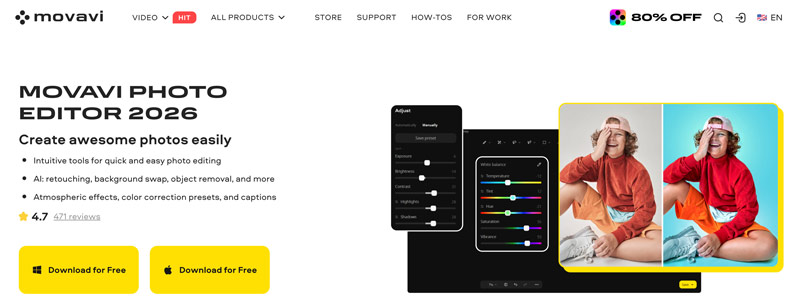
Like other image or video editing tools, the software provides some AI-driven enhancements, such as automatic photo improvement, color correction, background removal and replacement, object removal, photo colorization, and portrait retouching. Its advanced AI model can automatically adjust various elements, including brightness, contrast, sharpness, hue, and exposure. Movavi Photo Editor also offers a variety of filters and effects to apply. Besides, the software supports color correction presets and batch processing capabilities.
Part 2. Limitations of Movavi Photo Editor
Movavi Photo Editor promises quick edits and AI enhancements without a steep learning curve. However, the trial version is significantly restricted. You are only allowed to access basic editing features, and the software will prompt you repeatedly to subscribe. Moreover, you can edit only 10 photos. The trial watermarks every output, making your edited photos useless.
There is no genuinely free version, just a full-featured preview before you buy. According to community reports on Reddit, this photo editor still leans heavily on preset-driven editing. The software lacks some advanced features found in professional-grade editors like Adobe Photoshop, and it does not support batch processing. For users requiring deeper, more complex editing capabilities, Movavi may feel somewhat limited.
Part 3. Movavi Photo Editor Pricing - What You’re Actually Paying For
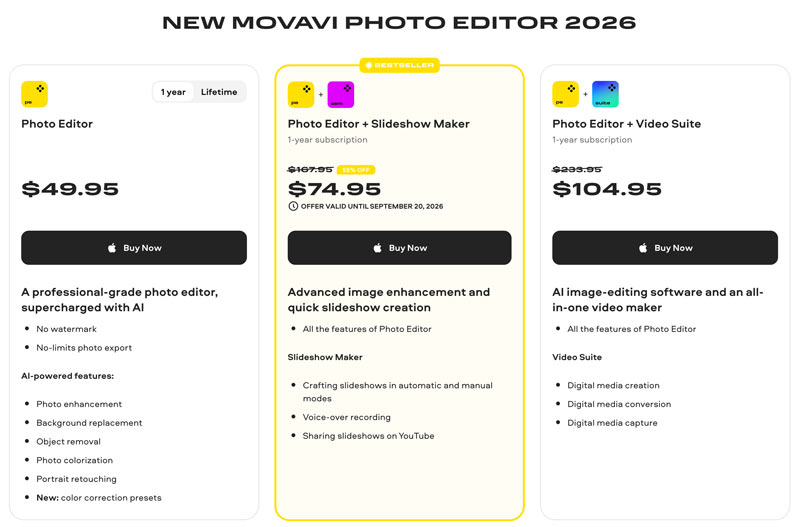
When you reach the official product page of Movavi Photo Editor, click the Download for Free button to start a trial. If you are satisfied with the software, purchase a 1-year or lifetime plan based on your needs.
Movavi Photo Editor 2026 offers flexible pricing options. A one-time purchase for the Photo Editor is available at $49.95 (1 year) and $74.95 (Lifetime), which provides full access to all features and presets, unlimited exports, and no watermark.
For users who need more functionality, bundled plans are available: Photo Editor + Slideshow Maker and Photo Editor + Video Suite.
Part 4. How to Use Movavi Photo Editor
Using Movavi Photo Editor is straightforward, even for beginners. You can download the right version based on your system and then follow the steps below.
Note that if you want to use Movavi Photo Editor on a Mac, you must install Rosetta to run the Intel-based program.
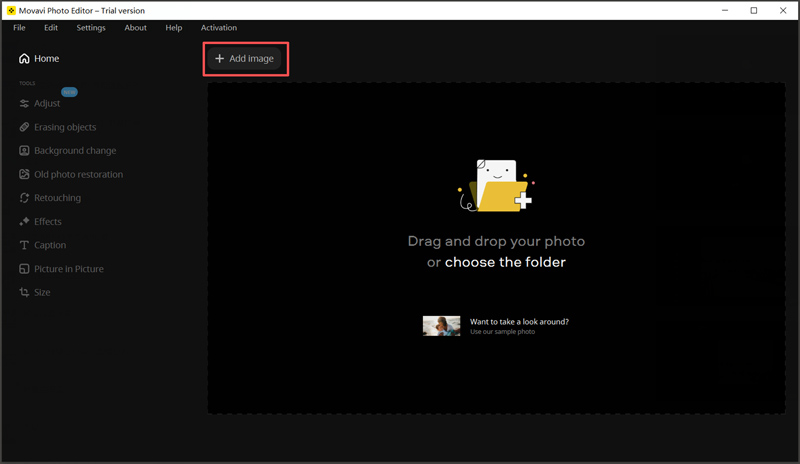
Step 1. Install the direct Windows/macOS downloader and set your default photo target folders during setup. Click Browse for Images or the Add image button to import. You can also drag and drop the picture into the working area.
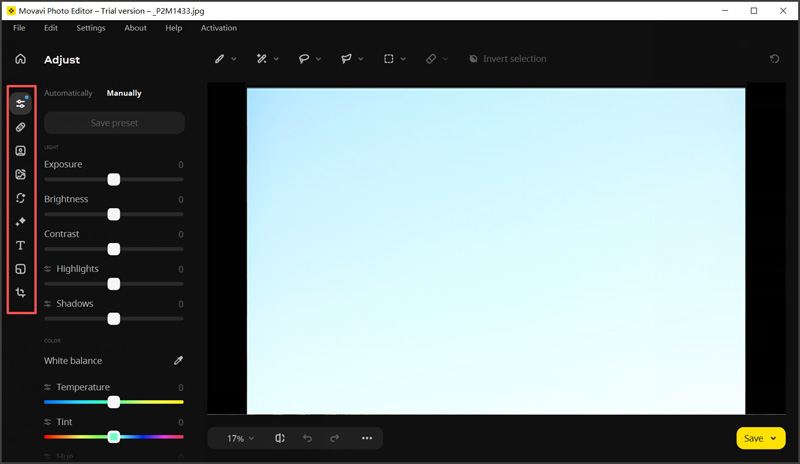
Step 2. Under the Tools section, click Adjust to adjust brightness, contrast, and exposure. For object removal, go to Erasing objects and click on the objects you want to remove. You can also use the Background change tool to remove or change backgrounds.
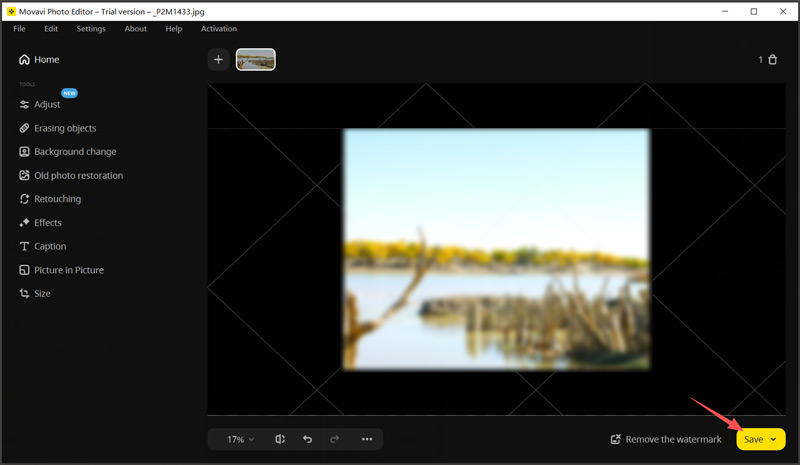
Step 3. After making your changes, hit the Apply button to confirm. Once satisfied, save your edited image in your preferred format. Note that your edited photo will be added to a watermark in the trial version.
Part 5. Related Recommendation: Vidmore Video Converter
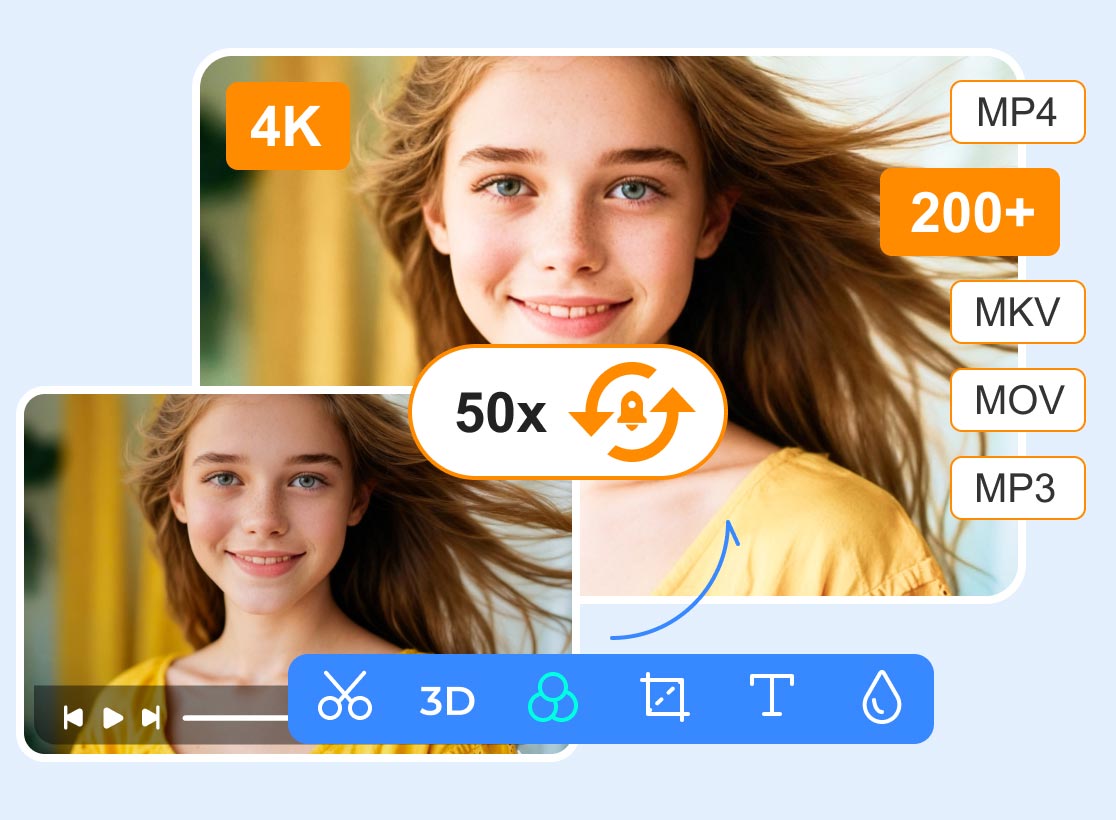
If you also need to handle video files, Vidmore Video Converter is an excellent companion tool. It is a powerful, all-in-one program that allows you to convert, edit, and enhance videos.
- Convert video and audio files to over 200 formats.
- Turn photos or footage into a professional-grade movie.
- Offer all the necessary editing and enhancement functions.
- Support high-quality video processing and hardware acceleration.
Part 6. FAQs of Movavi Photo Editor
Question 1. What is the best free photo editor for Windows 11?
You should select the “best” free photo editor depends on your specific needs. If you need a powerful image editing tool with layers, GIMP is the top open-source choice. However, it comes with a learning curve. If you want a lightweight tool for quick edits, Paint.NET is a good option.
Question 2. Which is better, Movavi or DaVinci Resolve?
Movavi Photo Editor is mainly designed for beginners and casual users who want fast editing with AI tools. DaVinci Resolve is a professional-grade editor, offering more powerful features and tools. But the program has a steep learning curve.
Question 3. Is Movavi Photo Editor good for professional editing?
No, Movavi Photo Editor is not good for professional edits. As you can learn from above, it is mainly used for basic tasks. The software is designed for quick, high-quality edits without complexity. It lacks full layer-based editing, compositing, and other advanced functions found in professional tools like Photoshop.
Conclusion
This Movavi Photo Editor review guides you to learn the necessary information about the AI-powered photo editing software. Generally, you are advised to start a free trial and test if it fits your specific needs. It is a solid choice for users seeking an accessible solution for quick, basic edits. For those who also work with video, Vidmore Video Converter can be an excellent complementary tool.