








Master Adobe Express Video Editor: A Quick Guide for Beginners
Adobe is a household name, known for its professional-grade creative software, such as Photoshop, Lightroom, and Illustrator. They can be the undisputed king of image manipulation. Yet, as the digital landscape shifts rapidly toward dynamic video content, a natural question arises: Does Adobe have a great video editor to match its legendary status?
You may hear of the professional-grade Premiere Pro. However, it is mainly designed for Hollywood-level workflows and requires a steep learning curve. What about everyday users or social media creators? Consider a different solution: the Adobe Express Video Editor.

PAGE CONTENT
Part 1. Overview of Adobe Express Video Editor
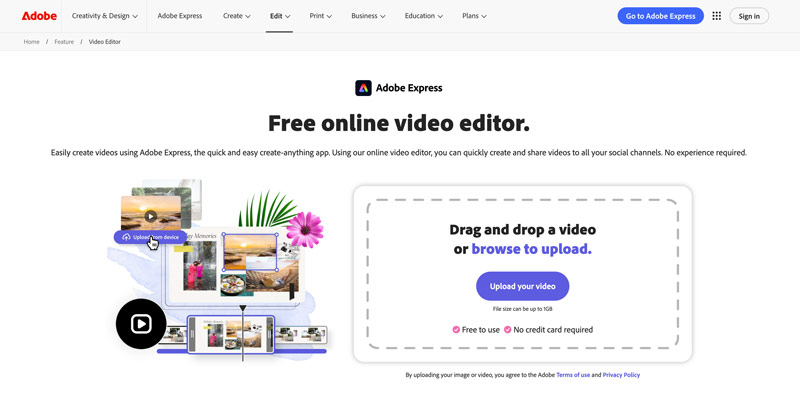
Adobe Express Video Editor is a web-based video editing tool that can be accessed from any browser via an Adobe account. There is nothing to download, no installation process, and no system requirements.
Main Features
Adobe Express Video Editor offers basic editing functions. You can use the free online editor to crop, merge, and trim videos. Moreover, the platform provides thousands of customizable templates and royalty-free Adobe Stock soundtracks. It enables you to remove unwanted background noise and add your own audio. Adobe Express Video Editor is ideal for quick social media content creation.
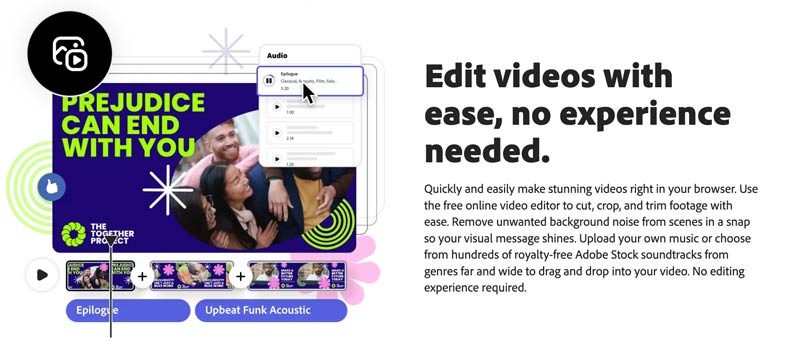
Beyond video editing, you can design social media posts, create logos, edit photos, and more. Adobe Express can work as a comprehensive creative workspace. You are allowed to access Adobe Stock photos, videos, and music tracks — thousands of them, royalty-free for use within the editor.
Limitations
Despite its many strengths, Adobe Express Video Editor has several notable limitations that you should consider.
- First, like other online tools, Adobe Express is mainly designed to edit small video clips. Even though it allows you to upload a video of up to 1GB, the uploading, processing, and final downloading will take a really long time to complete.
- Second, as a web-based tool, its video editing capabilities remain relatively basic. You cannot find advanced fine-tuning capabilities and AI features. It is not designed for complex editing tasks.
- Batch processing is another pain point. You can only upload and edit one video at a time. This can be frustrating for users working with multiple clips.
- Last, the free version comes with some feature and export limits. To remove them, you must upgrade to a paid account. For instance, functions like “Remove background” and “Enhance speech” are limited to the paid version.
Part 2. How to Use Adobe Express Video Editor
Adobe Express Video Editor offers a straightforward way to edit a video online. You can navigate to the individual Free online video editor page to get started.
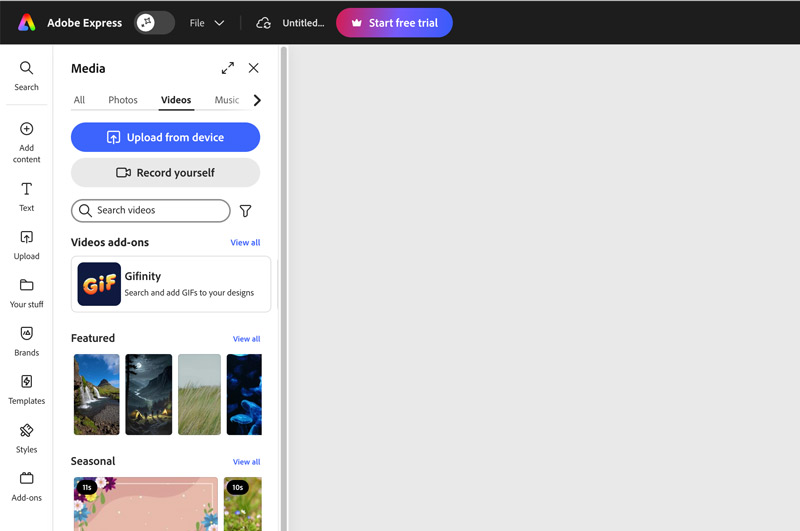
Step 1. When you reach the Adobe Express Video Editor page, click the Upload your video button to move on. You are required to sign in to your account. After that, you will be taken to the Adobe Express tool. Ensure you are under the Videos tab, and click Upload from device.
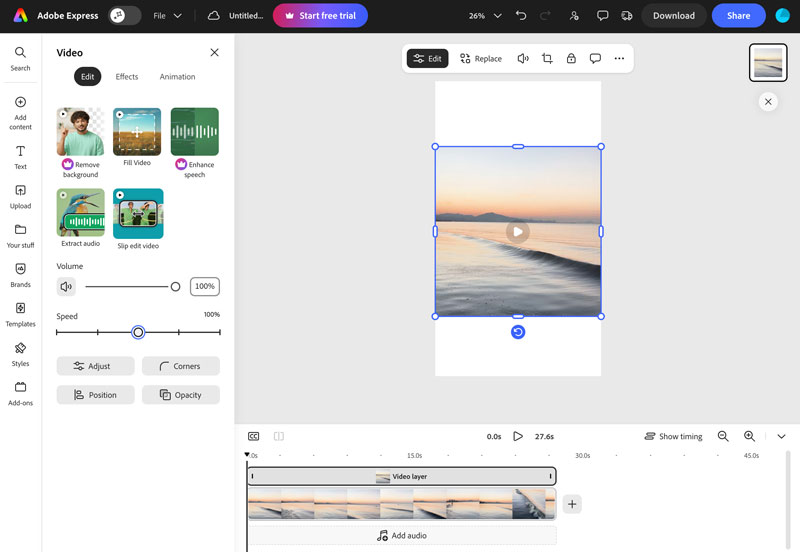
Step 2. Once uploaded, you can play the video and then perform necessary edits. As mentioned, you can rotate, crop, or split the clip as needed. You can also adjust effects such as contrast, brightness, saturation, warmth, and more. This free online video editor also lets you sharpen details, remove unwanted background, adjust volume, and change playback speed.
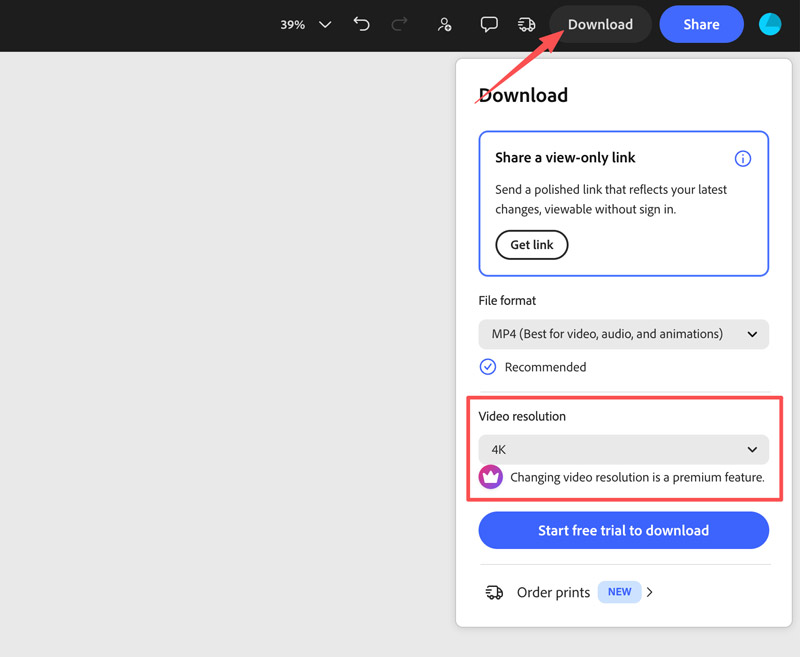
Step 3. After editing, click the Download button. You choose MP4 as the output format. The free plan is limited to exporting a 1080p video. 4K output is a premium feature.
Part 3. Adobe Express Video Editor Pricing Plans
Adobe Express has a tiered pricing structure designed for different editing needs and budgets.
Free Plan: The free version provides basic content editing and creation tools, limited credits, and access to some assets. It includes basic editing features, such as trimming, cropping, and resizing, though advanced animation options are restricted. As mentioned, there is also an export limit. You cannot export a 4K video as a free account, even though the source file is 4K.
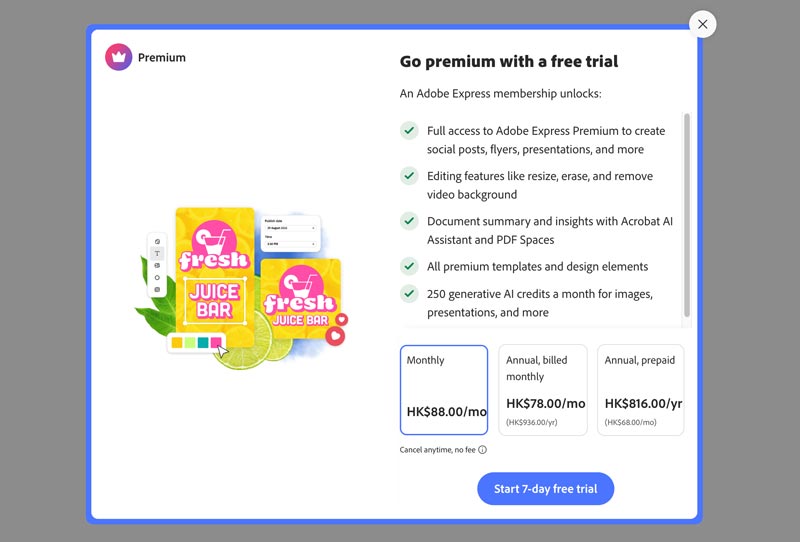
Premium Plan: To access all Adobe Express features, you can upgrade to the Premium plan. As a new user, before upgrading, you can often start a 7-day free trial to test its capabilities and confirm if it fits your video editing and creation needs.
Part 4. A Great Alternative to Adobe Express Video Editor
We have to admit that the editing capability of Adobe Express Video Editor is too limited, even as an online tool. If you need more advanced functions and full control of the editing, Vidmore Video Converter is a compelling alternative. It combines all the commonly used video editing, conversion, and compression features into a single tool. The software supports nearly all (200+) video and audio formats, including MP4, AVI, MKV, MOV, WMV, WebM, M4V, and FLV. You can also export edited videos in your preferred formats.
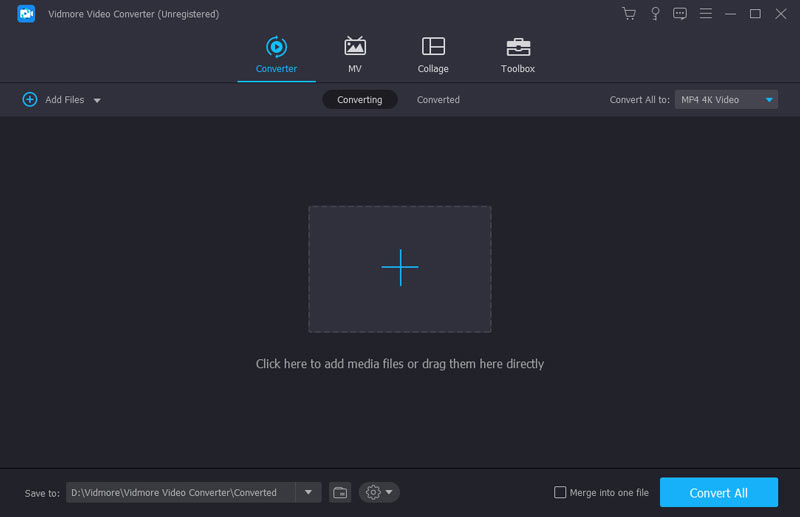
Step 1. Download and launch this Adobe Express alternative on your computer. Click + to import your video clip(s). It supports batch editing and conversion so that you can add multiple files.
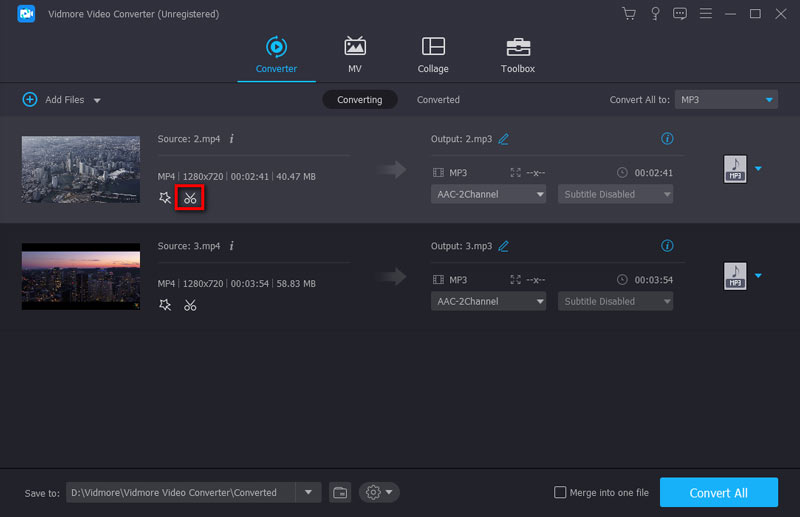
Step 2. Once loaded, click the Edit or Cut icon to open the editing panel. You can freely trim, cut, split, crop, or rotate your footage. You can also adjust effects and apply various visual effects to enhance your video(s). This Adobe Express alternative also lets you add custom watermarks to protect your content, add subtitles and audio tracks, and do other edits.
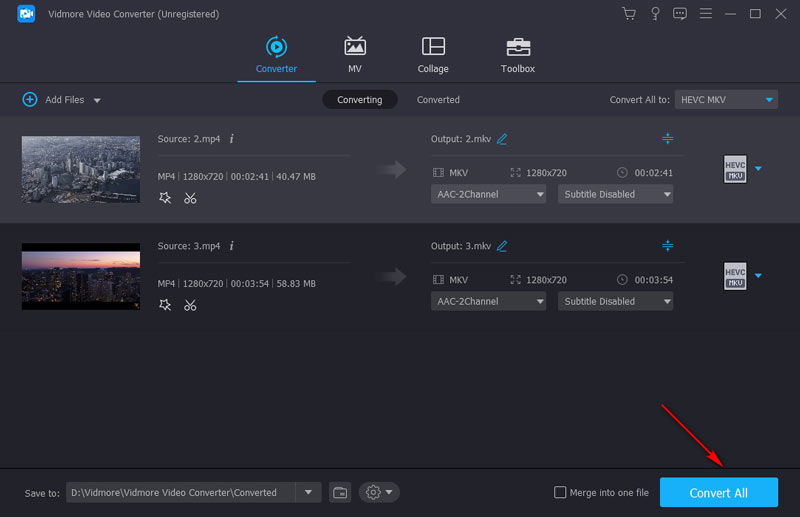
Step 3. Choose output format. Click the format button to pick your desired output format or choose a format optimized for your target device. Click Convert All to process your video(s). The software supports GPU hardware acceleration to speed up conversion.
Compared to Adobe Express, one drawback of this alternative editor is that it lacks the template library and motion graphics. Vidmore does not offer social media story templates or free music for you to use.
You may also need:
Best 10 Video Editing Software to Utilize to Enhance Footage
Part 5. FAQs of Adobe Express Video Editor
Question 1. Does Adobe Express have AI video generation?
Yes, Adobe Express includes AI-powered tools from Adobe Firefly. You can generate videos using text prompts and starting images. The AI Assistant can also help with editing tasks like adjusting audio and video playback.
Question 2. Can I use Adobe Express Video Editor offline?
No. Adobe Express is entirely browser-based. You need an internet connection to access your projects, edit video, and export. There is no desktop application for offline use.
Question 3. Does Adobe Express Video Editor support 4K export?
Yes, but only on the Premium plan. The free plan caps export at 1080p. The Premium plan unlocks watermark-free 4K export.
Conclusion
This post gives a full review of Adobe Express Video Editor, covering its key features, pricing plans, and how to use it. Since it is a free online tool, start a trial and see whether it suits your editing needs. If you are unsatisfied with the limitations, turn to the recommended alternative, Vidmore Video Converter.