








Detailed Review of Kdenlive Video Editor [with Alternative]
Kdenlive Video Editor is among the powerful video editors that offer various video editing tools. The software is known for its simple user interface, wide format support, multitrack editing, and customizable settings. So, do you want to learn more about the video editor and know if this is the software you are looking for? In that case, we suggest reading everything in this review to learn more about Kdenlive. We will provide its features, pricing, limitations, and alternatives. Without anything else, start reading this post right away!

PAGE CONTENT
Part 1. Overview of Kdenlive Video Editor
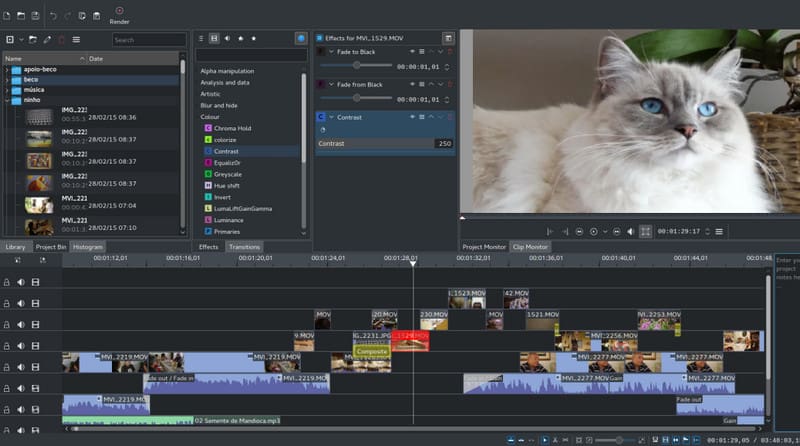
Kdenlive video editing software is a free and open-source video editor designed and created by the KDE community. Its main purpose is to provide a professional-grade tool without the cost of commercial software. The good thing about this editor is that it can offer a wide range of video and audio formats through FFmpeg, making it versatile for different editing needs. It can also offer various features, like multitrack editing, a customizable interface, transitions, and more. It also has regular updates and tutorials, ensuring that you can use the software effectively.
Supported Platforms
Kdenlive is a video editor you can access on various platforms. You can download the video editing software on Windows, Mac, and Linux. With that, no matter where you want to edit your favorite videos, Kdenlive ensures that you won't encounter any compatibility issues on desktop.
Main Features of Kdenlive Video Editor
To get more insight into the overall capabilities of the Kdenlive editor, read everything below.
- Multitrack Editing - This feature is perfect if you want to deal with multiple files. You can edit each file, like resizing, muting, hiding, and more. You can even arrange the files based on your preferences.
- Wide Format Support - With the help of FFmpeg, the software can support almost all video and audio formats. It includes MP4, MKV, AVI, FLV, MOV, ProRes, H.264, MP3, AAC, FLAC, and more. So, if you want to deal with your videos without any issues, you can always rely on the Kdenlive video editor.
- Customizable Layout - What we like about the video editor is that you can customize/personalize the layout. You can tweak the layout, toolbars, and shortcuts based on your preferences. Whether you prefer a minimalist setup or a feature-rich appearance, the video editor ensures that it can adapt to your style.
- Effects and Transitions - Kdenlive video editing software can offer hundreds of video and audio effects. Some of them are fades, filters, themes, and more. You can even choose different transitions for a better output. It is ideal if you want to make your videos and audio engaging and appealing to the viewers and listeners.
- Color Grading Tools - The video editor can also provide precise control over color correction. Thanks to its RGB Parade, histograms, LUT's, and vectorscopes, you can ensure that correcting the color of the video is a simple task.
- Subtitle Support - The editor allows you to create and edit subtitles for your videos. You choose your preferred color, size, style, and more. The best part here is that it supports AI-assisted transcription, perfect for automatic subtitles, making the video accessible and understandable to all viewers.
- Audio Tools - Besides video editing features, Kdenlive also lets users edit an audio file. You can effectively fine-tune the audio levels, add sound effects, and ensure that your audio matches the quality of your visuals.
- Offer a Simple User Interface - What makes the Kdenlive video editing software ideal is its simple user interface. You can access all the video and editing features without any trouble, making it the best video editing software for beginners.
With these features, you can tell that the Kdenlive video editor is among the most reliable video editors you can access on your desktop. It lets you improve and enhance your footage in many ways. So, to experience its overall potential, start downloading it on your device.
Part 2. Kdenlive Pricing
Wondering about the pricing of Kdenlive Video Editor? The good thing about this program is that it is 100% free. It is licensed under the GNU General Public License (GPL). It means that you can access, install, and edit videos without spending a penny. There are no hidden charges, paid versions, or subscriptions. All features are available to everyone. Since it is open-source, the community contributes plugins, updates, and tutorials, ensuring it continues to improve over time. Thus, if you want a free video editor for Mac, Windows, and Linux, you can rely on the Kdenlive video editor.
Part 3. Limitations of Kdenlive Video Editor
In this Kdenlive review, you have explored its overall features. You even found out that it is free to access, making it the best video editor. However, you must know that there are some limitations or drawbacks you might encounter when using the software. In this section, we will let you discover some of the video editor's drawbacks.
Performance on Windows and Mac
When editing videos and audio on Mac and Windows, there are times when you might encounter crashes, lag, slow performance, or missing features. The software is more stable on Linux.
Lack of Advanced Effects
The editor lacks some advanced features found in professional suites like Premiere or DaVinci Resolve, such as advanced motion graphics and 3D compositing. For complex visual effects, it would be best to use another video editing software.
No Collaboration Feature
Compared with cloud-based video editors, Kdenlive doesn't support collaboration features. If you want to work with your team in real-time, this might not be a suitable video editor for you.
Part 4. Bonus: Best Alternative to Kdenlive Video Editor
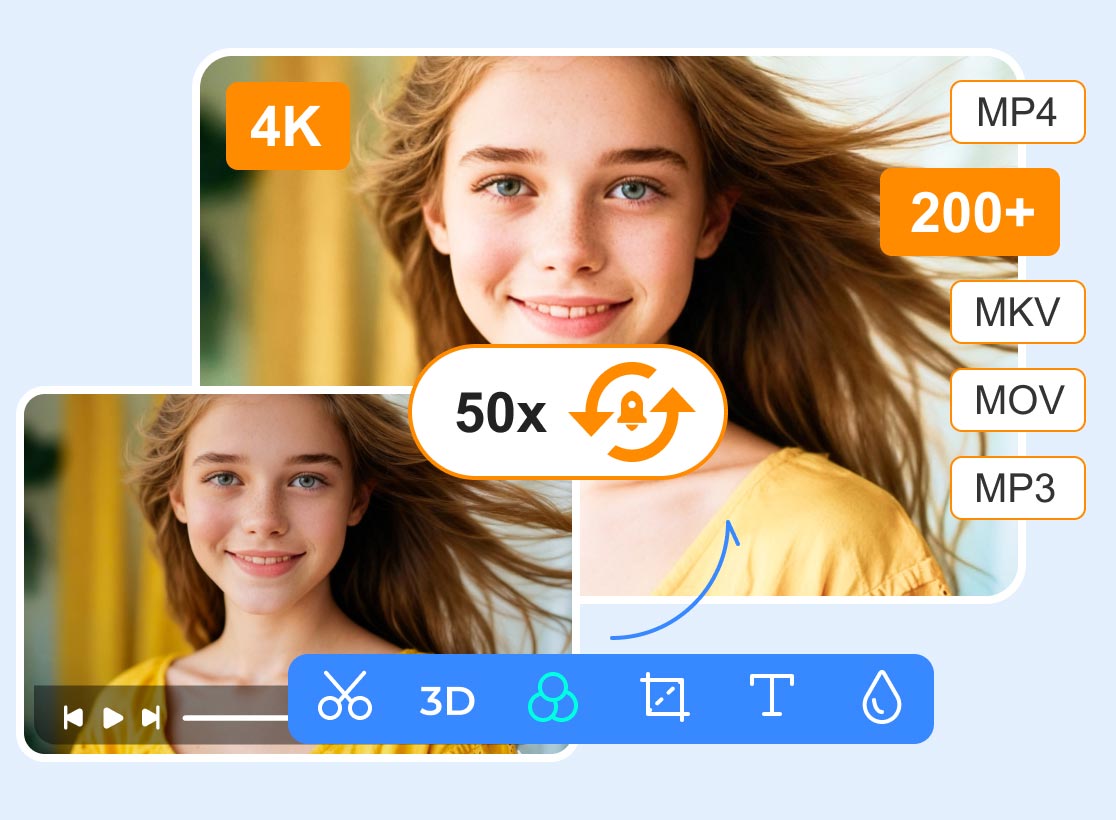
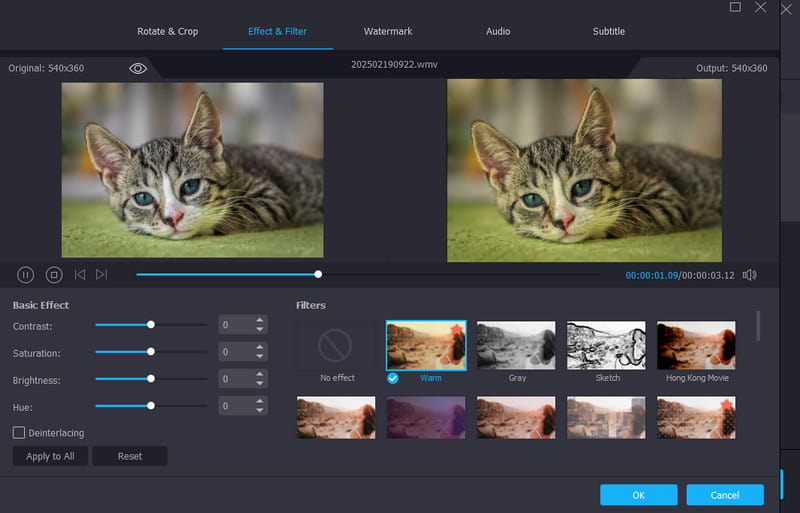
Kdenlive Video Editor is an amazing tool for improving your videos. However, since you might encounter some lag and crashes, it would be best to consider using an alternative. In that case, we recommend using Vidmore Video Converter. When it comes to editing videos, there is no doubt that this program can give you the result you need. It can offer both basic and advanced video editing features, like cropping, trimming, merging, watermark remover, metadata editor, video enhancer, and more. The best part here is that it can help you convert your video to any format, like MP4, MKV, AVI, VOB, FLV, M4V, and more. You can also save the videos in the best quality, up to 4K. Therefore, if you want to replace Kdenlive with a more reliable and powerful video editor, look no further than Vidmore Video Converter.
More Features
- The program can offer a smooth video editing process.
- It supports high-quality output like 1080p and 4K.
- The video editor can offer ready-made templates for creating collages and music videos.
- It can offer a fast conversion process, up to 50× faster.
Pros
- Editing and converting videos is simple, thanks to its simple UI.
- It supports batch processing, ideal for dealing with multiple media files.
- The program can also convert images for better compatibility.
Cons
- If you want to access all the features, it is ideal to get the paid version.
Part 5. FAQs about Kdenlive Review
Is Kdenlive safe to use?
Definitely, yes. After using the video editor, we can tell that it is safe to use. The video editor ensures that all your media files are safe and that your information won't be shared with other users or devices without your consent.
How to use Kdenlive?
”Operating
Is Kdenlive suitable for professional work?
Absolutely, yes. Some professionals use the video editor for creating professional-grade projects. However, it is incapable of providing advanced VFX or team collaboration. So, when using a video editor, always ensure that the software can meet your needs for a smoother editing process.
Conclusion
We have found that Kdenlive Video Editor is a reliable video editor that can offer all the necessary features for giving you the best result. You also explored its features and limitations. However, since there are some limitations you might encounter, you might need another video editing software that can help you improve your videos. In that case, you can use Vidmore Video Converter as a replacement. This video editor ensures that you can access all the necessary features and edit videos more smoothly, making it the ideal editor for all users.