








Best Video Watermark Removers: Tools to Remove Watermarks
Are you looking for the best tools to help you remove/eliminate unwanted elements from your videos? Well, logos, text, and any marks from the video might be annoying when watching your favorite footage. Thankfully, this article can give you all the information you need. We are here to introduce the best video watermark removers you can access on your desktop, browser, and mobile devices. So read on and explore the best tools for eliminating video watermarks effectively.

PAGE CONTENT
- Part 1. How to Choose the Best Video Watermark Remover
- Part 2. Quick Comparison of the Best Video Watermark Remover
- Part 3. 3 Excellent Video Watermark Removers for Windows and Mac
- Part 4. 3 Online Video Watermark Removers
- Part 5. 2 Video Watermark Removers for Android and iOS
- Part 6. FAQs about Video Watermark Removers
Part 1. How to Choose the Best Video Watermark Remover
Do you want to know how to choose the best video watermark remover? With so many tools out there, you might wonder which one is the best and most effective. In this section, we will give you an informative guide to select the best tool.
Ease of Use – When choosing the best video watermark remover, you must check its simplicity. For beginners, using an easy-to-use tool is ideal.
Compatibility – Always check if the watermark remover is compatible with all platforms. This way, you won’t encounter any compatibility issues during the process.
Overall Performance – Always check the tool’s overall performance. It must have a smooth, fast, and simple process that works for all types of users.
Output Quality – Some tools might affect the original video quality after the watermark removal process. When choosing the best tool, ensure that quality is maintained.
Supported Video Format – Some videos might not be processed if they have an unsupported format. Always use a universal format for a smoother process.
Pricing – If your main focus is a simple watermark removal process, it is wise to look for a free watermark remover. Only use a subscription-based tool if you prefer an advanced method to deal with your videos.
Part 2. Quick Comparison of the Best Video Watermark Remover
Want to take a peek at the best video watermark removers? See the table below.
| Video Watermark Removers | Ease of Use | Removal Efficiency | Starting Price | Overall Performance |
| Vidmore Video Converter | Very Easy | Handles static watermarks well through cropping and editing. | Free trial $14.95/month | Strong all-in-one solution for video conversion and editing, best for professionals who need multiple functions in one software. |
| HitPaw Watermark Remover | Simple | AI-powered modes can tackle static, moving, and floating watermarks with decent accuracy. | $9.99/month | Versatile for both images and videos, offering better quality removal than basic tools. |
| Apowersoft Watermark Remover | Simple | Effective for simple static watermarks. | $19.95 | Lightweight and user-friendly. |
| Vidmore Free Watermark Remover Online | Very Easy | Works cleanly on files with simple watermarks. | Free | Can offer a smooth and fast removal process. |
| WatermarkRemover.io | Simple | AI detection removes image watermarks automatically with high accuracy. | $5/month | Helpful for the basic removal process. |
| Online Video Cutter | Simple | Removes corner watermarks only by cropping. | Free | Fast in removing annoying elements from the video. |
| Watermark Remover – Logo Eraser | Simple | Works well for static watermarks on mobile videos. | Free | Handy for removal and editing. |
| Video Eraser AI Object Remover | Simple | AI reconstructs frames to erase moving watermarks and text more effectively than basic apps. | $4.99/month | Strong mobile option for dynamic video edits. |
Part 3. 3 Excellent Video Watermark Removers for Windows and Mac
Do you want a free watermark remover for video? In that case, see all the tools in this section, as we offer all the video watermark removers you can operate on your desktop.
1. Vidmore Video Converter
Best for: Simple, fast watermark removal.
Score: 4.5 / 5
Platform: Windows and Mac
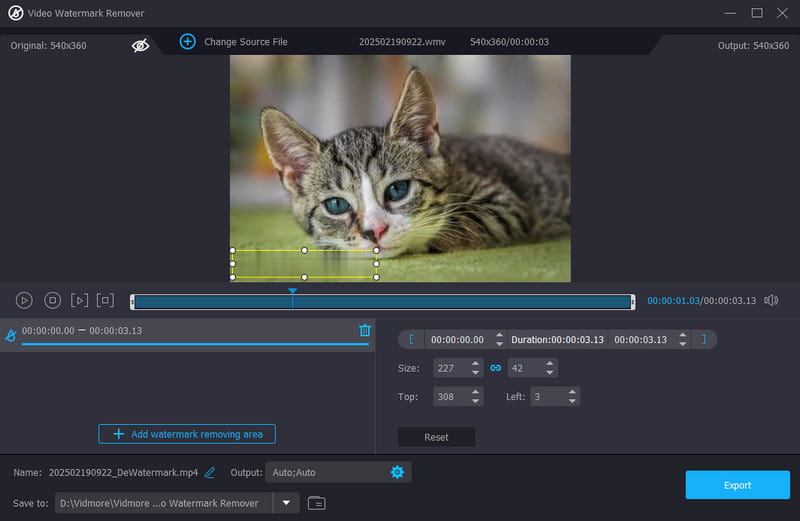
One of the most powerful video watermark removers you can utilize on your desktop is Vidmore Video Converter. This program offers a video watermark remover feature that lets you use all the functions you need to get the result you want. The good part here is that you can remove multiple annoying elements from the video with ease, thanks to its simple user interface. You can deal with marks, images, logos, text, and more. Most importantly, the software lets you adjust all the video parameters. You can change/modify the format, resolution, frame rate, channel, bitrate, and more. You can even enhance the video using the program's built-in editing tools, such as a cropper, trimmer, effects, playback speed adjuster, etc. So, if you need an ideal and powerful video watermark remover, then look no further than Vidmore Video Converter.
Pros
• The software is easy to operate, thanks to its comprehensive layout.
• It can remove numerous elements from the video simultaneously.
• It can save the video with the original quality.
Cons
• To access all the features, using the premium version is recommended.
2. HitPaw Watermark Remover
Best for: Can remove watermarks with AI-powered technology.
Score: 4 / 5
Platform: Windows and Mac
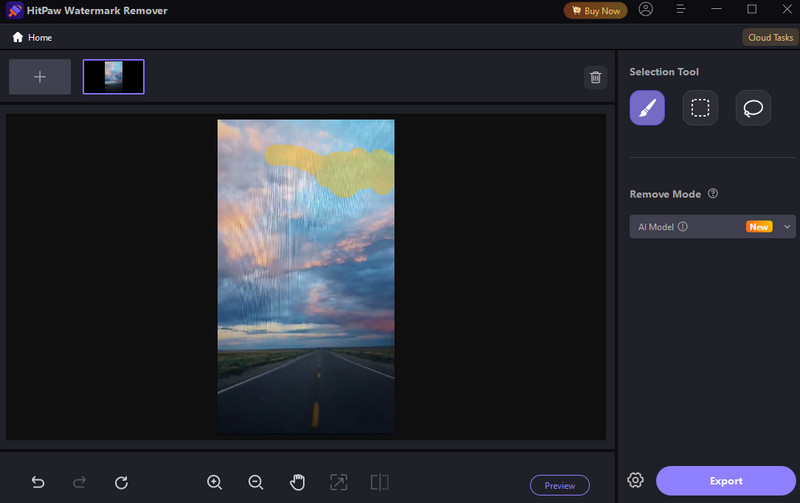
Do you need an AI-powered tool that can remove a watermark from a video? Then, you can use HitPaw Watermark Remover. The program offers multiple modes to handle static, moving, and floating watermarks. The best part is that it's easy to use, thanks to its friendly user interface. You can also use its stock videos to check the tool's capabilities.
Pros
• It can detect a moving watermark.
• It can offer multiple AI modes.
Cons
• There are times when the program doesn’t perform well.
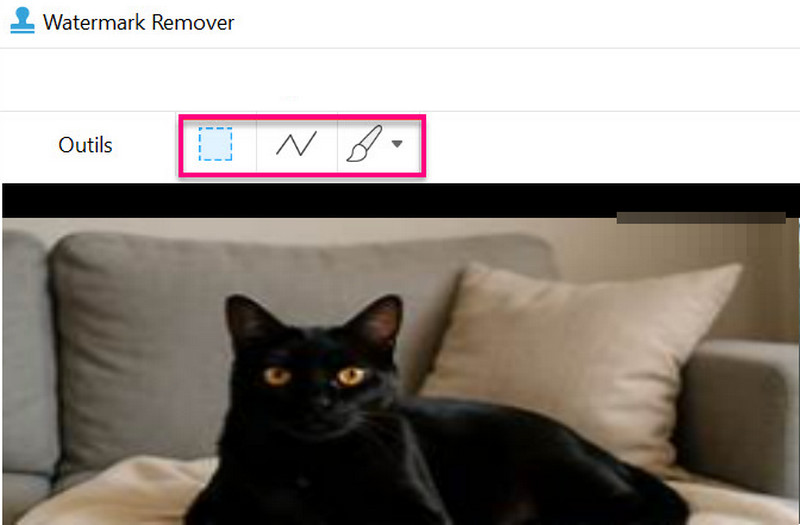
3. Apowersoft Watermark Remover
Best for: Instant watermark removal process.
Score: 4 / 5
Platform: Windows and Mac
Apowersoft Watermark Remover is among the most reliable tools you can download on your computer. With its ability to eliminate annoying elements from your videos, there is no doubt you'll get the result you want after the removal process. The software is also lightweight, making it accessible to all devices, especially low-spec ones.
Pros
• It has a simple user interface.
• The tool can add a watermark to the video.
Cons
• It can’t handle videos with complicated backgrounds.
Part 4. 3 Online Video Watermark Removers
After discovering the best watermark removers you can access on your desktop, you might wonder if there are online tools you can use. In this section, we will also explore the best online-based video watermark removers you can access.
1. Vidmore Free Watermark Remover Online

Best for: Eliminating watermarks without installing any third-party software.
Score: 4.5 / 5
Platform: Browser
Do you want a free video watermark remover? Then, it would be better to access Vidmore Free Watermark Remover Online. This remover is perfect if you don't want to install any software on your computer. What makes this tool ideal is its capability to offer various watermark remover tools. You can rely on the brush, lasso, and polygonal tool. Additionally, the tool ensures that you can save your file with the best quality, resulting in a better viewing experience.
Pros
• The tool is available on all web platforms.
• It doesn’t require an account.
• The watermark removal process is simple and fast.
Cons
• It needs a stable internet connection.
2. WatermarkRemover.io
Best for: Automatic and manual watermark removal process.
Score: 4 / 5
Platform: Browser
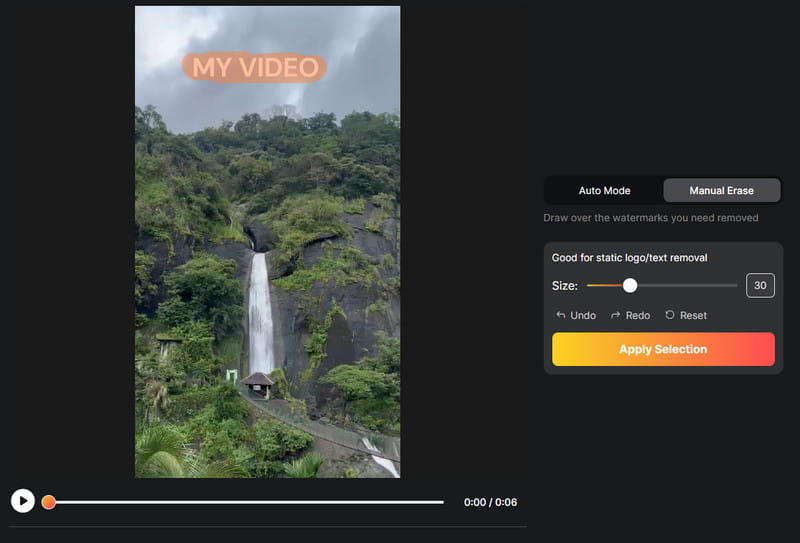
WatermarkRemover.io is also helpful for removing watermarks from a video. By highlighting the watermark, you can instantly remove it in just a few seconds. Plus, the tool offers automatic watermark removal, making the process faster and easier. It also supports multiple formats and batch processing, making it ideal for professionals.
Pros
• It supports a one-click removal process.
• The tool is available on any web platform.
Cons
• For unlimited watermark removal, you must get the paid version.
3. Online Video Cutter
Best for: Effective video cropping process.
Score: 4 / 5
Platform: Browser
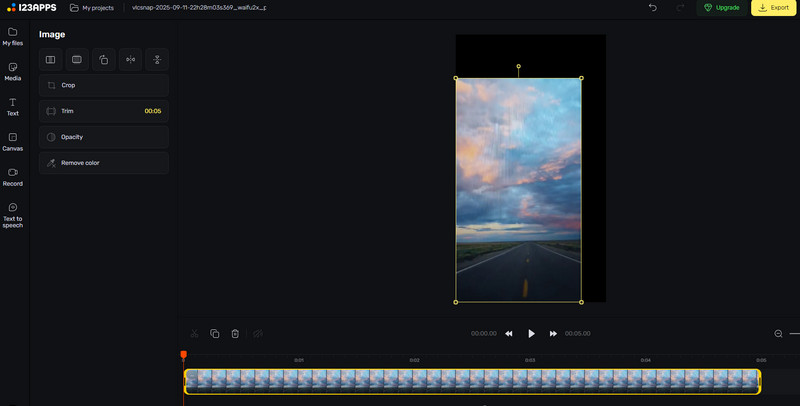
When removing a watermark, another effective method is to crop the video. If you need a tool that can crop your clips, you can try using Online Video Cutter. With this tool, you can eliminate any watermark from the edge or corner part of the video. Plus, navigating all the features is simple. You can even improve the video by adding text, effects, brightening the video, and more.
Pros
• Cropping the watermark from the video is simple.
• It can offer basic editing tools to improve the video.
Cons
• A stable internet connection is recommended.
• It can’t remove the watermark from the center part of the video.
Part 5. 2 Video Watermark Removers for Android and iOS
Are you using your mobile phone and want to remove any watermark from the video? In that case, you can read all the information in this part, as we provide the best watermark remover you can download on your iOS and Android.
1. Watermark Remover – Logo Eraser
Best for: Eliminating watermarks, logos, text, and other disturbing elements from the video.
Score: 3.5 / 5
Platform: Mobile Phone
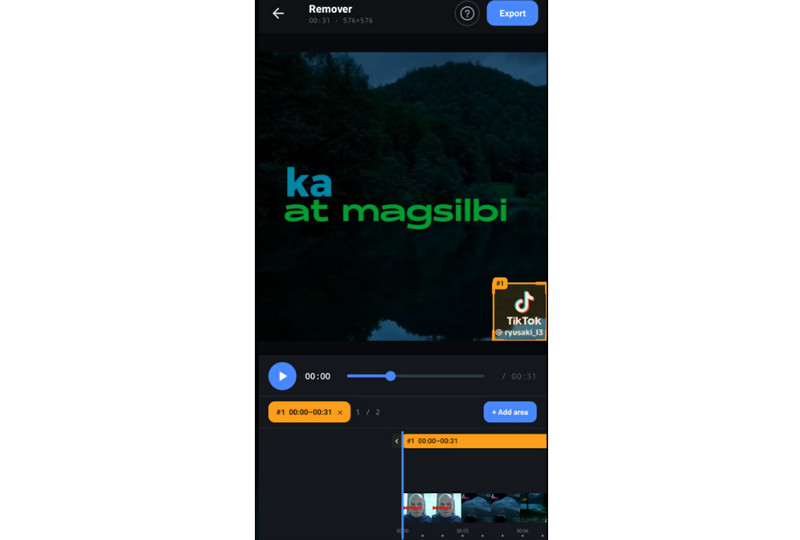
If you are using an Android, you can download Watermark Remover - Logo Eraser. This app is ideal since it ensures it removes any watermark from your video. It can even eliminate various watermarks from any app, such as CapCut, TikTok, Camtasia, and more. The good thing about this app is that it can also offer basic editing features. You can access its trimmer, speed adjuster, flipper, and more.
Pros
• Removing watermarks from this app is simple.
• It can handle video with various input formats, like MP4, MOV, MKV, etc,
Cons
• Sometimes, the app lags.
2. Video Eraser AI Object Remover
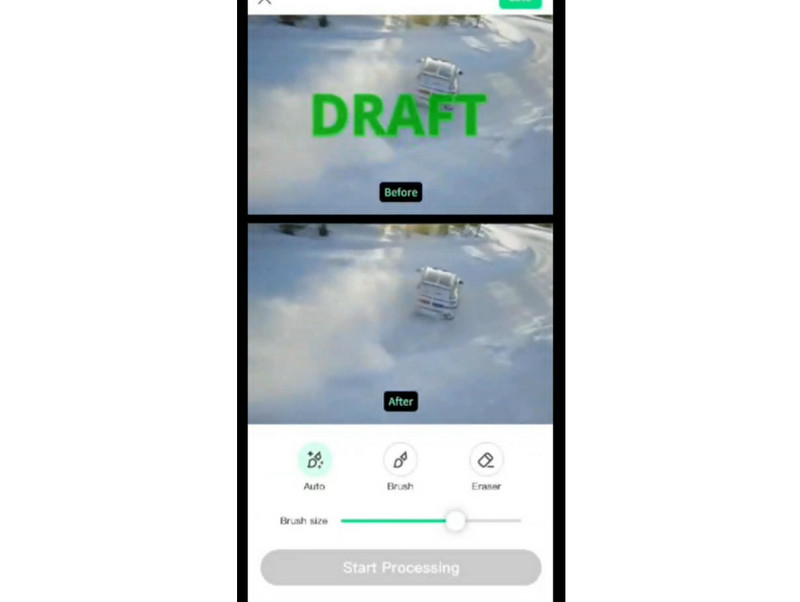
Best for: Eliminating watermarks, logos, text, and other disturbing elements from the video.
Score: 3.5 / 5
Platform: Mobile Phone
For iOS users, you can download Video Eraser AI Object Remover. This app might be the best video watermark remover you can use since it ensures it eliminates any watermarks from that video. You can even remove a person, an animal, text, and any subject, as long as it is highlighted during the process. It can even offer two ways to remove a watermark. The first one is the automatic method where you can remove an element in just a second. The other one is the manual way, which is ideal for removing specific elements.
Pros
• The app is easy and free to access.
• Its layout is comprehensive.
Cons
• It is only available on iOS devices.
Part 6. FAQs about Video Watermark Removers
Is it legal to remove watermarks?
Generally, no. However, if you want to remove a watermark so you can enjoy the videos, you can do so. Always ensure that you won't share the video on social media platforms.
What is the best video watermark remover?
If you need a powerful video watermark remover, you can use Vidmore Video Converter. Its video watermark remover feature ensures you can easily and smoothly remove all unnecessary elements from your video.
Is it safe to remove a video watermark online?
Definitely, yes. Almost all online tools are safe to use for removing watermarks. If you want to ensure the tools are safe, you should read user reviews on various websites.
Conclusion
With these video watermark removers, you can now eliminate any elements from the video. You can even remove logos, text, people, animals, and more. You even learned how to choose the best watermark remover. Also, if you want a reliable and powerful video watermark remover, we recommend using Vidmore Video Converter. This program ensures you can remove all watermarks from a video easily. It also lets you export the video with the best quality, making it a top choice for all users.