







Honest Shotcut Review: Features, Pricing, and Limitations
Shotcut has become one of the most reliable video editors you can access on your desktop. With its various editing tools, content creators, professionals, and casual users can improve videos effectively and smoothly. So, do you want to explore more about the tool's overall capabilities? Then there is a reason for you to read this review. From its simple interface and core features to performance and export options, we ensure we give you all the details you need. You will also discover the best Shotcut alternative you can utilize for an effective video editing process. Thus, check everything in this detailed review and get more insights about the topic.

PAGE CONTENT
Part 1. What is Shotcut (Overview of Key Features)
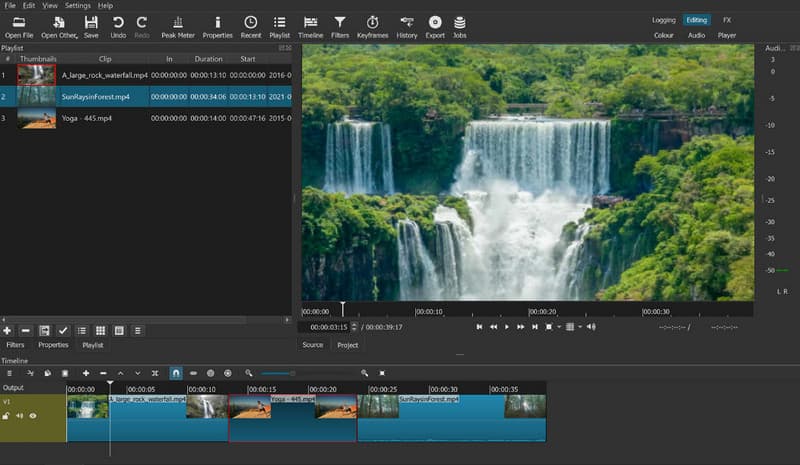
Shotcut Video Editor is among the free-to-use and best open-source video editing software that has been developed since 2011. This editor can offer a robust toolset for a no-cost program, making it accessible to all users. It is also a cross-platform video editor available for Mac and Windows, offering various basic and advanced editing tools for video editing. It can even support various video, audio, and image formats through FFmpeg integrations. The best part here is that it can offer its comprehensive user interface, which makes it a go-to video editor for hobbyists, casual users, students, and content creators. Thus, if you need a reliable video editor that can offer all the necessary tools, using Shotcut is the right choice.
Platforms
Shotcut is a perfect video editor for Windows, Mac, and Linux. With its capability to offer various tools, you can ensure to edit and improve your videos after the process. However, you must take note that it is only available on desktops. It is not available for mobile devices, like iOS and Android.
Key Features of Shotcut Video Editor
Are you interested in exploring more about the key features of the Shotcut video editor? If so, read everything below and discover its overall capabilities.
Video Editing
The core feature of the program is to edit videos. It can offer various basic editing tools you can access. Some of the tools you can use are a cropper, trimmer, speed adjuster, keyframes, filters, and more. The process of editing your videos is also simple, thanks to its friendly user interface, which makes it the best video editing software for beginners. This ensures that you can improve the video based on your preferences.
Transitions
Shotcut can also offer the transition feature. This is perfect if you are dealing with multiple videos. Especially when combining or merging them. You can also access various transitions, such as dissolve, cut, iris, clock, and more. You can even tweak the softness of the effects for a better and more appealing playback.
Multi-Track Timeline
The video editor is ideal for dealing with more than one media file. Since it can offer multiple timeline sections, you can attach numerous media files, such as video and audio. The good thing here is that you can add videos with different resolutions and frame rates without the need for conversion.
4K Resolution and Hardware Acceleration Support
The video editing program can support resolutions up to 4K, making it a suitable tool for creating high-quality videos, resulting in better video playback. Aside from that, it can also offer full hardware acceleration. With this feature, you can render the video smoothly without consuming much time.
Wide Format Support
It can also support numerous video, audio, and image formats. Some of them are MP4, AVI, MOV, FLV, MP3, AAC, AC3, FLAC, JPG, PNG, GIF, BMP, and more. With this flexibility, you can ensure to edit and enhance your files without encountering any compatibility issues.
Audio Editing Tools
Besides editing videos, Shotcut also offer its built-in audio editing tools. You can insert a fade-in and fade-out effect to the audio for better audio playback. You can even add filters, such as a compressor, noise gate, equalizer, and surround sound. With this feature, you can ensure you get the best audio output, leading to a satisfying viewing and listening experience.
No Watermark
Shotcut can save your video without inserting any watermark. It ensures that you can export the edited videos and watch them without encountering any annoying elements, such as text, watermarks, logos, or images.
Part 2. Pricing Plans of Shotcut: Is It Free?
Shotcut video editor is 100% free. This means that you can access all the features of the editor without spending a penny. Thus, if you need a free video editor for Mac and Windows, look no further than Shotcut.
Part 3. Limitations of Shotcut
Even though the video editor can offer various features, there are also some limitations you must be aware of. In this section, we will explore some of the drawbacks you might encounter when using the editor.
No Advanced Color Correction
Shotcut is incapable of offering advanced color correction features that some professionals often rely on. It can only offer basic filters for tweaking video tone and color.
Issues with Complex Projects
There are times when the video editor doesn't perform well. During the editing process, it might crash or lag, which is annoying for users. Also, you must have a powerful computer to deal with heavier projects for a smoother editing process.
No AI Features and Outdated-Looking Layout
Shotcut doesn't have any AI-powered technology. It means that you have to edit your media files manually, making the process too long compared with newer video editing programs. Plus, the main interface of the editor looks outdated, which is not appealing to the user's eyes.
No Built-In Templates
The video editor doesn't come with ready-made templates for instant edits, intros, and transitions. You have to edit and build everything from scratch, which takes more time compared with other video editing programs that offer built-in templates.
Part 4. Best Alternative to Shotcut – Vidmore Video Converter
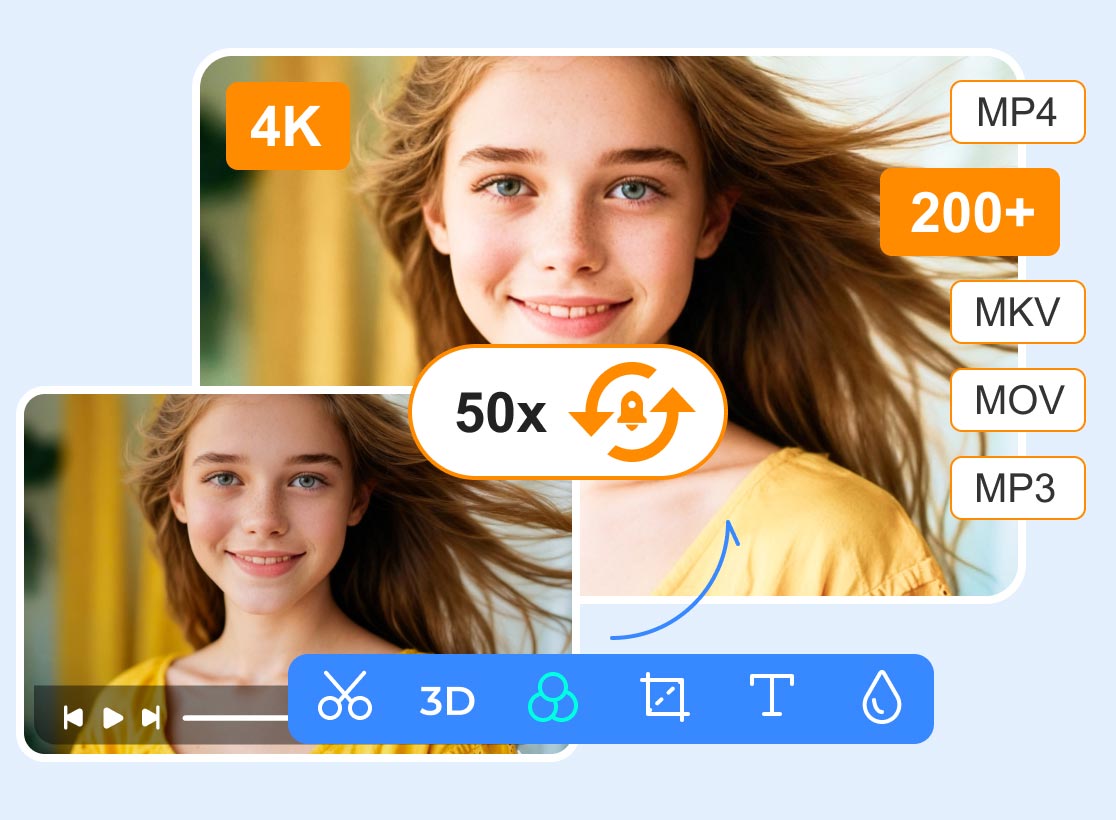
Shotcut video editor is an ideal tool for editing videos. However, with its various limitations, you might need the best replacement to smoothly edit videos. So, if you are looking for the best Shotcut alternative, we recommend using Vidmore Video Converter. This program can offer various video editing tools than you imagined. It can offer its video cropper, trimmer, rotator, merger, speed adjuster, color correction, and more. Plus, it offers a comprehensive user interface, allowing you to edit videos without any hassle. Aside from that, it can also support hundreds of formats, including MP4, WMV, AVI, FLV, VOB, M4V, MP3, FLAC, WAV, M4A, and more. It can even enhance your videos by removing video noise, reducing video shake upscale resolution and optimizing the brightness and contrast. Thus, if you need the most powerful video editing program that can replace Shotcut, look no further than Vidmore Video Converter.
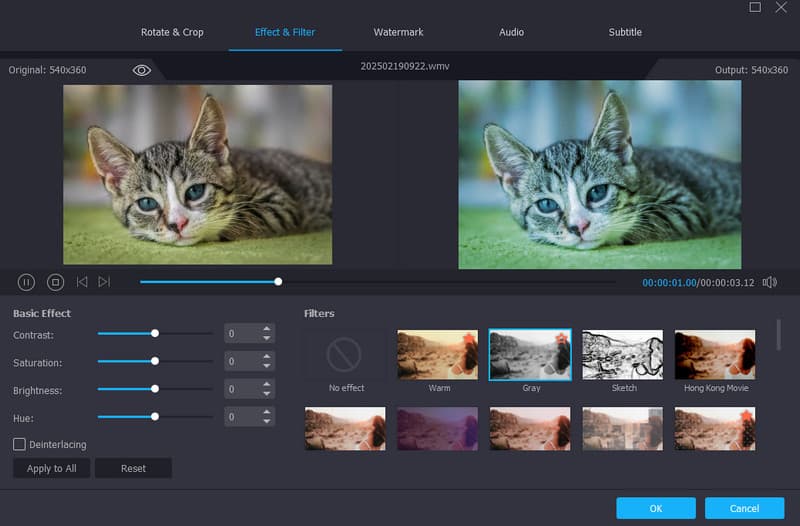
Key Features
- The program can offer basic and advanced video editing tools.
- It supports 4K resolution for better video production.
- It can convert media files to hundreds of formats.
- The software can offer ready-made templates for creating music videos.
- The video editor supports advanced hardware acceleration with NVIDIA CUDA, Intel QSV, NVENC, and AMD APP to achieve fast video processing and conversion.
Pros
- Utilizing the video editor is easy, thanks to its understandable UI.
- It is free to use on any platform, especially Windows and Mac.
- It can provide all the necessary editing tools for improving media files.
- The software can convert media files at 50× conversion speed.
Cons
- If you want to access more features for better video editing, you can get the paid version.
Part 5. FAQs about Shotcut Review
Is Shotcut safe?
After using the Shotcut video editor, we can tell that it is safe to use for editing videos. Since it is an offline video editing tool, you can ensure that the data won't be shared with other users without your consent.
How to download Shotcut?
If you want to access the Shotcut program, the first thing you can do is visit its main website. After that, hit the Download button to start the downloading process. Once done, start installing it to run it on your computer. Once done, you can begin editing your media files.
Is Shotcut the best video editing software now?
The video editor is helpful when it comes to basic editing. However, when it comes to advanced editing, there is no doubt that there are more editors that can surpass Shotcut, especially those AI-driven programs, such as Vidmore Video Converter, Premiere Pro, DaVinci Resolve, and more.
Conclusion
With this detailed Shotcut review, you have learned all the necessary information, such as its description, key features, limitations, and more. Plus, if you need the best replacement for the tool for a better and smoother video editing process, we suggest using Vidmore Video Converter. With its numerous video editing features, there is no doubt that you can achieve the result you need after the editing process.