








3 Top-Notch Video Upscaler Chrome Extensions in 2026
Video upscaler Chrome extensions are reliable tools you can access in your browser if you want to enhance the quality of your videos. These tools use AI-driven technology for sharpening details, improving resolution, and providing a more immersive viewing experience. So, if you are looking for the best Chrome extensions you can utilize to enhance your videos, you must read this post. We will recommend different extensions you can use to upscale your videos. You will also discover the best desktop-based video upscaler for a better upscaling process. Without anything else, read here and learn more about the discussion.

PAGE CONTENT
Part 1. How to Choose the Best Video Upscaler Chrome Extensions
There are numerous video Chrome extension upscalers you can access in your browser.
However, some of them are not performing well. So, if you want to choose the best extension that can upscale your videos, you must consider various factors. In this section, we will give you a guide on how to select the best upscaler extensions for Chrome.
- Performance and Speed - When choosing the best video upscaler, always look at performance. It is crucial since upscaling can be resource-intensive. Some extensions only rely on cloud-based processing, which is faster and doesn't strain your desktop.
- Output Quality - Another factor you must consider is the output quality. Ensure that the tool you use can give you the best quality for a better viewing experience.
- Pricing - You can also check if the Chrome extension is free or subscription-based. It is ideal to use a free tool for upscaling videos. Also, if you are planning to get the paid version, ensure that you can access all the necessary features.
- Ease of Use - Select the best video upscaler based on your capabilities. If you are a beginner, use a tool that has a simple UI for a smooth process.
If you want to take a peek at the best video upscaler Chrome extensions, check the table below.
| Video Upscalers | Video Quality Enhancer | NexVid | AVCLabs AI Video & Image Enhancer | Vidmore Video Enhancer |
| Best For | Everyday streaming users who want sharper playback | Users needing AI‑powered upscaling for online clips | Content creators needing professional‑grade results | Balanced option for casual and semi‑professional use |
| Max Resolution | Up to 1080p | Up to 4K | Up to 4K | Up to 4K |
| Speed | Fast | Moderate | Slow | Fast |
| User Interface | Simple | Simple | Little complicated | Simple |
Part 2. 3 Best Video Upscalers for Chrome Extensions
Want to start discovering the best video upscaler Chrome extensions? Then, explore everything in this section.
1. Video Quality Enhancer
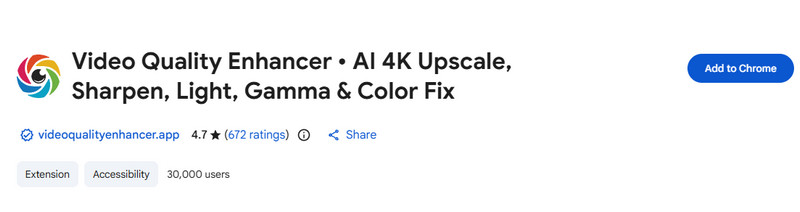
Video Quality Enhancer is one of the best video upscaler Chrome extensions. It is designed to improve streaming clarity in real time. It is capable of sharpening details, reducing video blur, and enhancing video resolution directly within your browser.
Pros
- The video upscaler is easy to use.
- Accessing the tool is simple.
Cons
- It has limited customization.
- It is not compatible with all platforms.
User Experience
Users enjoy its simple user interface and performance. It can even give an instant result, making it one of the most reliable video upscalers.
2. NexVid
NexVid is also ideal if you want to upscale your videos directly in your browser. It is an AI-powered tool perfect for giving an accurate result. It is also a practical choice for those who want better playback since it has a smooth integration into popular video sites. You can even use this as your YouTube video upscaler Google extension, making it an ideal tool for all users.
Pros
- It has a strong UI for upscaling.
- The tool can offer multiple resolution options.
Cons
- The free version can add a watermark to the video.
- The speed relies on the system resources.
User Experience
Users highlight its ability to make a low-resolution video turn into a high-resolution one. It is also easy to access, making it a reliable upscaler for streamers.
3. AVCLabs AI Video and Image Enhancer
If you are looking for a Chrome extension that can deal with both videos and images, you can try using AVCLabs AI Video and Image Enhancer. You can even rely on this tool if you want to upscale video with AI. It can even adjust the video color, allowing you to get a better version of your clip for a satisfying experience.
Pros
- The extension can support batch processing.
- It can upscale videos up to 4K.
Cons
- The extension is resource-intensive.
- It requires a subscription to access all the features.
User Experience
The tool can offer a professional result, making users satisfied. The only drawback here is that it requires a subscription, and it has a steep learning curve.
Part 3. Bonus: Best Desktop-based Video Upscaler for Stable Performance
Video Chrome extensions upscalers are ideal if you want to upscale your videos when streaming. However, if you want more stable performance and don't require an internet connection, we suggest using Vidmore Video Enhancer. This program is perfect since it can offer various AI enhancement models. It also has a simple user interface so that you can upscale videos easily and smoothly. It also has a fast enhancement process so that you can get the result in just a few seconds. You can also save the video in your preferred format, like MP4, MKV, MOV, FLV, and more. So, if you want the best video upscaler that can offer all the necessary features, it would be best to try this program.
AI Models
- General Enhancement Model
- Face Model
- Anime Model
- Video Quality Repair Model
- Detail Restoration Model
- Video Denoise Model
- Frame Interpolation Model
- Colorize Model
- SDR to HDR Model
- Color Enhancement Model
- Low-Light Enhancement Model
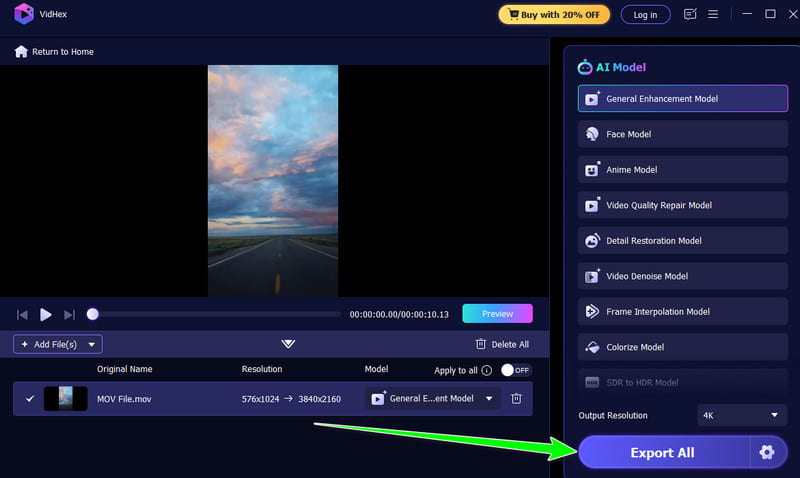
If you want to start upscaling your videos, start by following the instructions below.
Step 1. Download Vidmore Video Enhancer on your desktop. Then, launch it to start the video-upscaling process.
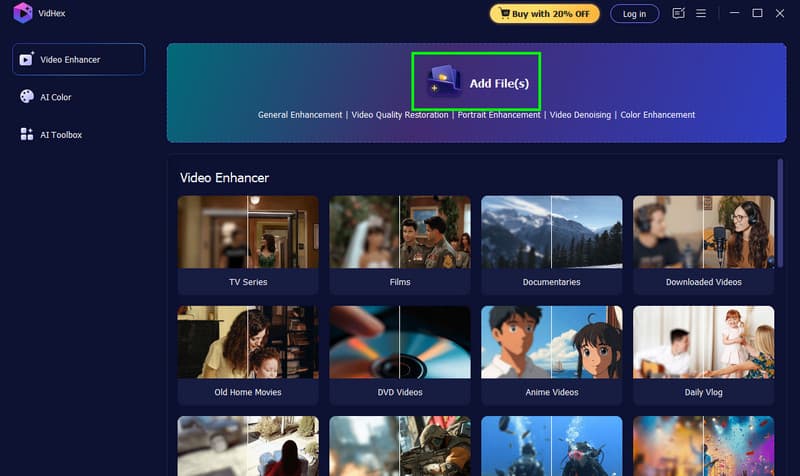
Step 2. Click the Add Files button to start inserting the video you want to upscale. You can also add multiple files since it supports batch processing.
Step 3. Then, select the General Enhancement Model to upscale your overall video. You can also go to the Output Resolution section and select 4K.
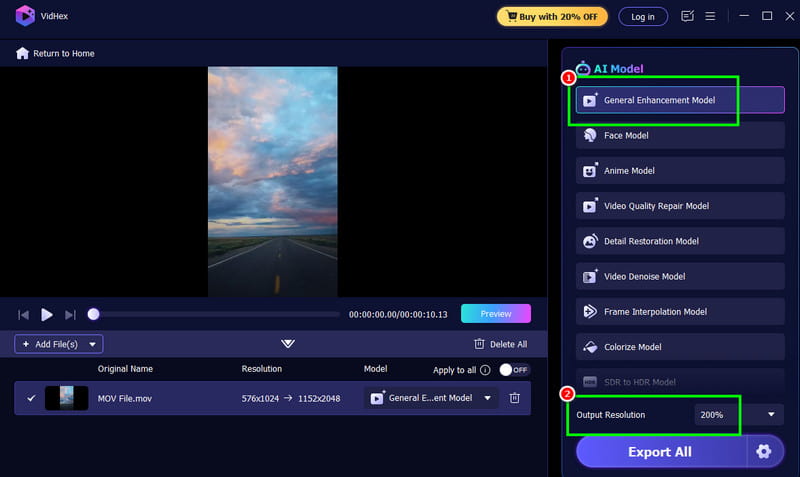
Step 4. For the final step, click the Export All button below. Once done, you can start watching the video on your media player.
Part 4. FAQs about Video Upscaler Chrome Extensions
Are these video upscaler Chrome extensions accessible to all platforms?
It depends on the tool you use. Some of the video upscalers are effective on YouTube, Vimeo, and other social media sites. To learn if the tool is compatible, it is best to check it yourself.
Are video upscaler Chrome extensions safe to use?
Most video upscaler extensions are safe to use. However, you should always access them from their main website or sources.
What is the best video upscaler?
If you want the best video upscaler, we suggest using Vidmore Video Enhancer. This desktop-based enhancer is capable of enhancing your videos and saving them at 4K resolution for a better viewing experience.
Conclusion
Now, you have explored the best video upscaler Chrome extensions you can rely on. So, if you want to upscale your videos directly in your browser, try using the upscalers we have recommended. Also, if you want the best video upscaler that can offer better stability, we would like you to try using Vidmore Video Enhancer. This program can even offer numerous AI-powered enhancement models, ensuring that you can upscale your videos effectively and accurately.