








Wink - AI Enhancement Review: Does It Make Videos Better?
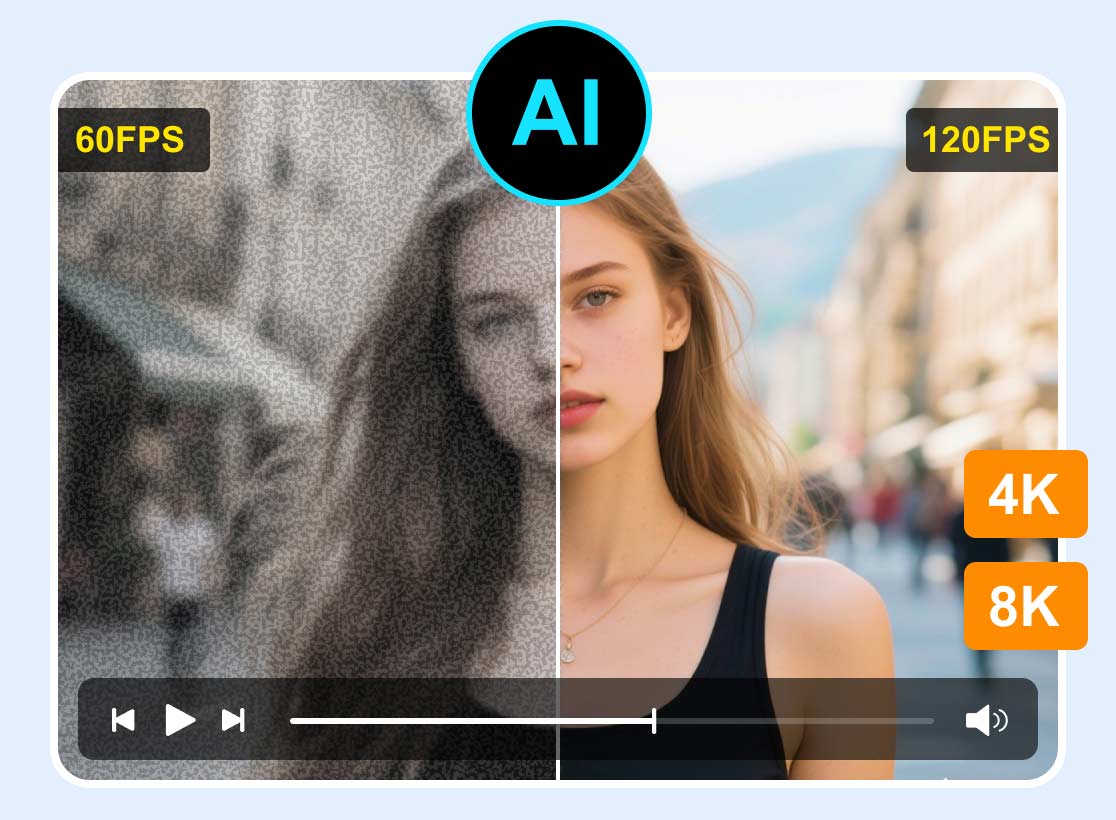
Want to look your best in videos? Then Wink - AI Enhancement, a software tool that enhances facial features and body proportions, might catch your eye. From the information on its homepage, you'll see that it's easy to use - with just one click, you can fix blurry footage or enhance specific details in your video to achieve a cinematic look.
However, I still want to be sure - after all, downloading and installing the software takes time, so I want to make sure I've done my research.
No need to worry - we've prepared this Wink AI Video Enhancer review for you. It not only explains what the software can do and the quality of service it provides but also includes step-by-step instructions on how to use it. Of course, we've also summarized some of its current limitations to help you make an informed decision.

PAGE CONTENT
Part 1. Features & Benefits of Wink AI Video Enhancer
The key to choosing a tool is, of course, determining whether its features meet your needs. Therefore, in this first section, we'll introduce you to the core features of Wink AI Video Enhancer and highlight the advantages we've identified through a side-by-side comparison with similar products.
First, let's briefly summarize the concept behind Wink AI Video Enhancer.
True to its name, Wink AI Video Enhancer excels at instantly repairing and enhancing blurry or low-quality videos with the help of AI technology. Recognizing that users may be on different devices, the developers currently offer desktop software for Windows and macOS, as well as apps for iOS and Android mobile devices.
Here's a pleasant surprise: Wink AI Video Enhancer can also be used as a plugin integrated with Adobe Premiere Pro, delivering a fully professional and convenient workflow!
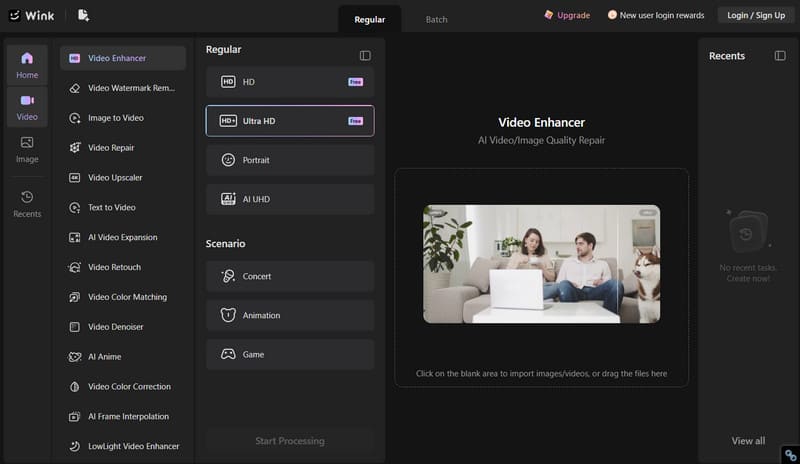
Now, let's take a look at the key features of Wink AI Video Enhancer in bullet points:
• Restore videos to ultra-high definition
Wink AI Video Enhancer is equipped with state-of-the-art AI technology. With just a single click, you can restore blurry videos, recover lost details, and boost clarity to 1080p or even 4K.
• Professional Face Optimization
Wink AI Video Enhancer excels at retouching and beautifying faces and figures.
If your needs are simple, try the one-click enhancement to restore flawless, natural-looking makeup to the people in your video;
If you have specific concerns about certain areas, use the local retouching feature to finely tune your skin and facial features;
If you want to retouch imperfections for everyone in a group photo, simply use AI to detect multiple faces and switch between subjects as needed;
If you want to enhance your body shape, use the in-app 3D tools.
• A Vast Selection of AI Effects to Explore
Wink AI Video Enhancer offers a variety of bold and creative AI effects. With a single click, you can apply them to your video to create movements that weren't actually filmed.
• More AI-powered features
Beyond enhancing video quality, Wink AI Video Enhancer can perform any special functions you can imagine, just like those found in professional video editing software.
For example, you can use it to automatically generate subtitles, remove unwanted objects from videos or photos, upscale videos without quality loss, and create professional-grade, commercial-quality videos.
Here, we can summarize the superior features of Wink Video AI enhancement:
First, Wink AI Video Enhancer supports both mobile and desktop use, making it very user-friendly for cross-platform users; second, its facial and body retouching features are both comprehensive and easy to use, and the AI can even help you switch between multiple faces in group photos to enhance them, making it ideal for editing short videos of yourself or your friends.
Part 2. How to Use Wink AI Video Enhancer
Wink AI Video Enhancer is extremely user-friendly for most users. It features an attractive interface with clearly labeled buttons, and the overall process doesn't require you to perform any overly technical or complicated manual steps. In this section, we'll walk you through the entire process:
This guide will use the task of restoring a blurry video on a Windows desktop computer as an example.
Here's how to use Wink AI Video Enhancer for video restoration.
Step 1. Download and install Wink AI Video Enhancer on your Windows computer.
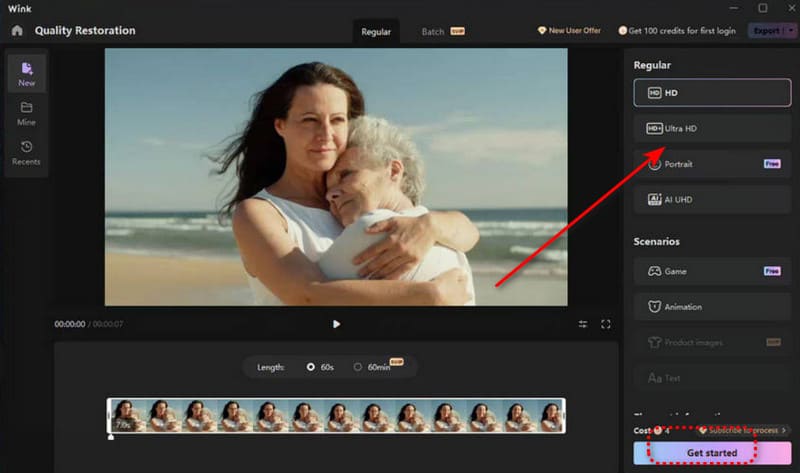
Step 2. Once on the home page, select the Quality Restoration feature, then upload your video via drag-and-drop.
Step 3. After the video is uploaded, you will see a menu labeled Regular on the right side of the page. Under it, select your desired output resolution, such as AI UHD.
Step 4. Click Get started. Once the video restoration is complete, you can preview and export the file.
Part 3. Limitations Of Wink AI Video Enhancer
Wink AI Video Enhancer certainly stands out among similar video enhancing products. But that's not the whole story - you'll likely want to explore the other side of the coin: whether there are any drawbacks that significantly impact the user experience or are incompatible with your specific situation or preferences.
This section is exactly what you need. Based on our hands-on experience and feedback from other users, we've listed the following drawbacks:
• Free Version Limitations
Wink AI Video Enhancer offers very limited functionality to free users. You'll likely see many features marked with prompts indicating that you need to pay to unlock them.
• Occasional Distortions
Wink AI Video Enhancer occasionally over-enhances the video, resulting in an unnatural-looking image.
• Limited Advanced Features
Its advanced capabilities are somewhat limited. Generally speaking, it excels at addressing issues related to the human body and faces. If you provide a standard video with very low resolution, it may struggle to repair it effectively.
Part 4. Pricing Plans
The price of Wink AI Video Enhancer is another factor to consider when deciding whether to try it, so be sure to take a close look at this section:
First, let's get to the bottom line: Wink AI Video Enhancer is not free. Each use consumes a certain number of credits, and to earn credits, you'll need to pay to unlock a premium plan.
Currently, it offers two tiers of paid plans:
• Standard
This plan currently costs $14.99 per month. Once unlocked, you'll receive 1,000 credits per month and gain access to advanced AI models.
• Pro
This plan currently costs $39.99 per month. With this plan, you'll receive 4,000 credits per month and, of course, unlock all advanced features and models.
Part 5. The Great Alternative - Vidhex Video Enhancer
If you'd like to explore similar products that might be a better fit for your needs, we recommend checking out Vidhex Video Enhancer.
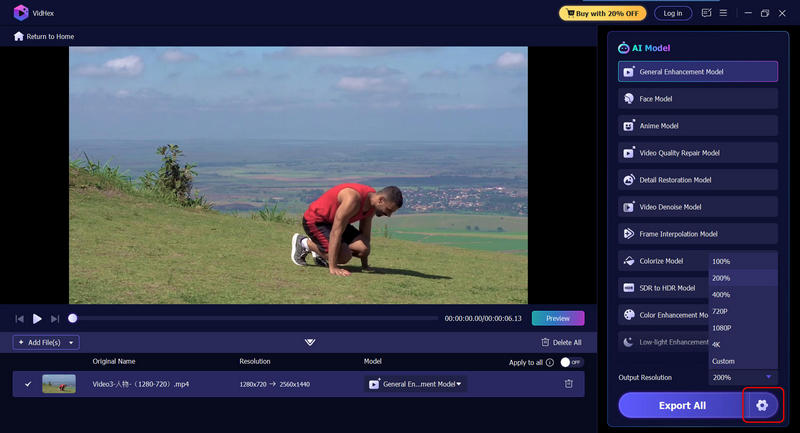
Vidhex Video Enhancer is also a video enhancement software powered by AI, but it offers a more comprehensive set of features: it excels not only at video restoration and upscaling but also at professional-grade colorization and color grading. Additionally, it offers a variety of models tailored to different art styles, such as realistic and anime. What's more, this software is beginner-friendly, requiring just a single click to complete the process.
Here's how to enhance video using Vidhex Video Enhancer.
Step 1. Download and install Vidhex Video Enhancer on your computer.
Step 2. On the home page, you'll see a button prompting you to upload a video. Click it to select your file.

Step 3. Under the Output Resolution option on the interface, select your desired resolution.
Finally, click Export All.
Part 6. FAQs of Wink AI Video Enhancer Review
Is the Wink AI enhancer free?
It's free to download and install. You can also try out some of its features. However, if you want to access advanced features, you may need to purchase an upgrade.
Can Wink AI Fix Blurry Videos?
Yes. Wink AI Video Enhancer can enhance video resolution, recover lost details, reduce noise, and improve texture quality. After processing, blurry footage can appear noticeably sharper and more refined.
Is there a good 4K quality enhancer?
Wink AI Enhancer is a great option. It's user-friendly, with AI handling the core tasks; it excels at processing content with faces and can even retouch body contours. There's also Vidhex Video Enhancer - if you need advanced editing or color correction, you can't go wrong with it.
Final Verdict
After reviewing Wink - AI Enhancement, we can draw the following conclusions:
It excels at video restoration, capable of recovering blurry details, upscaling resolution, and performing precise optimizations on faces and bodies. Additionally, you can use it for tasks like speech-to-text transcription and removing unwanted objects. Most importantly, it supports cross-device use!
However, you should be aware of the limitations of its free trial and the fact that it struggles with lower-resolution videos. In such cases, we recommend trying Vidhex Video Enhancer as an alternative.