







Hot-picks Game Recording Software for PC and Online
There are tons of game recording software on the market, many of which claim to be the best, but which one on earth is the best game capture software? When choosing a video recorder for your gameplay, consider the user interface, output formats, benchmarking capabilities, video screen sharpness, maximum price, and more. In this case, we will help you with that.
Here are the top 10 best game recorders based on our extensive testing of the leading software. We've included a list of each product's key benefits and drawbacks to help you assess each one more quickly and identify the gaming screen recorder that best meets your needs.

PAGE CONTENT
- How We Test the Game Recording Software
- Comparison of the Best Game Recording Software
- Top 1. Vidmore Game Recorder
- Top 2. Movavi Screen Recorder
- Top 3. EaseUS RecExperts
- Top 4. WonderShare Democreator
- Top 5. OBS Studio
- Top 6. Xbox Game Bar
- Top 7. Bandicam
- Top 8. NVIDIA GeForce Experience
- Top 9. Apowersoft Online Screen Recorder
- FAQs about Game Recording Tools
How We Test the Game Recording Software
Take a look at how we tested these amazing game recording software. Here are some factors and elements we considered. Kindly see these below:
| Number of Tools We Tested | 10 Recording tools (Desktop and Online). |
| Some Devices We Used | Low-end and High-end computers. |
| Game Types We Recorded | Adventure, action, strategy, and simulation games. |
| Factors We Value | Compatibility, file format support, performance, hotkeys, audio and video quality, and post-production tools |
| Top 3 Picks from the Team | Vidmore Game Recorder, OBS Studio, and Movavi Screen Recorder |
Comparison of the Best Game Recording Software
| Tools | Interface | Speed | Webcam Features | Quality | Editing Features |
| Vidmore Game Recorder | 9/10 | Fast | Picture-in-picture. | 4K/60 FPS, HD. | Basic trim & annotations. |
| Movavi Screen Recorder | 8/10 | Smooth | Webcam capture is optional. | High. | Simple drawing. |
| EaseUS RecExperts | 8/10 | Good | Yes, with virtual BG. | HD, 144 FPS in plan. | Built-in trimmer. |
| WonderShare Democreator | 7/10 | Smooth | Integrated AI beauty. | High. | AI effects, transitions. |
| OBS Studio | 8/10 | Powerful | Filly customizable. | High. | None (external required). |
| Xbox Game Bar | 8/10 | Fast | Limited (requires external app for overlays). | High (4K) | Minimal. |
| Bandicam | 9/10 | Fast | Yes (overlay, resize, chroma key). | High (4K) | Basic |
| NVIDIA ShadowPlay | 8/10 | Very Fast (GPU-accelerated) | No built-in webcam, needs OBS or similar | Very High. | Minimal (instant replay, trim). |
| Apowersoft Online Screen Recorder | 7/10 | Moderate | Yes (resize, position). | Medium–High (1080p max). | Moderate (annotate, basic edits). |
Top 1. Vidmore Game Recorder
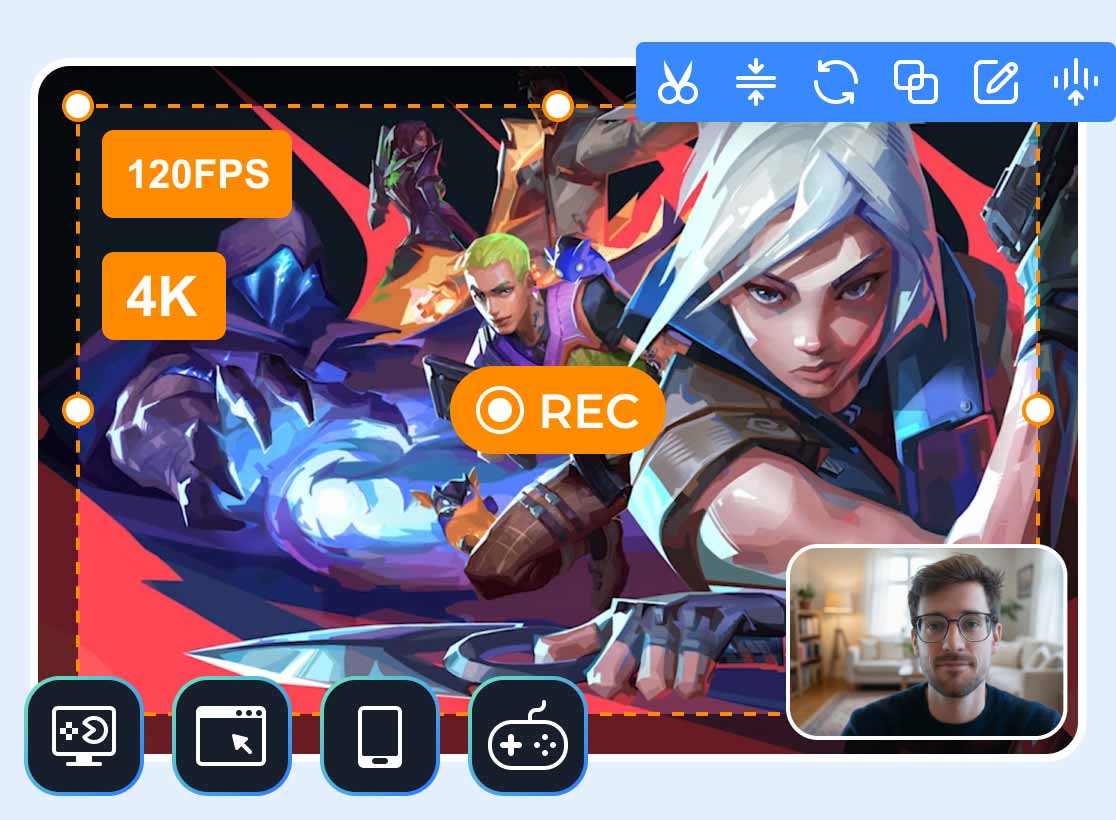
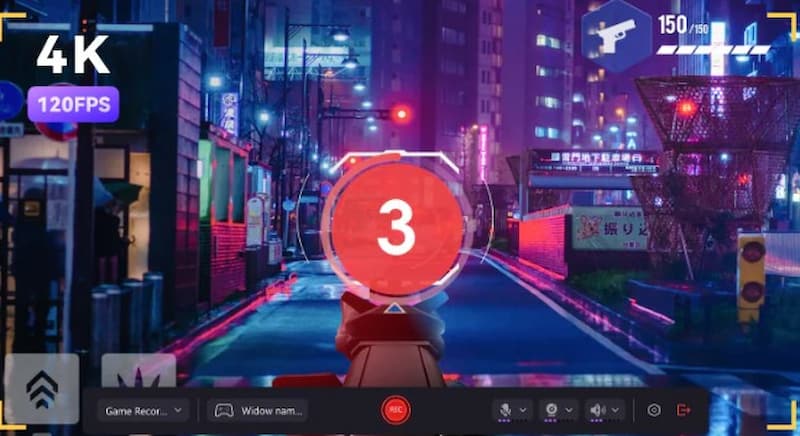
Vidmore Game Recorder is a strong and intuitive tool for recording gameplay in high definition. It ensures smooth and detailed video output by supporting up to 120 frames per second and up to 4K resolution. It reduces system resource consumption through hardware acceleration, enabling continuous performance even during demanding gaming sessions.
It is adaptable for gamers who want captivating content and supports webcam overlays, real-time annotations, photo sharing, and GIF creation. Vidmore Screen Recorder is compatible with PC, browser, handheld, and console games. It is a reliable option for anyone looking for an easy and professional gaming session recorder.
Pros:
- Capture in 4K at 120 frames per second.
- Low use of CPU, GPU, and RAM.
- It has built-in rich editing tools.
- A straightforward user interface.
Cons:
- The free edition has a three-minute export time limit.
- Payment is required for full features.
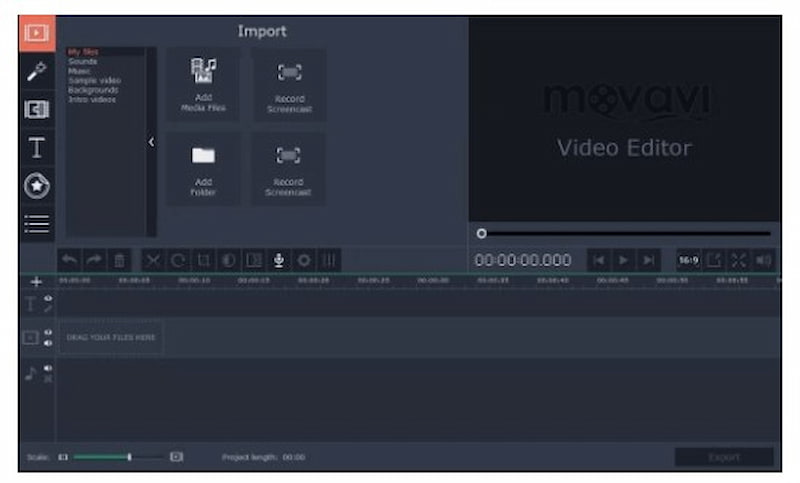
Top 2. Movavi Screen Recorder
You may record different gameplays with Movavi, an easy-to-use PC game recording program. You may use it for both screen recording and high-quality gameplay capture, and it supports recording resolutions up to 4K.
In addition, there are numerous video editing tools in this game capture program that let you modify the captured game footage. For instance, you can add animated titles and special effects, trim, chop, and connect films, and convert a video to GIF, among other things.
Pros
- Easy navigation and a modern user interface
- Configure the recording parameters.
- Record both audio and video at the same time.
- include a variety of editing tools.
- Support for 4K screen resolution
Cons
- A little pricey.
- Free trial editions are limited.
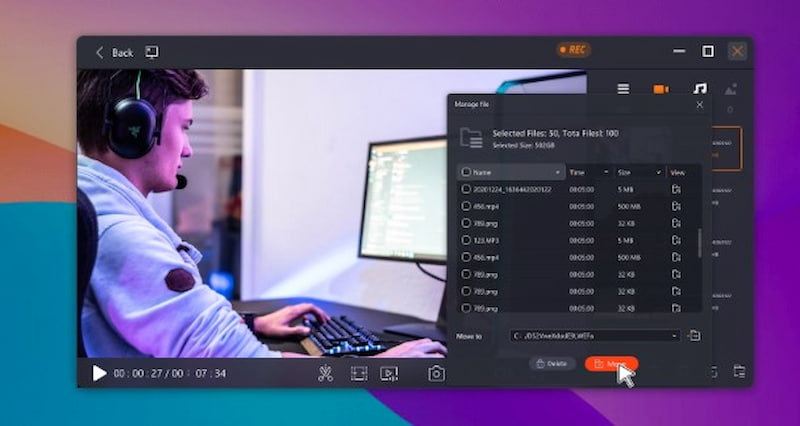
Top 3. EaseUS RecExperts
Another top screen recorder is EaseUS RecExperts, which lets you record your screen while playing games. You have the option of choosing the regional or full-screen recording. You can utilize the task scheduler to establish the mission's start time so that the game is automatically recorded. This top-notch PC game capture program will immediately save the gaming footage to your device as the operation is complete. Additionally, the output movies' format can be changed.
Pros
- Record both your screen and webcam at the same time.
- Allow the task scheduler to automatically record
- Game capture videos can be exported in MP4, MOV, MKV, and GIF formats.
Cons
- Only basic editing.
- At high FPS, it may lag.
- Watermarks in the free version.
- A few features are exclusive to gamers.
Top 4. WonderShare Democreator
A flexible screen capture tool perfect for game content is Wondershare DemoCreator. It records top-notch games with adjustable camera, audio, and frame rate. Annotations, effects, and trimming are all possible with the built-in editing options. Even novices who want results that appear professional may easily record and edit gaming footage because of its user-friendly interface.
Pros
- Excellent capture.
- Integrated editor.
- FPS is customizable.
Cons
- Paid for all features.
- Resource-intensive.
- Don't stream.
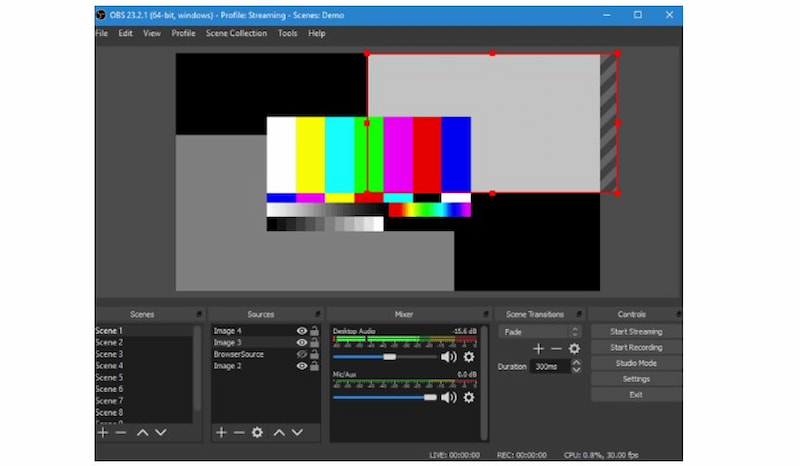
Top 5. OBS Studio
This open source screen recorder, which is among the greatest video game recording programs, OBS Studio, is useful for both recording additional information and live streaming games on Twitch.
For many players worldwide, it is the instrument of choice. You only need to choose the source you want to record and begin recording; there is no need to adjust any other settings. Additionally, OBS may record at a 1:1 ratio in FLV and MP4 formats.
Pros
- Open source and free.
- Supported platforms include Linux, Mac, and Windows.
- Some plugins that improve the experience.
Cons
- Not the most intuitive user interface.
- Absence of integrated video editing features.
Top 6. Xbox Game Bar
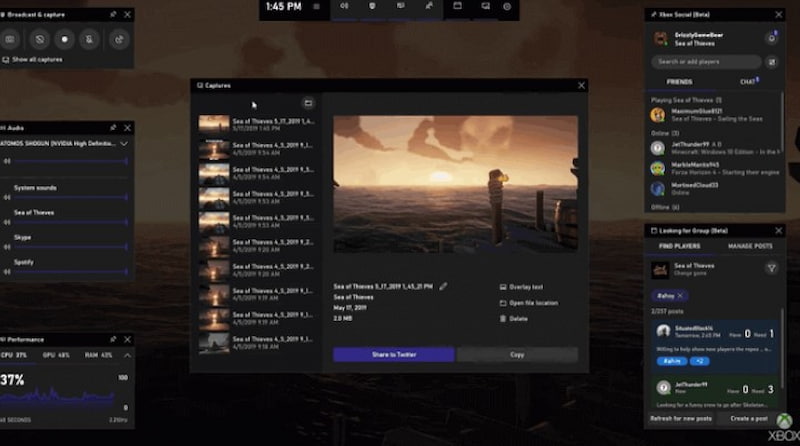
Xbox Game Bar is a free video game capture app that comes pre-installed on Windows 10 and lets you take screenshots and game footage. Apps can be recorded using the built-in screen recording function, particularly for gaming capture. With the help of this free game recording program, you can record the majority of PC games and quickly access screen and sharing widgets, locate teammates via LFG, and talk with pals on your PC, Xbox, and mobile device without ever leaving your game.
Pros
- Ad-free video recording with no time limit.
- Record video in 1080p resolution.
- Watermark-free, fully free screen capture software.
Cons
- Only record simple games and apps.
- There is no pause feature when the video is being recorded.
Top 7. Bandicam
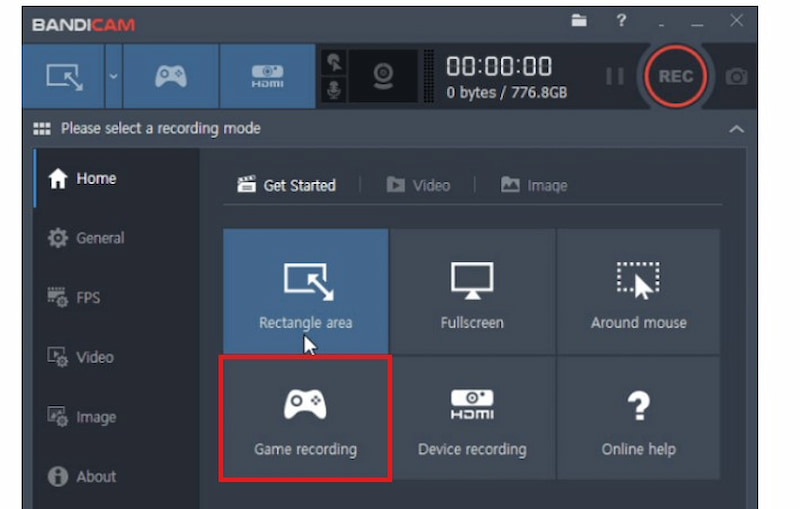
One of the greatest game recording programs that enables high bitrate and frame rate video recording is Bandicam. Video games can be recorded at 4K Ultra HD quality with adjustable frame rates. Additionally, it has a compression option that guarantees the game video is compressed without sacrificing quality. Gaming and other PC activities can be done with the recordings.
Pros
- Three recording modes are supported.
- Use Windows 10 to record the entire screen.
- Allow for real-time drawing.
- integrated compression capability.
Cons
- Absence of an integrated video editor.
- The video has a watermark on it.
Top 8. NVIDIA GeForce Experience
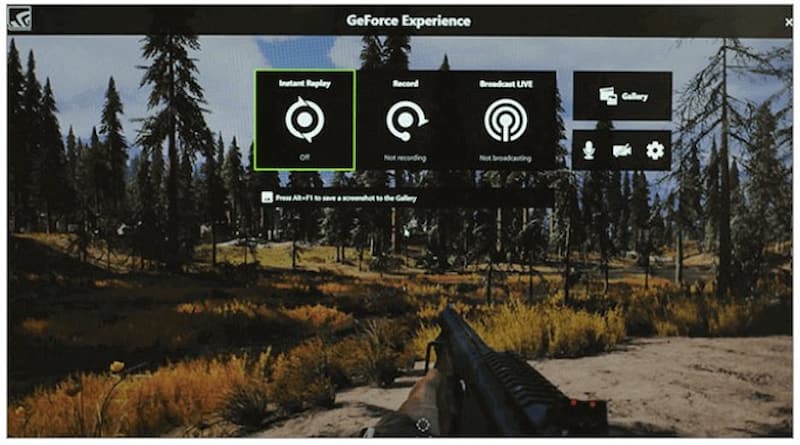
Along with keeping your drivers updated and optimizing game settings, Nvidia Geforce Experience is another free gaming recording program for PC that lets you record and share movies, pictures, and live streams with friends.
This gaming screen recorder for Windows offers Nvidia's Shadowplay function, which makes it simple to record video games, in addition to updating your Nvidia drivers. Additionally, it can record at the same resolution as your screen, so if your panel is 4K, the quality of the video you capture will also be 4K.
Pros
- To handle encoding, use a GPU.
- Post live streams and gameplay videos on platforms.
Cons
- Only compatible with Nvidia GPUs.
- Not as adaptable as other recording professionals.
Top 9. Apowersoft Online Screen Recorder
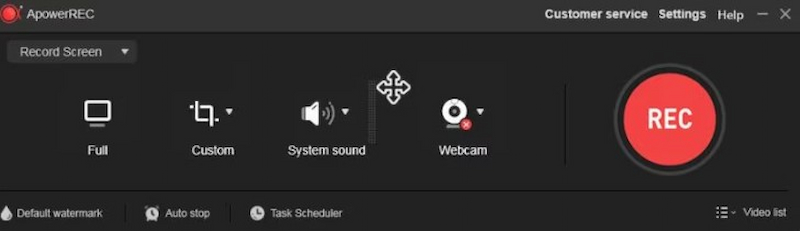
Apowersoft Online Screen Recorder is a browser-based, non-installing utility for quickly recording gaming videos. It provides simple annotation tools and captures gaming audio. Despite being portable and simple to use, it requires a steady internet connection and is devoid of sophisticated gaming-focused features like live streaming and high-FPS capturing.
Pros
- No installation is required.
- Easy to use.
- Compatible with browsers.
Cons
- Internet access is required.
- Basic editing.
- Low game frame rate.
FAQs about Game Recording Tools
Can I record gameplay without lag?
It’s quite possible to achieve that either by reducing resolution, bitrate or employing GPU Recording. Otherwise, you can try a professional tool like Vidmore Game Recorder, allowing capturing up to 120 frames per second with the acceleration technology used.
Are free game recording tools good enough?
There are many excellent free programs to capture gameplay footage, but the paid ones will provide higher performance stability and better editing options.
Can I record both system audio and voice at the same time?
Yes, most of the programs reviewed enable capturing system audio, microphone audio, or both at once.
What is the best recording format for gameplay videos?
MP4 is the most recommended format because it offers a good balance between quality and file size and is widely supported on most platforms.
Conclusion
That's all. The top 10 game recording programs are listed here. While some have limited or no video editing capabilities, others have both advantages and downsides. Beginners can select from a variety of easy-to-use, free tools. You can pick high-end tools for more complex game recording. But in the end, all of these tools serve the purpose of recording your gameplay. If you are looking for a recommendation, then Vidmore Game Recorder is our top choice.