Best Game Recording Software for PC: 4 Best Recorders
Want to discover the best game recorders for PC? A good game recorder can help you capture your gameplay, online meetings, tutorials, and stream content. With so many available recorders out there, it might be challenging to find the best one. Luckily, this article will offer the best recorder you can rely on. We will also provide its pros, cons, best for, and other details. Thus, explore all the best game recorders for PC by reading everything in this post.

PAGE CONTENT
How We Test and Review the Game Recorders
Before introducing the best game recorders, we consider various factors, such as:
- Recording Quality - We test the video and audio output to assess the overall clarity and smoothness during and after recording.
- Performance Impact - We monitor the GPU, CPU, and RAM usage during recording to determine how much system performance is affected.
- User Experience - We review the navigation, interface, and overall performance to ensure a smooth recording procedure.
- Features and Tools - We also checked whether the recorders can offer more features that can improve the recordings.
Part 1. How to Choose the Best Game Recorders for PC
Want to learn how to choose the best game recorder for PC? You can check the details in this section to get more insights.
- Check the Ease of Use - When choosing an ideal game recorder, ensure that you can navigate all the features with ease. This lets you have a better and smoother recording process.
- Test all the Features - You have to check and test the provided features. Some features can help you enhance your recordings for better playback.
- Must Record Audio - A good recorder must also record audio, microphone input, and system sound. This lets you listen to any sound from your games, computer, and microphone.
- Check Export Formats - When selecting the best recorder, you have to know about its supported output formats. This way, you can save your recordings based on your preferred format for better compatibility.
Part 2. Comparison of the Best Game Recorders for PC
Want to take a peek at the best game recording software for PC? Then, you can check the table provided in this part.
| Game Recorders | Ease of Use | Recording Quality | Supported Output Format | Overall Performance |
| Vidmore Game Recorder | Very Easy | Up to 4K | MP4, MOV, WMV, F4V, TS, GIF, and more. | Excellent |
| OBS Studio | A little bit confusing. | Up to 4K | MP4, MKV, FLV, MOV, and TS. | Excellent |
| Xbox Game Bar | Easy | Up to 1080p | MP4 | Good |
| AMD Adrenalin | Easy | Up to 4K | MP4, AVC/H.264, HEVC/H.265 | Good |
Part 3. 4 Best Game Recorders for PC
Are you interested in learning more about the best game recorders? In that case, you can read everything below and get more information about the best game recording software for PC.
1. Vidmore Game Recorder
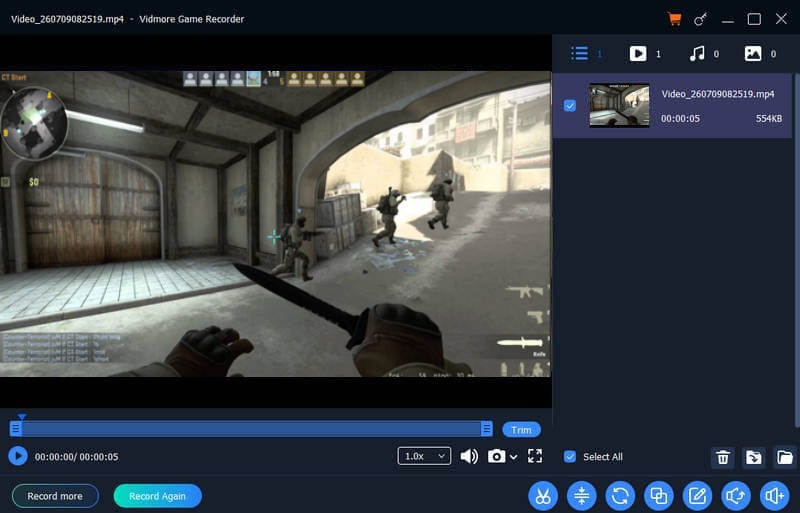
Best for: Beginners and users who want an easy-to-use recorder that can offer excellent video and audio quality.
Score: 9.5 / 10
If you need an excellent game recorder for PC that can offer all the necessary features, we recommend using Vidmore Game Recorder. With its simple layout, you can record any game without a hassle. Plus, it can capture 4K content, resulting in a better viewing experience. What we like here is that it can record various games, such as Fortnite, LoL, Dota, CS: GO, and more. You can also save your recordings in any format, like MP4, MKV, AVI, WMV, and more.
Pros
- The game recorder can offer basic editing tools for improving recordings.
- The UI is beginner-friendly.
- It can support microphone, system sound, and webcam recording.
- The recorder is lightweight and easy to configure.
Cons
- If you want to check its overall capabilities, you can try using its paid version.
2. OBS Studio
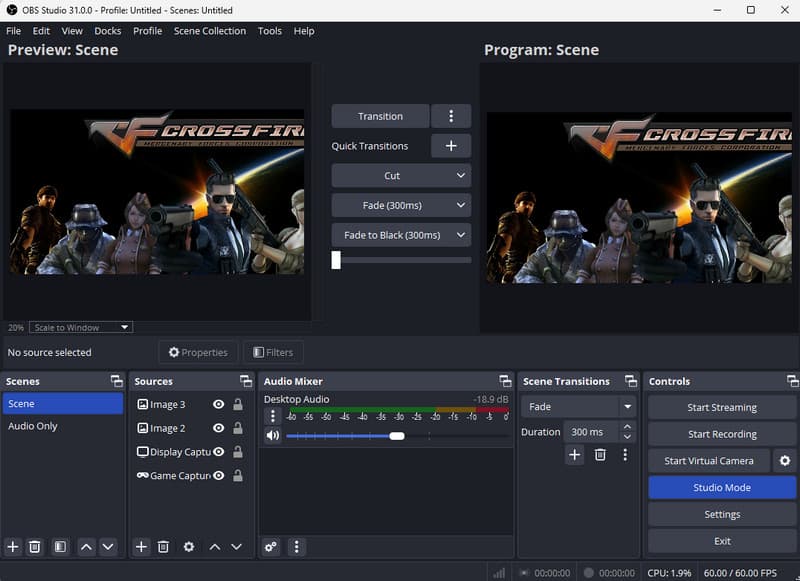
Best for: Advanced users and content creators who need to capture games with high quality.
Score: 9 / 10
Another game recorder for PC you can use is OBS Studio. This recorder is completely free. It can offer extensive customization options for capturing and live streaming, making it a top choice for gamers and professional content creators. It can also record various games. It can record PS4 and PS3 gameplay, Crossfire, Dota, and more.
Pros
- The game recorder is open-source and 100% free.
- The program can support sources, scenes, and custom layouts.
- It has a large community and plugin ecosystem.
Cons
- It has a steep learning curve.
- The initial setup might be time-consuming.
3. Xbox Game Bar
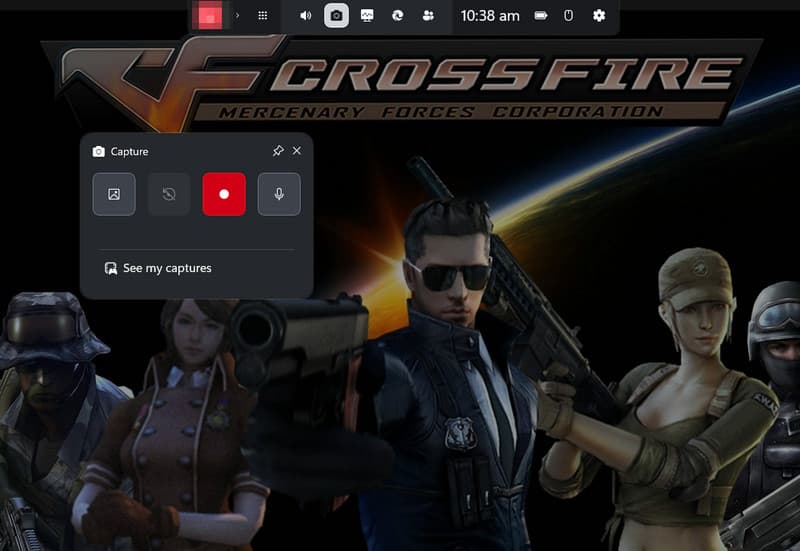
Best for: Casual users using Windows PC.
Score: 9 / 10
Are you using Windows to capture your gameplay? In that case, you can access the Xbox Game Bar. This is a built-in recorder you can access on Windows, allowing you to capture anything without relying on third-party software. It can provide instant access to recording, audio controls, screenshots, and performance monitoring. The recording process is also simple, thanks to its simple layout and shortcut keys.
Pros
- It can capture various games. You can record CS: GO, Crossfire, Valorant, Dota, and more.
- It only demands a minimal setup.
- The recorder is free and pre-built.
Cons
- The tool has limited recording customization.
- It is unsuitable for professional streaming.
4. AMD Software: Adrenalin Edition
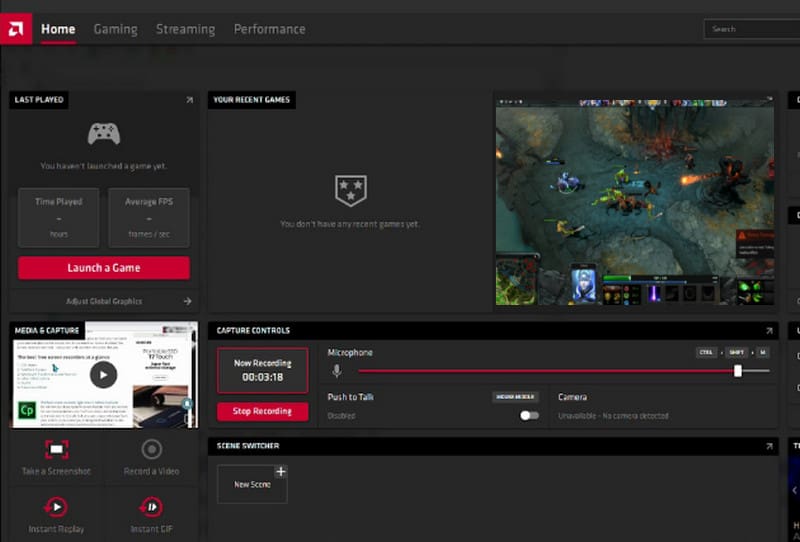
Best for: Professionals and gamers with AMD graphics cards.
Score: 8.5 / 10
The last best game recording software for PC we can offer is AMD Adrenalin. It includes built-in recording features that leverage AMD GPUs for efficient and effective gameplay capture. Since the recording is handled by the graphics card, gamers can maintain strong gaming performance while capturing high-quality footage.
Pros
- This is free for AMD GPU users.
- It can offer various features, such as instant replay, tuning, and monitoring.
Cons
- It is only available for AMD graphics card owners.
- The recording features depend on GPU compatibility and drivers.
Part 4. FAQs about Game Recorders for PC
What is the best game recorder for beginners?
If you are a non-professional user and want a simple gameplay recording process, look no further than Vidmore Game Recorder. This recorder can offer a comprehensive layout, ideal for a simple recording process.
What recording quality should I use for capturing gameplay?
For most gamers, 1080p at 60 FPS is ideal. It can offer an excellent balance between video quality and file size.
Is the Xbox Game Bar ideal for recording gameplay?
Absolutely, yes. This recorder is great since it can let you capture your entire gameplay with good output quality. The only problem here is that it lacks features compared with other gameplay recorders.
Conclusion
These are the best game recorders for PC you can use for an effective gameplay recording process. Try them and see what recorder suits you. Also, if you want an exceptional recorder that can provide all the necessary features, always consider using Vidmore Game Recorder. It ensures a simple recording process and satisfying output quality for better playback, making it the best recorder for all gamers.