Top 5 Loom Alternatives for an Effective Video Recording
Loom is an excellent tool for recording your screen and videos. However, if you prefer an excellent, affordable recorder with extra features and better performance, it would be ideal to look for the best replacement. Thankfully, this post offers the most reliable Loom alternatives to help you capture your screen without issues. To find the best tools, we encourage you to visit this post for all the information you need about the discussion.

PAGE CONTENT
Part 1. How to Choose a Good Screen Recorder
Do you want to learn how to choose the best screen recorder? In that case, you can review the information below for insights into selecting the best recorders.
- • Always check the software’s main user interface. A recorder with a simple UI is recommended, especially for non-professional users.
- • When choosing a recorder, it must offer basic editing features. This way, you can improve your captured screen without using a separate tool.
- • Ensure that your recorder is compatible with various platforms.
- • Always consider the paid version of the screen recorder. Ensure that the paid version provides all the features you need to do justice to your penny.
- • When selecting the best recorder, ensure the recording process is smooth and provides a satisfying experience.
Part 2. A Quick Comparison of the Best Loom Alternatives
If you want to see the best alternatives to Loom, check the simple comparison table below.
| Best Loom Alternatives | Editing Features | Ease of Use | Platform | File Size Efficiency | Overall Performance |
| Vidmore Screen Recorder | Basic trimming, annotations | Beginner-friendly, simple interface | Windows and Mac | Moderate file sizes, customizable formats | Stable, smooth recording without any lag |
| Zight | Limited editing, strong annotations | Very easy, lightweight | Windows, Mac, and Chrome extension | Small file sizes, optimized for sharing links | Fast performance for short clips |
| Descript | Advanced text-based editing, AI tools | Moderate learning curve | Windows and Mac | File sizes vary; cloud storage reduces local load | Strong performance, cloud-based processing |
| Camtasia | Robust professional editing suite | Steeper learning curve | Windows and Mac | Larger file sizes due to high-quality exports | High performance, resource-intensive |
| Screen Studio | Automatic animations, limited manual editing | Sleek, intuitive UI | Mac only | Efficient compression, smaller polished exports | Smooth performance, optimized for Mac |
Part 3. Top 5 Loom Alternatives
Want to explore the best Loom alternative for better screen and video recording? If so, proceed to this section.
1. Vidmore Screen Recorder

Best for: Simple recording with basic and advanced editing features.
If you are looking for the best screen and video recorder to replace Loom, look no further than Vidmore Screen Recorder. When it comes to recording, there is no doubt that this program is ideal, as it offers all the features you need. You can record while accessing various annotation tools. You can also take a screenshot to get your favorite scene or image during the recording. It can offer basic editing features to improve your captured screen. You can crop, trim, split, add effects, and more. You can also save the video in various formats, including MP4, MKV, WMV, AVI, FLV, and more. Thus, if you need a free Loom alternative, using Vidmore Screen Recorder is the best choice.
Pros
- The recorder has a simple user interface.
- It can record various content, including gameplay, meetings, tutorials, and videos.
- The recorder is accessible on both Mac and Windows.
Cons
- Using the software's paid version is recommended to access advanced features.
2. Zight
Best for: Recording and sharing various content instantly.
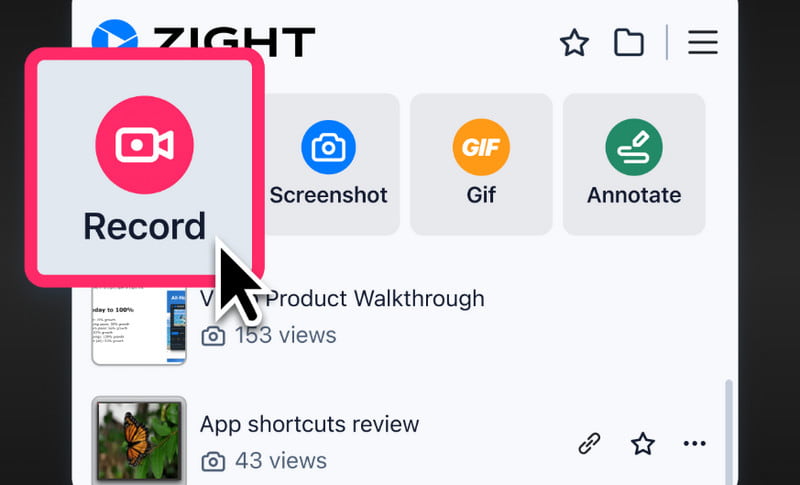
Zight is among the advanced screen recorders that you can use as a replacement for Loom. This tool is far superior, thanks to its unique features and exceptional performance. When recording, you can use various annotation tools to make your recording engaging, especially when making an instructional video. The best part here is that after recording your screen, you can already send and share it to other platforms, especially via email. With this recorder, we can tell that screen recording is possible.
Pros
- The recorder's layout is comprehensive.
- It has a fast saving process.
- It offers basic features that can enhance the recorded video.
Cons
- It lacks advanced editing features.
- It is unsuitable for recording long-form content.
3. Descript
Best for: Ideal for creating tutorial videos, thanks to its webcam support.
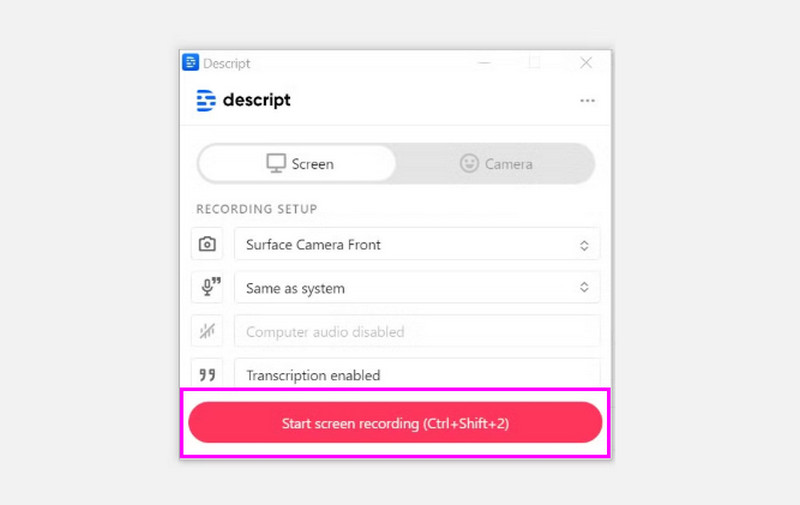
Another alternative to Loom that can make your recording process smoother is Descript. In terms of screen recording, it is among the best options, as you can be sure to use all its features instantly. It also supports webcam, making it an ideal tool for creating tutorials, reviewing content/product, and more. It can even record audio, making it the best screen and audio recorder for Windows and Mac. The best part here is that it is powered by AI, allowing you to clone a voice, add captions, and edit the captured screen.
Pros
- It can collaborate on the cloud for preservation.
- Utilizing the recording is simple.
- The transcription feature is available.
Cons
- For an effective cloud workflow, you must have a stable internet connection.
4. Camtasia
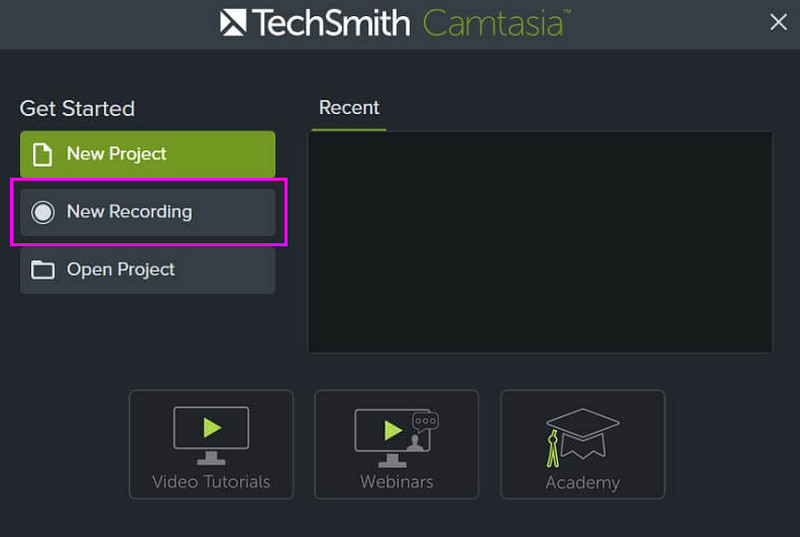
Best for: Perfect for non-professional users who want to record the screen easily.
Are you a non-professional user who prefers a simple-to-use screen recorder? In that case, we recommend using Camtasia. This recorder is ideal for all types of users, thanks to its comprehensive layout. This program lets you record videos, including screen recordings, gameplay, and other types. It is also an ideal tool for creating tutorial videos or presentations. What we like most here is that it ensures your recorded screen is saved in high-quality video. With that, you can have a satisfying viewing experience. Thus, if you need a simple yet reliable recorder to replace Loom, consider Camtasia.
Pros
- The recorder's layout is simple.
- It can offer various functions for creating an appealing captured screen.
- Accessing the recorder is easy and fast.
Cons
- The screen/video recorder is resource-intensive.
- To access more features, you have to get its premium version.
5. Screen Studio
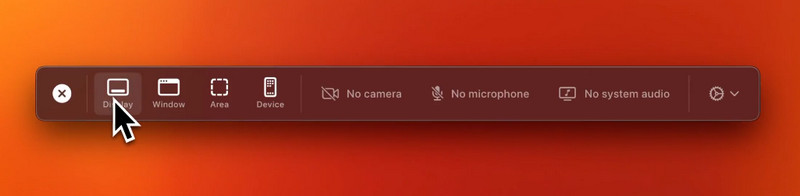
Best for: Mac users who want to record the screen with smooth exports.
For our last alternative to Loom, we recommend using Screen Studio. This program is ideal if you want to record your screen and audio/mic without any issues. You can even record various content. You can record PowerPoint presentations, gameplays, tutorials, webinars, vlogs, and more. You can also record your screen based on your preferences. You can record/capture your entire screen or a selected area. What makes it powerful is that the software ensures you obtain the best video and audio quality after saving, resulting in a better viewing and listening experience.
Pros
- The software has a sleek user interface.
- It is an ideal tool for animation and smooth recording.
- The program ensures that a high-quality video is produced after recording.
Cons
- The recorder is only available on Mac.
- It lacks advanced editing features compared with other recorders.
With these screen and video recorders, you can tell that there are tools you can use as a replacement for Loom. These tools let you record your screen smoothly and effectively. You can even access editing features to help you enhance your final captured video. Thus, feel free to use these Loom alternatives to record your screen.
Part 4. FAQs about Loom Alternatives
What is the best alternative to Loom?
There are various recorders you can use that can replace Loom. But if you need the most reliable one, we can recommend Vidmore Screen Recorder. This screen/video recorder lets you record anything on your screen. You can even turn on Mic, System Audio, and Mic to record them simultaneously. The best part here is that you save your recorded screen with the best video and audio quality.
Why do I need a Loom alternative?
You must replace Loom for various reasons. The recorder is only ideal for recording short-form videos. Plus, it lacks some necessary features to enhance your video after recording. Thus, if Loom doesn't meet your needs, an alternative is the best option.
Do Loom alternatives work on different platforms?
It depends on the recorder you use. If you prefer a Loom alternative that works across multiple platforms, you can use Vidmore Screen Recorder, Zight, Descript, or Camtasia. These programs are available on both Windows and Mac, making them more accessible to all users.
Conclusion
Thanks to this post, you have explored the best Loom alternatives. With that, if you want a better recording process, you must check all the recommended programs we have mentioned. Plus, if you want the best replacement for Loom, we suggest using Vidmore Screen Recorder. This software ensures a smoother recording process, with a range of editing features that can improve your captured content. Thus, choose this program and achieve your preferred result.