
SFWare Video Repair Review "Video Repair Tool for 2025"
Want to learn more about SFWare Video Repair Tool? Then, we recommend reading this post. As we all know, there are various video repair tools available. However, some of them are not that helpful, and others are hard to navigate. If you're looking for better software to fix your videos, consider learning about the SFWare Video Repair Tool. In this review, we will provide a simple description of the software, along with its pricing plans, limitations, and methods to fix your videos. In addition to that, you will also discover the best alternative you can access for a better video repair procedure. Without anything else, read this detailed review and learn more about the discussion.

PAGE CONTENT
Part 1. Main Features of SFWare Video Repair Tool
Before discovering the best features of the software, let us first give you a simple introduction to the SFWare Video Repair Tool. The program is one of the most effective video repair tools you can access on your Mac and Windows. What makes it perfect is its comprehensive user layout, which makes it accessible to all users. If you want to learn more about the capabilities of the software, you can check its main features below.
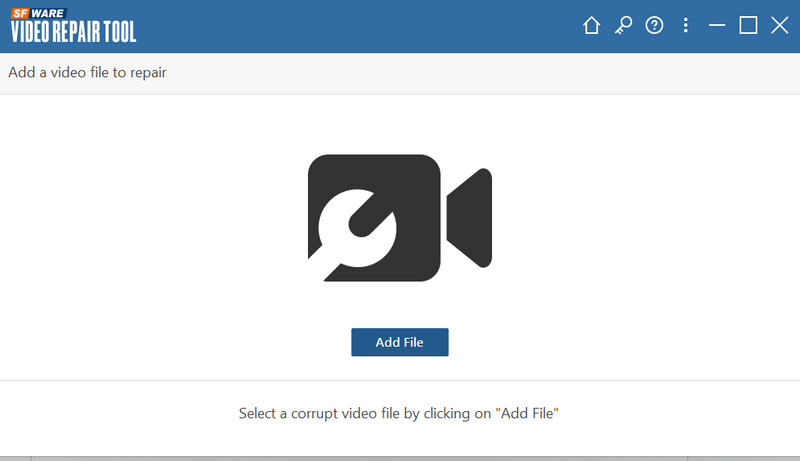
Repair Corrupted Video
The core feature of the SFWare Video Repair program is to fix and repair corrupted video files effectively. With this feature, you can ensure to solve the p[problem and play your favorite video smoothly after the video repair process.
Support High-Quality Videos
What we like about the software is that it can repair high-quality videos up to 8K resolution. If you have corrupted high-quality videos, consider using the SFWare Video Repair Tool software
Simple User Interface
Another benefit of the program is its comprehensive user interface. With its simple layout, you can access all the features you need, making it suitable for advanced and non-professional users.
Provide Preview Feature
The software can also offer its Preview feature. This feature is helpful if you want to check the repaired video before the final saving process. You can even watch the video from start to finish, making it ideal and reliable.
Extensive Video Format Support
The video repair tool can fix videos no matter the format. It can deal with MP4, MKV, WMV, M4V, MOV, FLV, AVI, and more.
Check: Best method to fix pixelated videos.
Part 2. How to Use SFWare Video Repair Tool
Are you interested in learning how to use the program to repair your corrupted video? In that case, follow and check the steps we have provided below.
Step 1. Download and install the SFWare Video Repair Tool on your Windows or Mac computer. After that, launch it to start the video repair process.
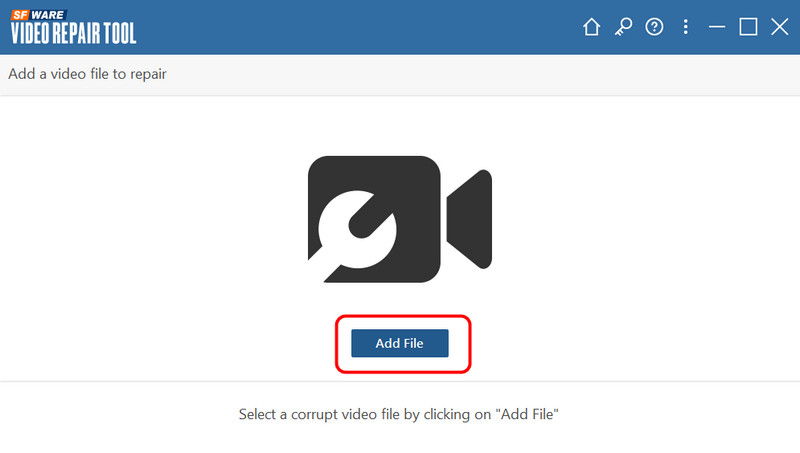
Step 2. Then, from the main interface, click the Add File button to insert the corrupted video file.
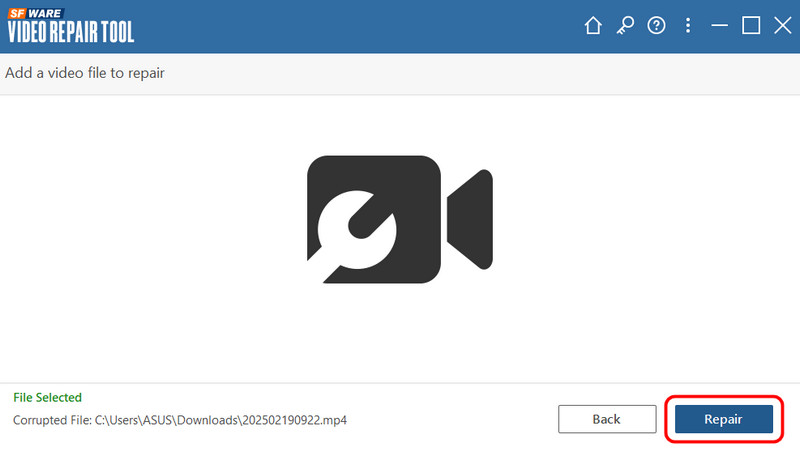
Step 3. After you have added the video file, go to the bottom interface and click the Repair button. Wait a few seconds for the result you need.
Step 4. For the last step, click the Save button below to keep it on your computer.
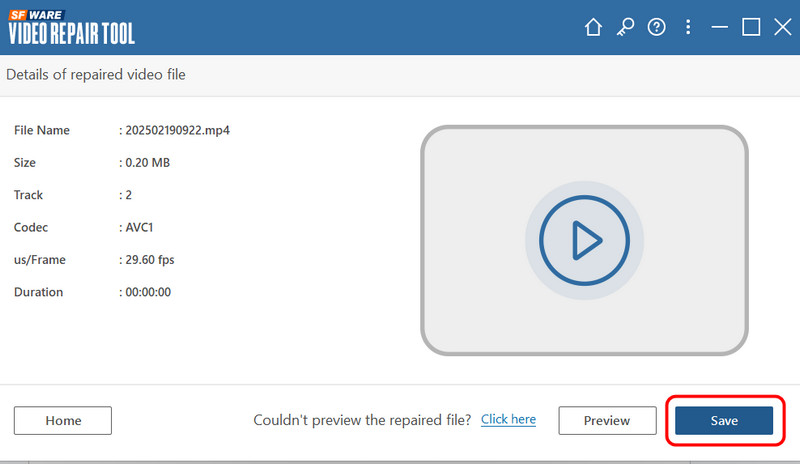
To repair your damaged or corrupted video, you can rely on these instructions. The best part here is that non-professional users can navigate it, thanks to its simple user interface.
Part 3. Limitations of SFWare Video Repair Tool
Although the SFWare Outlook PST Repair Tool is ideal for video repair, it also has some limitations that you should be aware of. To gain more insights into its limitations, see the details below.
Cannot Recover Deleted Files
The main feature of the program is to repair damaged videos. When it comes to recovering a file, sad to say, but the software is incapable of doing so.
Limited Video Repair Control
The video repair procedure is largely automated. With that, you can't control what to fix during the process. Users are unable to adjust certain parameters, particularly codecs.
Expensive Subscription Plan
The video repair tool is not 100% free. If you want to access its overall features, it would be better to get its premium version. However, its subscription plan is expensive.
Part 4. Pricing Plans of SFWare Video Repair Tool
As discussed above, the software is not totally free. Thus, if you plan to access its premium version, you can check the price plans from the table below.
| Plans | 1 Month License for 1 PC | 6 Months License for 1 PC | Perpetual License for 2 PC |
| Pricing | $69.97 | $79.97 | $199.97 |
| Inclusions | • Proficient PST file repair tool to repair PST files. • More advanced than the built-in Inbox Repair tool. • Conveniently fix PST files and retrieve Outlook emails, folders, contacts, calendars, and more. • Provide a preview of recovered data in Outlook-style browser view. • Free Standard Technical Support 24/7. | • Proficient PST file repair tool to repair PST files. • More advanced than the built-in Inbox Repair tool. • Conveniently fix PST files and retrieve Outlook emails, folders, contacts, calendars, and more. • Provide a preview of recovered data in Outlook-style browser view. • Free Standard Technical Support 24/7. | • Proficient PST file repair tool to repair PST files. • More advanced than the built-in Inbox Repair tool. • Conveniently fix PST files and retrieve Outlook emails, folders, contacts, calendars, and more. • Provide a preview of recovered data in Outlook-style browser view. • Free Standard Technical Support 24/7. ” /] |
Part 5. Best Alternative to SFWare Video Repair Tool
Given SFWare's limitations, dealing with various corrupted video files can be challenging. If you are looking for the best alternative for repairing a video, we recommend Vidmore Video Fix. With this video repair tool, you can expect to fix your videos smoothly. The best part here is that you can fix various video playback errors. It includes corrupted videos, blurry, pixelated, grainy, and more. Plus, the software has a simple UI, allowing you to easily navigate all the necessary features to achieve the desired result. With that, if you want a successful outcome in terms of repairing damaged videos, there is no doubt that Vidmore Video Fix software is the right
More Features
• The video repair tool can handle high-quality videos.
• It can offer its Preview feature to check the fixed video.
• It can handle various input video formats, such as AVI, MKV, MOV, MP4, FLV, etc.
• The software is accessible on both Mac and Windows OS.
To learn how to fix videos effectively, check the instructions below.
Step 1. Download Vidmore Video Fix software and launch it to start the video repair procedure.
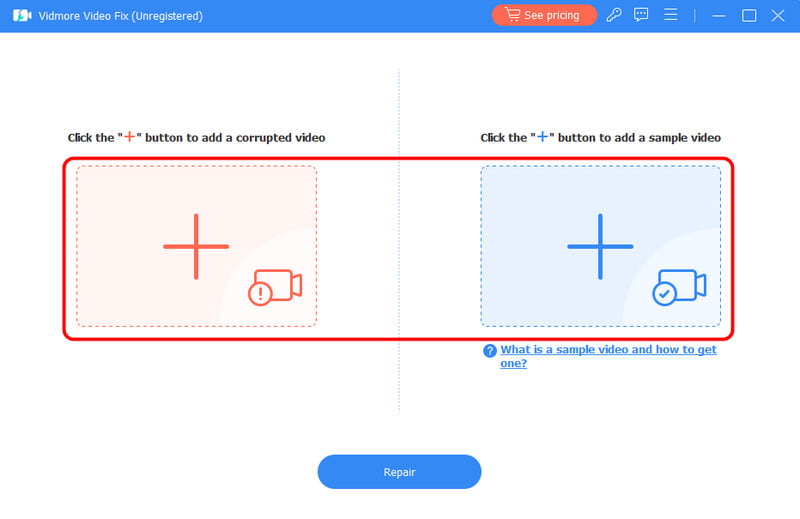
Step 2. After that, click the Red Plus to insert the damaged video file. Tap the Blue Plus to insert a sample video.
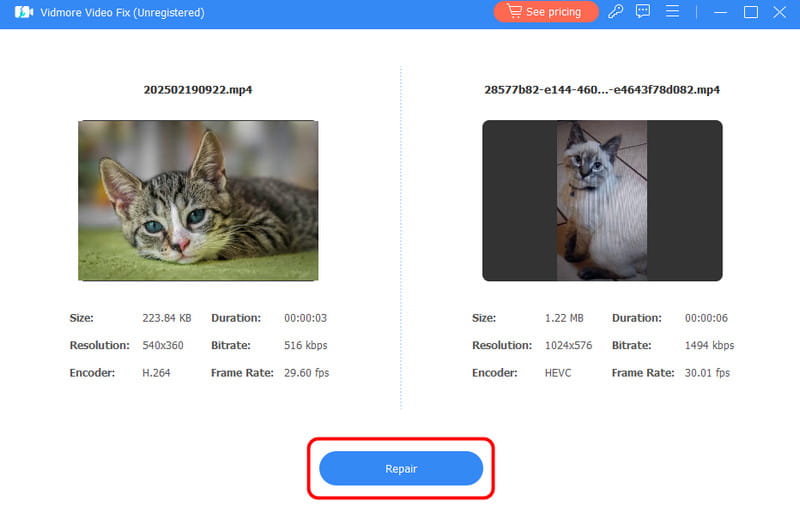
Step 3. To begin the repair procedure, hit the Repair button below. After that, you can use the Preview feature to check the repaired video.
Step 4. Lastly, keep the repaired video by tapping the Save button below.
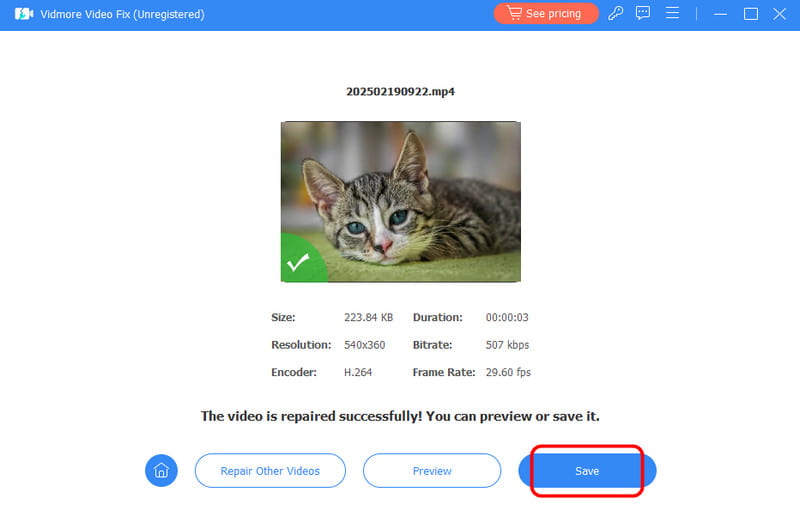
With this excellent alternative, you can tell that repairing a damaged or corrupted video is an easy task. If you're dealing with various video playback errors, feel free to use the Vidmore Video Fix program.
Part 6. FAQs about SFWare Video Repair Review
Is SFWare Video Repair Tool safe?
Absolutely, yes. The repair tool is safe to use. It allows you to repair your videos without encountering any malware. Thus, use this tool to get the result you desire.
Is SFWare Video Repair Tool free?
The tool can only offer its free version. However, to access its advanced features, you must obtain a subscription plan.
How to repair corrupted video?
There are various tools you can access for repair. If you want an easier method, you can try using Vidmore Video Fix. After launching the main interface, click the red plus sign to insert the corrupted file. Then, you can also insert a sample video into the blue plus sign. Once done, tick Repair to fix the video.
Conclusion
This detailed SFWare Video Repair Tool review covers everything, including its features, limitations, and methods for repairing a video. You also learned its limitations that may hinder you during the video repair process. Plus, if you need an excellent alternative for an easier and smoother video repair process, we suggest using Vidmore Video Fix software. With this program, you can deal with various video playback issues, making it a powerful video repair tool for users.