
How to Increase Brightness of the Video in Premiere Pro [with Alternative]
Nowadays, videos or movies are the trends wherein numerous people are engaged in this. Also, it is more satisfying to watch when the video or movie has an excellent and balanced video color quality. Do you have a dark video and want to lighten them up? Then this informative guidepost was meant for you. This article will give you the best methods on how to brighten a video in Premiere. In addition to that, you will also learn the best alternatives to this application. This way, you will get the easiest way to edit your video. So, if you want to learn the trick in enhancing your video color, read this article.

PAGE CONTENT
Part 1: How to Brighten A Video in Premiere
Do you desire to learn how to make a video brighter in Premiere Pro? If you want to lighten up your video using it, you’ve come to the right place! Read this part, and this software is capable of making your dark video brighter and more visible with its an advanced technique.
However, this tool is only suitable for professionals or advanced users and beginners will find it complicated. Also, Premiere Pro requires a subscription to operate, though it has a 7-day free trial.
Having known about the basic information, let us use the process below to learn how to lighten a dark video in Premiere Pro.
Step 1: Install the software on your computer. Add the video you want to edit and drop it on the timeline.
Step 2: Click the Effects option on the left part panel of Premiere Pro. Then search for the Lighting effects in the search box, and click it.
Step 3: Drag the lighting effects on the clip. Afterward, navigate to the Effects Control option at the upper part of the interface, and click Lighting Effects.
Step 4: You will encounter numerous options on your screen. Select the Light1 button to view the dropdown menu and see the Spotlight option. Then change the spotlight to Directional.
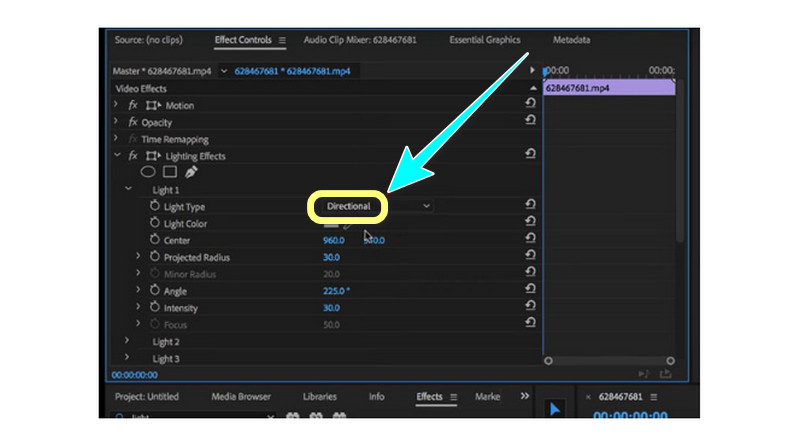
Step 5: You will see that the dark sections of your video will brighten instantly. After that, you can save your final video on your computer and watch the brighter version.
Part 2: Best Premiere Pro Alternative to Brighten A Video
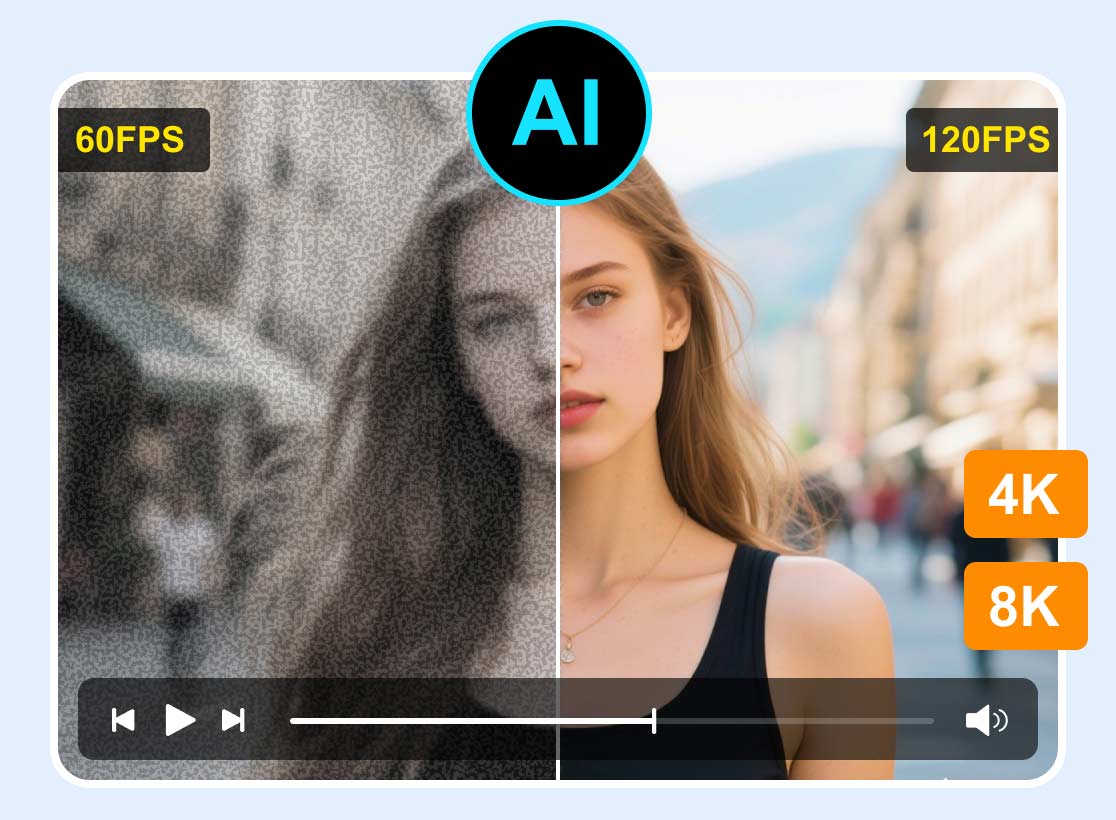
The best alternative to lighten up your video is Vidmore Video Converter. This offline software can easily make your dark videos brighter and more precise. It has various AI models, like Face Model, Video Repair Model, Color Enhancement Model, and Low-lit Enhancement Model, which can easily improve your videos' brightness.
Also, it is the best way to balance the color of your video. Aside from adjusting the brightness of your video, you can also modify the video’s hue, contrast, and saturation. With a simple interface and straightforward procedures, everyone can use it smoothly.
Step 1: Download VidHex
Download and launch this video brightener on your Windows or Mac computer.
Step 2: Add a video
In the left modes, click AI Color > Low-light Enhancement > Start Now. Then, choose the video that you want to brighten.
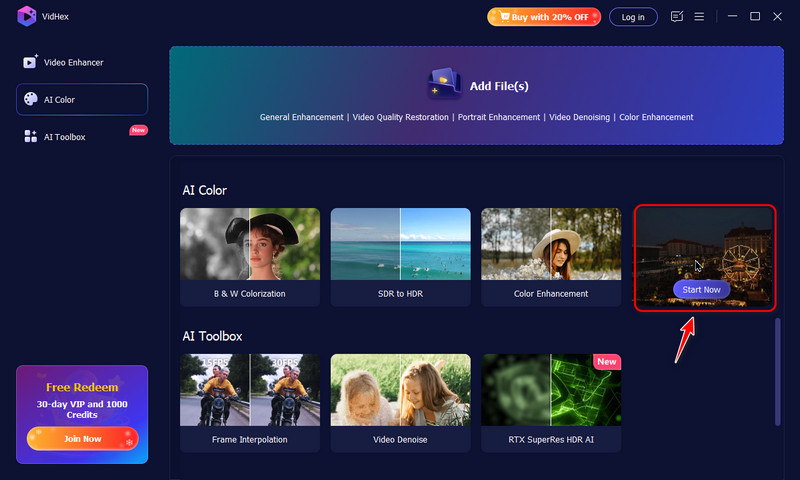
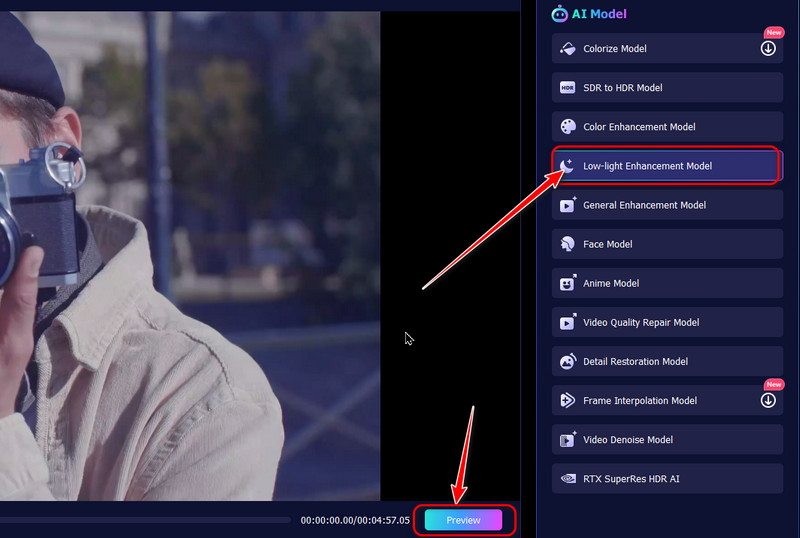
Step 3: Brighten a video
Ensure that the Low-light Enhancement Model has been chosen in the right AI Model list, and VidHex will automatically improve your video’s brightness. You can click the Preview button to see the brightening effects.
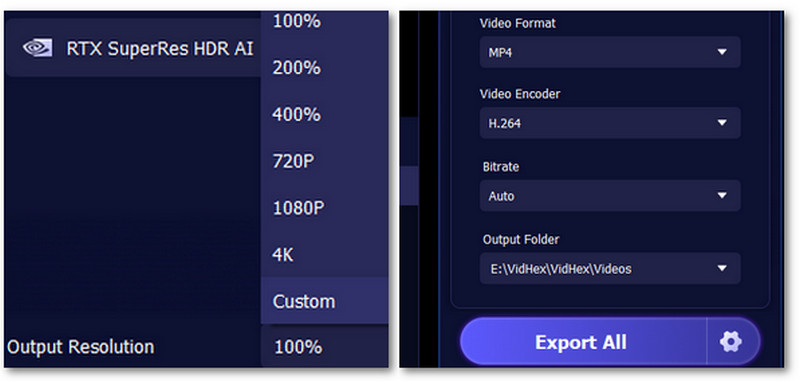
Step 4: Export the brightened video
Finally, set your resolution, output format, bitrates, and saving path. And then, click Enhance Full Video to save the brightened video.
Part 3: FAQs about How to Brighten A Video in Premiere
1. Is there an excellent way to lighten up a dark video?
Absolutely, yes. Lighten up a video is possible now with the help of various applications. You don't need to worry if you have a bad camera or lighting. You can easily lighten up your video using Vidmore Video Converter. It has a color correction tool that you can utilize to make your dark videos brighter.
2. How much does Adobe Premiere Pro cost?
After the 7-day free trial, you must purchase a subscription to utilize the application continuously. Adobe Premiere costs $20.99 per month. If you prefer to purchase the subscription for the whole year, it costs $239.88. It is quite expensive but worth it.
3. Does Adobe Premiere Pro easy to utilize?
The difficulty of this application depends on the users. If the user is skilled, then this application might be easy. On the other hand, if the user has no skill yet, this application is unsuitable.
Conclusion
As you can see, this article tells you how to brighten a video in Premiere. But this Premiere is too advanced for beginners. In that way, if you want a simple method to lighten your video, use Vidmore Video Converter. It has a user-friendly interface and simple procedure, which is perfect for non-professional users.