







3 Effective Ways to Record Clash of Clans Gameplay
Recording Clash of Clans gameplay is ideal if you want to showcase your strategies, share highlights, or create a tutorial for other CoC players. Well, recording gameplay is a simple method when you use the right tool. Some recorders even let you edit captured gameplay, take screenshots, and save in the best quality. In this guide, we will show you the best methods for effectively recording your CoC gameplay. Without anything else, check out this tutorial to learn how to record Clash of Clans gameplay at its best.

PAGE CONTENT
Part 1. Ultimate Way to Record Clash of Clans on PC/Mobile/Console
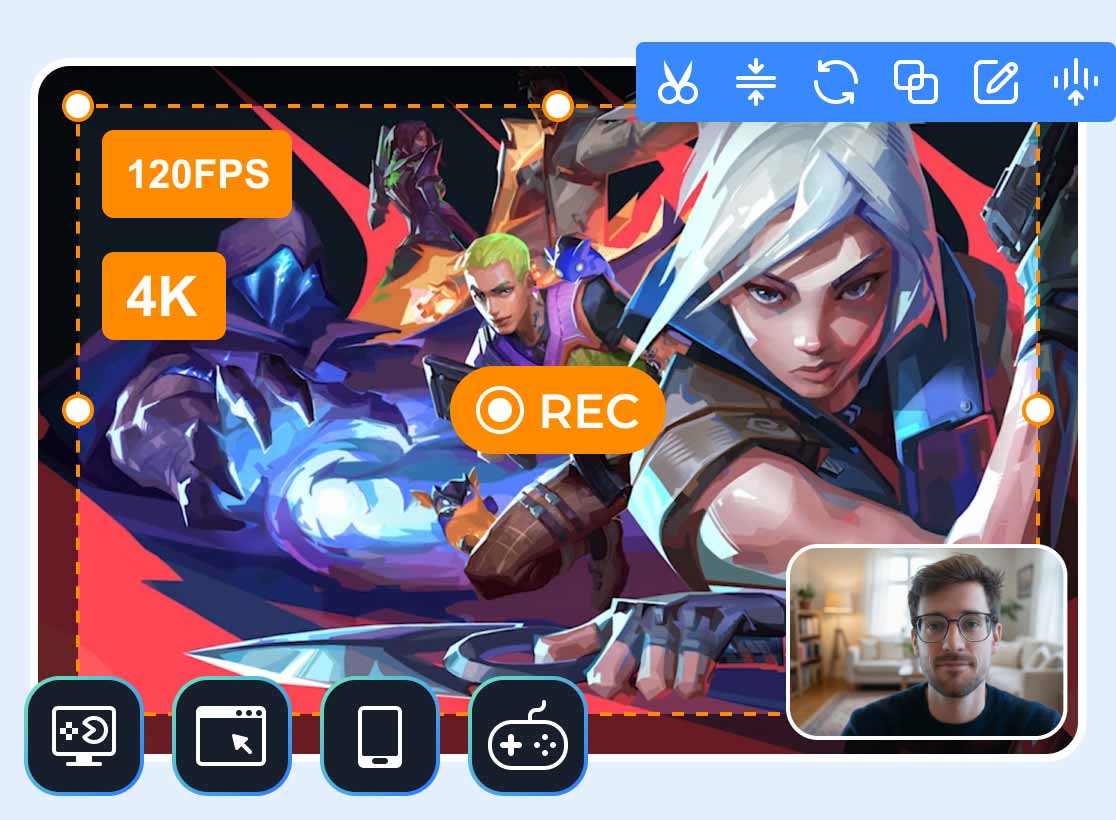
Want to learn how to record Clash of Clans on PC, mobile, and console? If so, one of the best and most remarkable gameplay recording software programs you can access is Vidmore Game Recorder. What makes this program ideal is its ability to record both games and phone screens. These features help you capture CoC without compatibility issues. It can also provide a simple recording process thanks to an easy-to-use interface. The good thing here is that you can capture the entire screen or your preferred area, giving you full control during recording. You can even improve the recording by editing it, such as cropping, trimming, adding effects, changing the format, and more. You can also save the video at the highest quality for better playback. With that, if you need the best Clash of Clans recorder, use Vidmore Game Recorder right away.
More Features
- The program can offer various recorder features, such as video, audio, phone, webcam, and more.
- It can offer its Preview feature to play the captured gameplay before exporting.
- The recorder can offer a Snapshot feature to capture a screenshot during gameplay recording.
- It can offer real-time annotation features.
How do I record Clash of Clans gameplay? To learn how to use Vidmore Game Recorder, see the complete instructions below.
Step 1. Download Vidmore Game Recorder on your computer. After that, run it to start the CoC gameplay recording process.
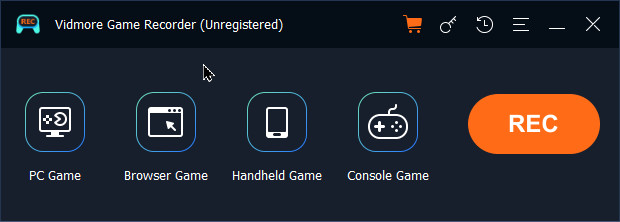
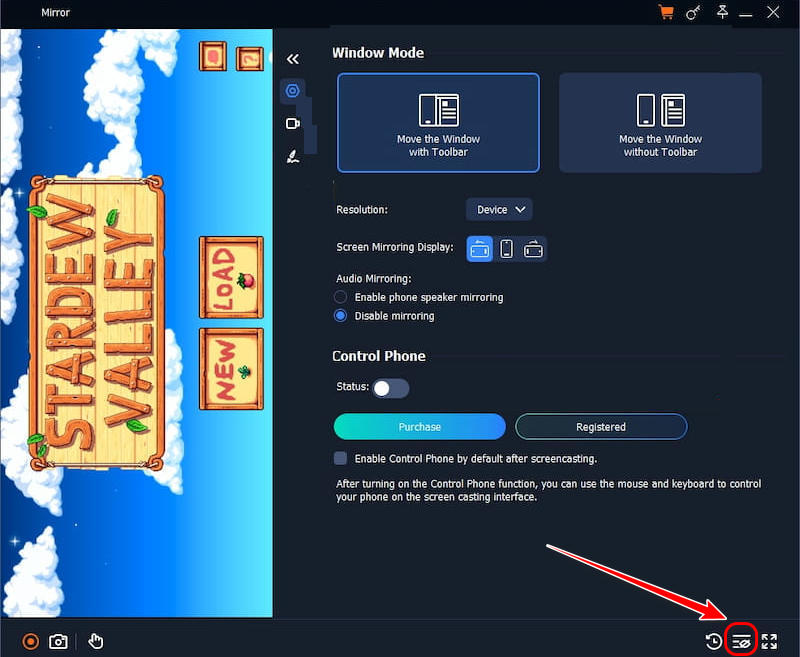
Step 2. In the user interface, click the Handheld Game mode. Then, connect your mobile device. Then, open the Clash of Clans app.
Step 3. After setting up the game, you can begin recording it by clicking the Record button below. To finish recording, tap the Stop button.
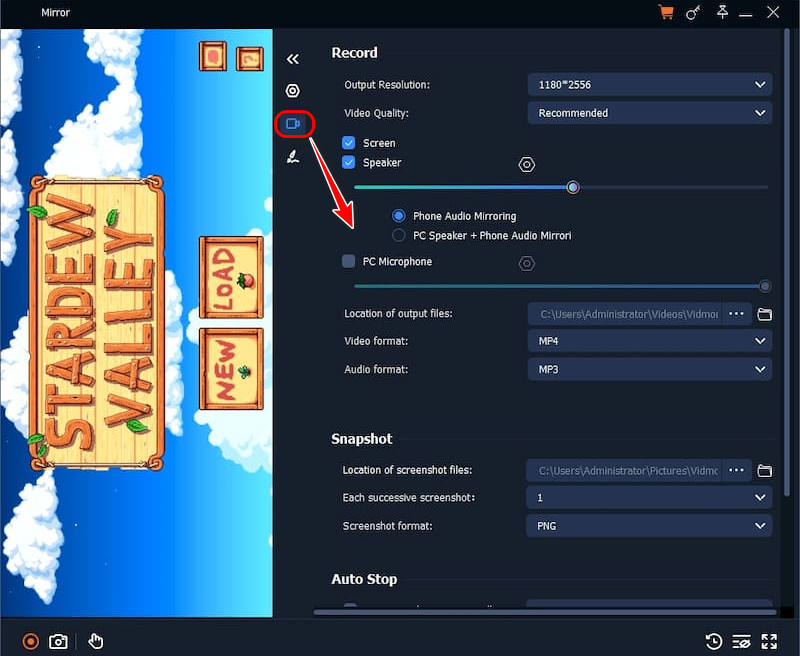
Step 4. When the preview appears, you can click the History List to find your CoC gameplay recording. Once satisfied, tap Export to save the file on your device.
Part 2. Record Clash of Clans Using Emulators
Do you want to record your Clash of Clans gameplay on your PC? Then, another tool you can use is an emulator. Well, there are various emulators you can use to show your mobile game on your computer screen. Some of them are Bluestacks, Nox, and LDPlayer. Well, these apps can make recording easier by letting you use your PC's screen capture tools, get higher-resolution output, and manage files more effectively. You can even record various games. You can record PUBG, ML, LoL, and other games. What makes them useful is that you can start editing and share the recorded gameplay. You can even access more advanced tools for better video playback.

Step 1. Download your preferred emulator. You can access Bluestacks, LDPlayer, and Nox.
Step 2. After that, you can launch Clash of Clans in the emulator. Once done, you can now use your preferred desktop recorder. You can use OBS Studio for better recording.
Step 3. Once done, you can save the recording to your device.
Drawbacks
- You must know that emulators can only show games from a phone. They can't offer a built-in recorder feature.
- Emulators only run smoothly on high-spec computers.
Part 3. Record Clash of Clans Using AZ Screen Recorder
If you want to capture Clash of Clans gameplay on your mobile device, you can rely on AZ Screen Recorder. This mobile-based recorder is ideal if you want a simple recording process. It has a comprehensive interface and ensures you won't experience any lag during recording.
Plus, the app can produce high-quality video output after recording. You can even adjust the resolution, frame rate, bitrate, and other important parameters.
Additionally, you can use basic editing features to improve your recording. You can access its cropper, filter, trimmer, effects, and more. You can also use this app to record more gameplay. You can record Minecraft, LoL, CF, and more. Thus, always consider using this app if you need an excellent Clash of Clans screen recorder.
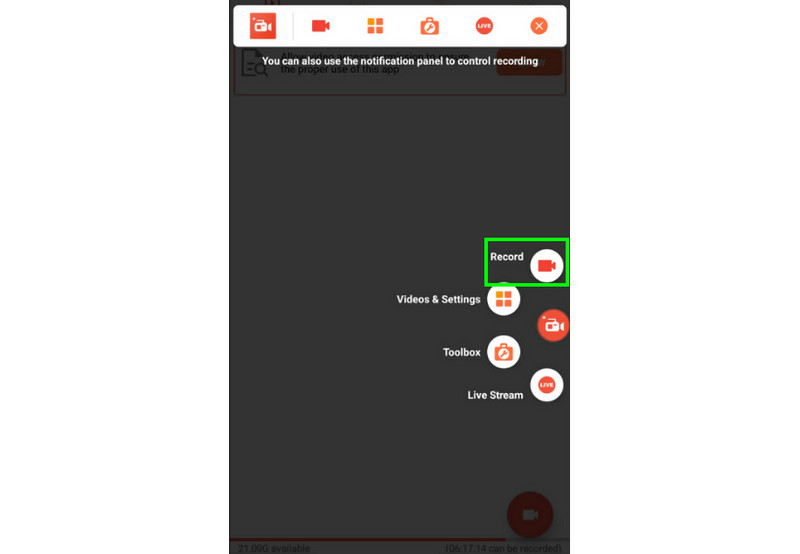
Step 1. Start downloading AZ Screen Recorder on your Android or iOS device. After that, install it to start the recording process.
Step 2. After you run the recorder, you will see various buttons on the screen. Click the Record icon to start recording. Then, proceed to the Clash of Clans app to start your gameplay.
Step 3. To stop the recording, go back to the recorder app and press the Stop button. Once done, you can now play or share the gameplay recording.
Limitations
- Various ads are popping up on the screen, which can be disturbing.
- The app can only offer basic editing features compared with desktop-based recorders.
- Large video files can consume storage quickly.
Part 4. FAQs about Recording Clash of Clans
Can I record Clash of Clans gameplay online?
Unfortunately, no. Neither Android nor iOS allows web recorders to directly record your Clash of Clans gameplay. So, if you want a smoother gameplay recording process, it is best to use an offline recorder, such as Vidmore Game Recorder, AZ Screen Recorder, or OBS.
Do I need special hardware for recording?
All you need is mid-range CPU and GPU hardware, with 8 GB of RAM. With these basic specs, you can already ensure a smoother recording process on your computer.
What is the best gameplay recorder I can use?
If you want a powerful gameplay recorder to record Clash of Clans and other games, we suggest using Vidmore Game Recorder. This program is ideal because it can provide a smoother recording process. It is also perfect for streamers since it supports a webcam recorder.
Conclusion
In this tutorial, you have learned the best methods for successfully recording Clash of Clans gameplay. It is a great way to capture your favorite highlights and share your battles with friends. Plus, if you want a better recorder with a smoother recording process and more editing tools for better video playback, Vidmore Game Recorder is a great choice. This program lets you record gameplay and save it in the highest quality, making it the best recorder for all users.