
Proven and Tested M4V to MP4 Converters: Free & Fast
Many users encounter an M4V file when downloading a video from iTunes. The downside is that the file is DRM-protected, which can limit playback on some devices. Plus, it becomes a challenge when they want to play the video on both Apple and non-Apple devices. With that in mind, the best solution is to convert the M4V files to MP4 for better, smoother playback. Thankfully, this article introduces several M4V-to-MP4 converters you can use to transcode your files. You will also get more insights about their pros, cons, best for, and more. Read on to explore the best converters.

PAGE CONTENT
Part 1. Differences of M4V and MP4
Want more insights into the two formats? If so, you can read all the information from this section.
What is M4V?
M4V is a container format developed/created by Apple. It is very similar to MP4 but commonly used for iTunes videos. The container format includes DRM protection, which restricts playback to authorized Apple accounts and devices. Plus, you must know that this format is less universally compatible due to the Apple ecosystem and DRM protection.
What is MP4?
MP4 is among the most popular video formats. You can access this format on all devices and platforms, making it the best choice for smoother, more effective playback. Plus, it can offer high compression efficiency while maintaining good video quality. With that, MP4 is ideal for playback, sharing, and streaming. Compared to M4V, MP4 formats rarely include DRM, making them more accessible and flexible.
To get more insights into the two formats, check the simple table below.
| MP4 | vs. | M4V |
| International standard (ISO/IEC) | Developer | Developer |
| Rarely includes DRM, widely accessible | DRM Protection | Often includes DRM, limiting playback |
| Supported on almost all devices/platforms | Compatibility | Best on Apple devices (iTunes and QuickTime) |
| .mp4 | File Extension | .m4v |
| Universal video sharing, streaming, and playback | Use Case | Ideal for iTunes movies, TV shows, and the Apple ecosystem |
Part 2. A Quick Comparison of the Best M4V to MP4 Converters
Do you want to take a peek at the best M4V-to-MP4 converters? Then, you can read all the information from the table below.
| Platform | Speed | Quality | Ideal for | |
| Vidmore Video Converter | Windows and Mac | Up to 50 times faster | Up to 4K | Beginners and skilled users |
| Handbrake | Windows and Mac | Standard | Up to 1080p | Beginners |
| VLC | Windows and Mac | Fast | Up to 1080p | Beginners |
| Vidmore Free Video Converter Online | Browser | Fast | Up to 4K | Beginners and skilled users |
| CloudConvert | Browser | Fast | Up to 4K | Beginners and skilled users |
| iConv | Android and iOS | Standard | Up to 1080p | Beginners |
Part 3. Excellent M4V to MP4 on Desktop
If you need the best free M4V-to-MP4 converters for your desktop, you can find all the information in this section.
1. Vidmore Video Converter
Best for: Ideal for a smooth and fast conversion process.
Rating: 4.5 / 5
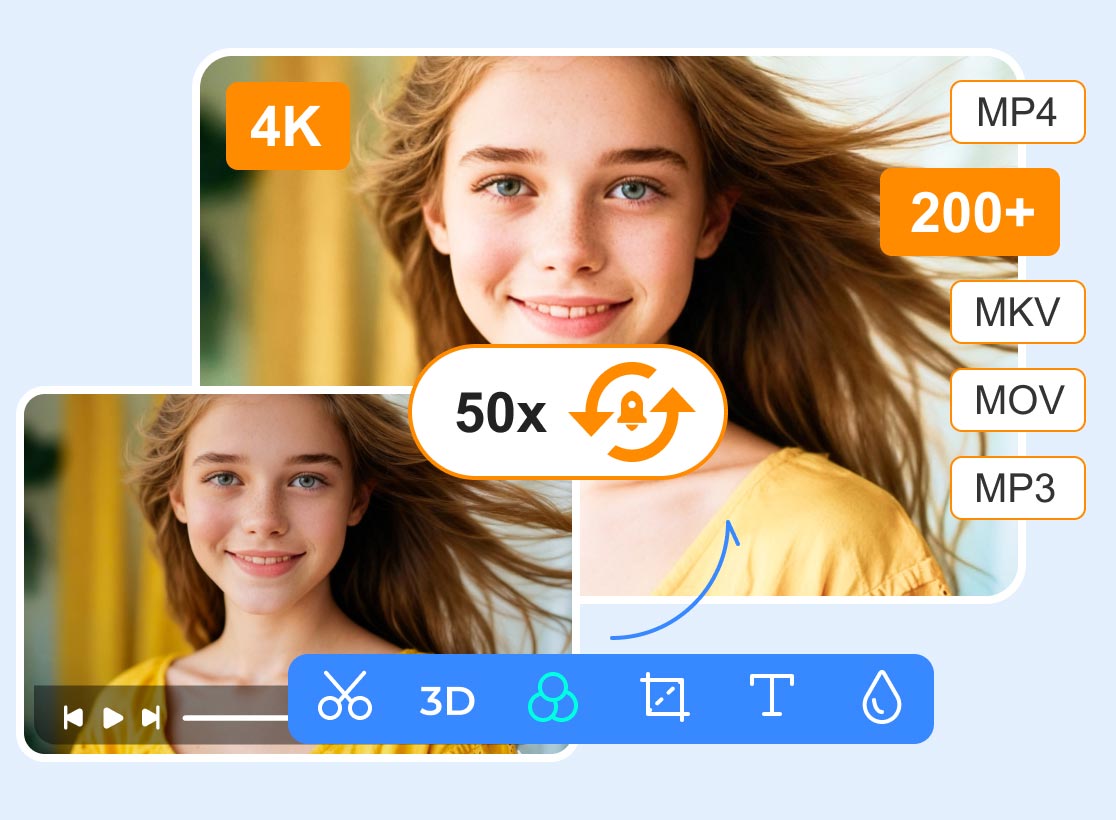
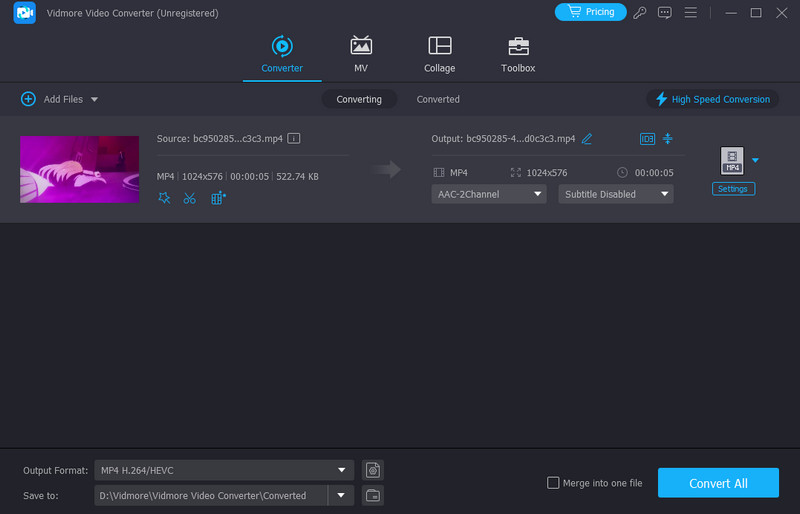
One of the most reliable and powerful converters for converting M4V to MP4 is Vidmore Video Converter. This program offers a fast conversion process, up to 50× faster than other tools. It can also help you save your video in 4K resolution so you can watch it better. What we like here is that you can transcode multiple files simultaneously, thanks to its batch conversion feature. It can also support more formats, such as WMV, MKV, FLV, AVI, MOV, etc. If you need a reliable converter, feel free to use this software.
Pros
- The converter can offer a smooth conversion process.
- It can also provide basic editing functions to improve the converted video.
- It lets you adjust various parameters, such as frame rate, quality, encoder, and more.
Cons
- If you want to access all the features, you can use the converter's premium version.
2. Handbrake
Best for: Perfect for a simple conversion procedure.
Rating: 4 / 5
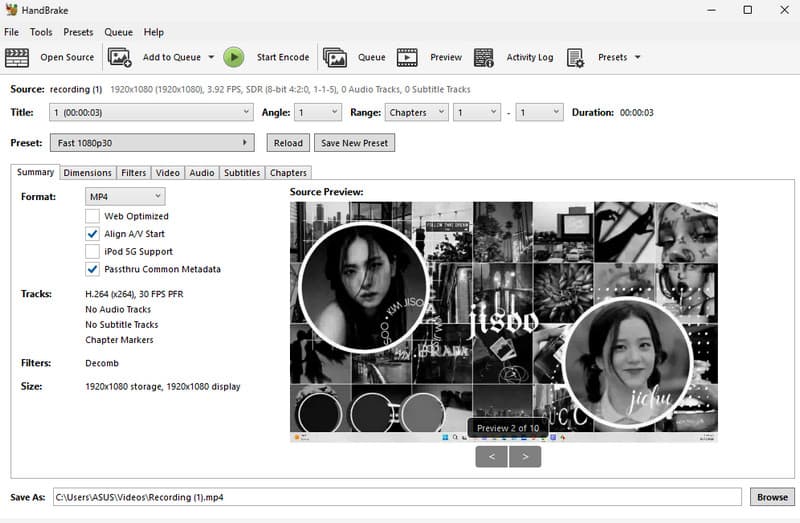
Another best M4V to MP4 converter you can rely on is Handbrake. This open-source converter offers a simple conversion process thanks to its easy-to-navigate user interface. With that, even if you are a non-professional user, you can ensure your files convert without any issues. You can also use this software to convert more files. You can convert WMV to MP4, AVI to MKV, FLV to MKV, and more.
Pros
- The converter also offers basic editing tools, including filters, deinterlacing, denoising, and more.
- The main layout is comprehensive.
- It is 100% free to use.
Cons
- The program's interface is not very appealing.
- There are times when the converter can't perform well.
3. VLC
Best for: Ideal for media playback and file conversion.
Rating: 4 / 5
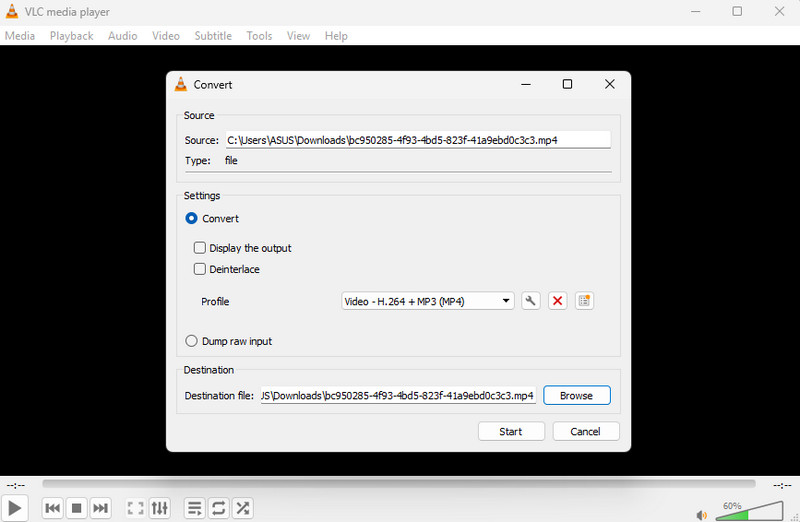
VLC is not just a media player. If you explore this software, you will learn that it offers a converter feature. With this feature, you can instantly convert M4V to MP4 without any trouble. What makes it ideal is that it ensures you can still maintain the original quality, resulting in a satisfying video playback experience.
Pros
- The converter is simple and neat.
- It has basic video editing tools to enhance the video.
- The program can support more formats, such as AVI, MKV, and TS.
Cons
- Sometimes, the converter crashes during the process.
- The layout needs to be upgraded to make it more engaging.
Part 4. Reliable M4V to MP4 Online
Do you prefer an online tool to convert M4V to MP4? In that case, check this section, as we offer the best online M4V-to-MP4 converters for you.
1. Vidmore Free Video Converter Online
Best for: Good for converting files without any annoying ads.
Rating: 4.5 / 5
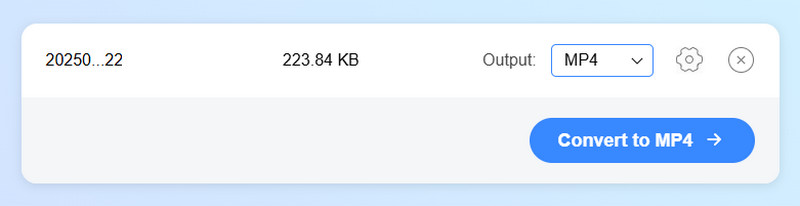
To convert M4V to MP4, you can use Vidmore Free Video Converter Online. This tool ensures a smooth conversion process by preventing distracting ads from appearing on the screen. Plus, the tool lets you adjust various parameters from the Settings. You can change the resolution, frame rate, encoder, bitrate, and more. Thus, consider using this tool for an effective M4V-to-MP4 conversion.
Pros
- The tool has a smooth conversion process.
- It can handle various video formats, including AVI, MKV, MOV, WMV, FLV, MP3, M4A, etc.
- It is accessible to all web platforms.
Cons
- It requires a fast internet connection.
2. CloudConvert
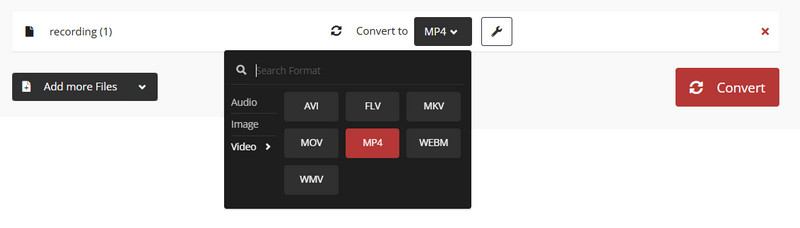
Best for: ideal for converting multiple conversion processes.
Rating: 4.5 / 5
If you need another best M4V-to-MP4 converter, look no further than CloudConvert. With its fast conversion process, you can get the results you need while saving significant time. It can also batch-convert multiple files at once. The best part here is that you can change the video's aspect ratio, add subtitles, insert a watermark, and more. You can also convert more files, such as HEVC to MP4, AVI to FLV, and WMV to MP4. With that, you can tell that you can rely on this tool.
Pros
- The converter's main layout is easy to operate.
- With its batch conversion feature, you can transcode multiple files at once.
- It offers a smooth download and save process.
Cons
- To access more features, you must get the tool's paid version.
- A fast internet connection is required.
Part 5. Best M4V to MP4 Converter for Android and iOS
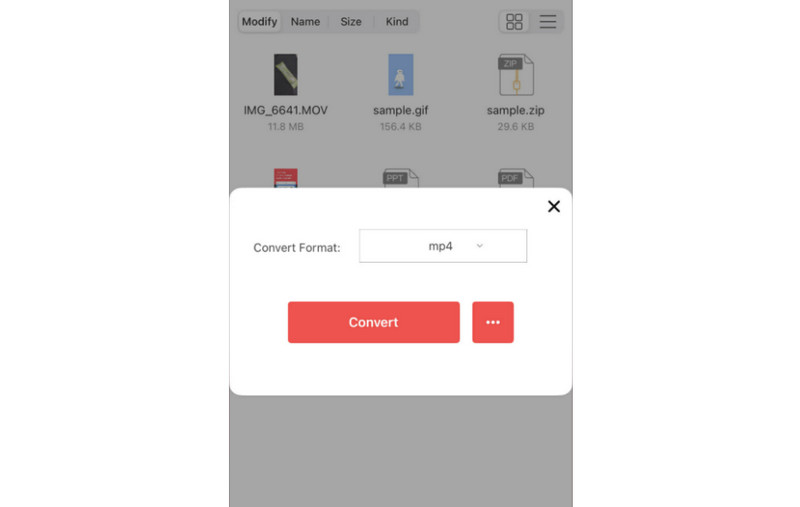
If you are using your mobile device, you can still convert M4V to MP4 using iConv. This converter application is helpful if you want an effective conversion process. It also has a comprehensive interface that lets you convert your files easily and instantly. You can also transcode more files, such as 3GP to MP4, AVI to MP4, and TS to MP4. You can also modify some parameters, such as encoder, size, fps, bitrate, etc.
Pros
- The app is free to download.
- It can also convert various media files, including audio, images, and documents.
Cons
- Ads are always popping up.
- The free version has various restrictions.
Part 6. FAQs about M4V to MP4 Converter
Which is better, M4V or MP4?
It depends on where you use the format. If you are using an Apple device, you can enjoy the M4V format, which Apple created. On the other hand, if you want to play your video across all platforms, MP4 is ideal.
What is the best converter to convert M4V to MP4 instantly?
If you want a quick way to convert M4V to MP4, always use Vidmore Video Converter. This program can offer a 50 times faster conversion speed, allowing you to get the result you want in just a second.
Are free M4V-to-MP4 converters safe to use?
It depends on the tool you use, since some free converters are risky. If you want a safe converter, we suggest using Vidmore Free Video Converter Online, CloudConvert, or Convertio. These converters ensure you can convert your files without issues.
Conclusion
With these M4V to MP4 converters, you can convert your M4V files to MP4 for smoother playback across all platforms. With that, try all the converters we have recommended. Plus, if you want to convert your files on your desktop, you can use Vidmore Video Converter, which offers a fast conversion process and lets you save your videos in the best quality.